Database to other systems
If you want to transfer data securely, it has proven effective to do so using a handshake procedure. For relational databases such as Microsoft SQL Server, the "Mark transferred values" function is ideal for this purpose.
You can find the technical details in the Database Transfer Object and the Transfer Status Trigger.
Here, the status of the transfer is recorded in a column of the table. By default, the OPC Router uses the following values for this:
0 Not transferred
1 Transferred
2 Error during transfer
These values correspond to the current default values of the OPC Router for the transfer status flag and can be adapted to the respective application as needed.
Regardless of this, you should specify for the transfer column in the database table the value with which new records are initially created. The column should not allow NULL values and should be assigned a default value appropriate for the desired process.
If new records are to be queued for transfer immediately, the value for “Not transferred” is a suitable default for the table, which is 0 by default.
If, on the other hand, new records are not to be processed automatically at first, the column in the table can also be pre-populated with the value for “Transferred” or another status appropriate to the business context, for example 1 by default. In this case, the data record is only processed when a downstream process specifically sets the transfer status to the value for “Not transferred.”
This generally ensures that applications to be connected, to which this column is added, continue to run without errors, since the SQL Server can automatically populate this column with a value during an insert. The OPC Router thus knows that this record has not yet been transferred and transmits it in the next cycle.
You can add multiple transfer status columns to a table if you want to use the same record in different process steps.
This is helpful, for example, if you want to print or further process a data record at different stations.
Retry on Error
With the Select transfer object and the transfer status trigger, the OPC Router supports the ability to retry in case of an error, for example, if the target system is unreachable. To do this, use an additional column to track the number of errors. This automatically aborts the transfer when an error count threshold is exceeded and marks the data record as finally erroneous. Additionally, a time delay for retry on failure can be set.
It is possible to activate an alarm for erroneous transfer states via an additional OPC Router connection.
Step-by-Step Configuration of a Transfer Column Handshake
-
Add an additional column
TransferStateto your table and set the default value to0, without allowing null values.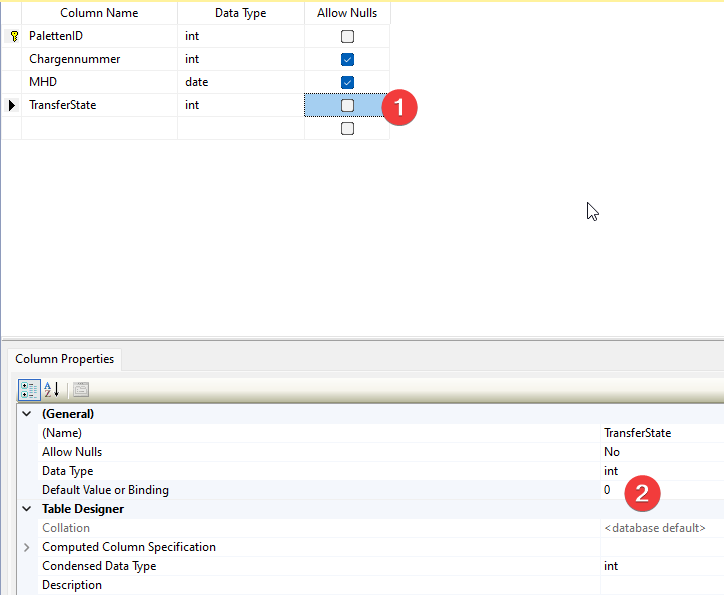
-
Add the TransferStatus Trigger to your OPC router connection and double-click it to open it for editing. Select your database, your table, and then the created
TransferStatecolumn to highlight it.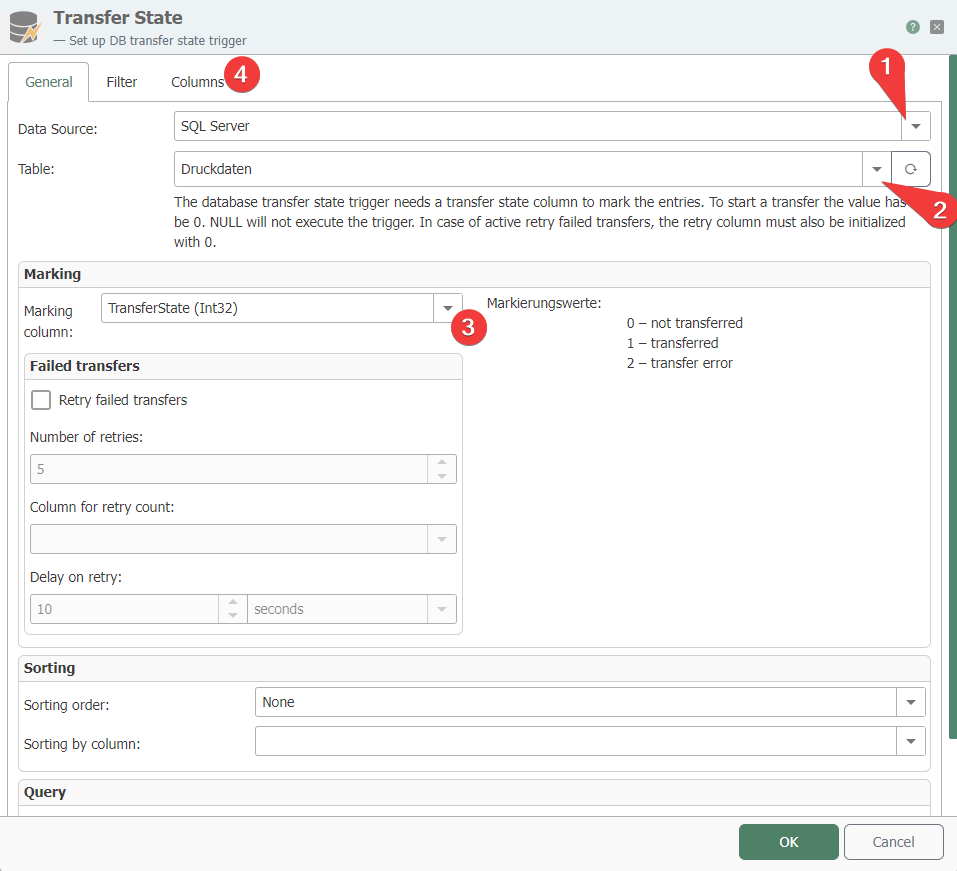
-
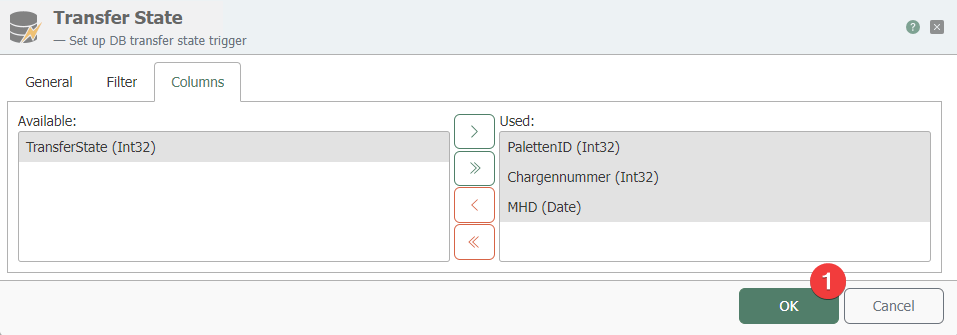
In the trigger, select the columns you want to use and save the settings.
-
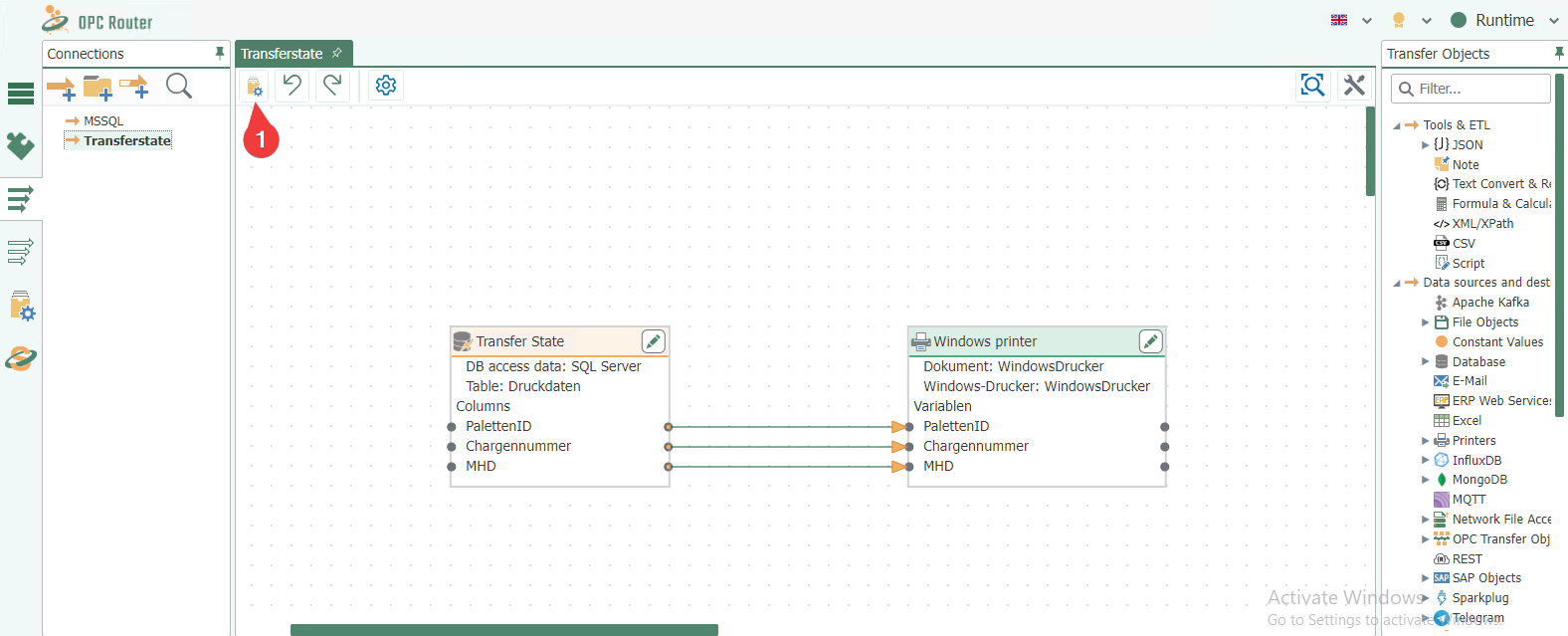
Create the actual connection to the target system. In the example shown, print data is sent to a Windows printer and production is activated.
-
Now write data to the table and set the transfer status to
0. This triggers the connection and sends the data to the target system.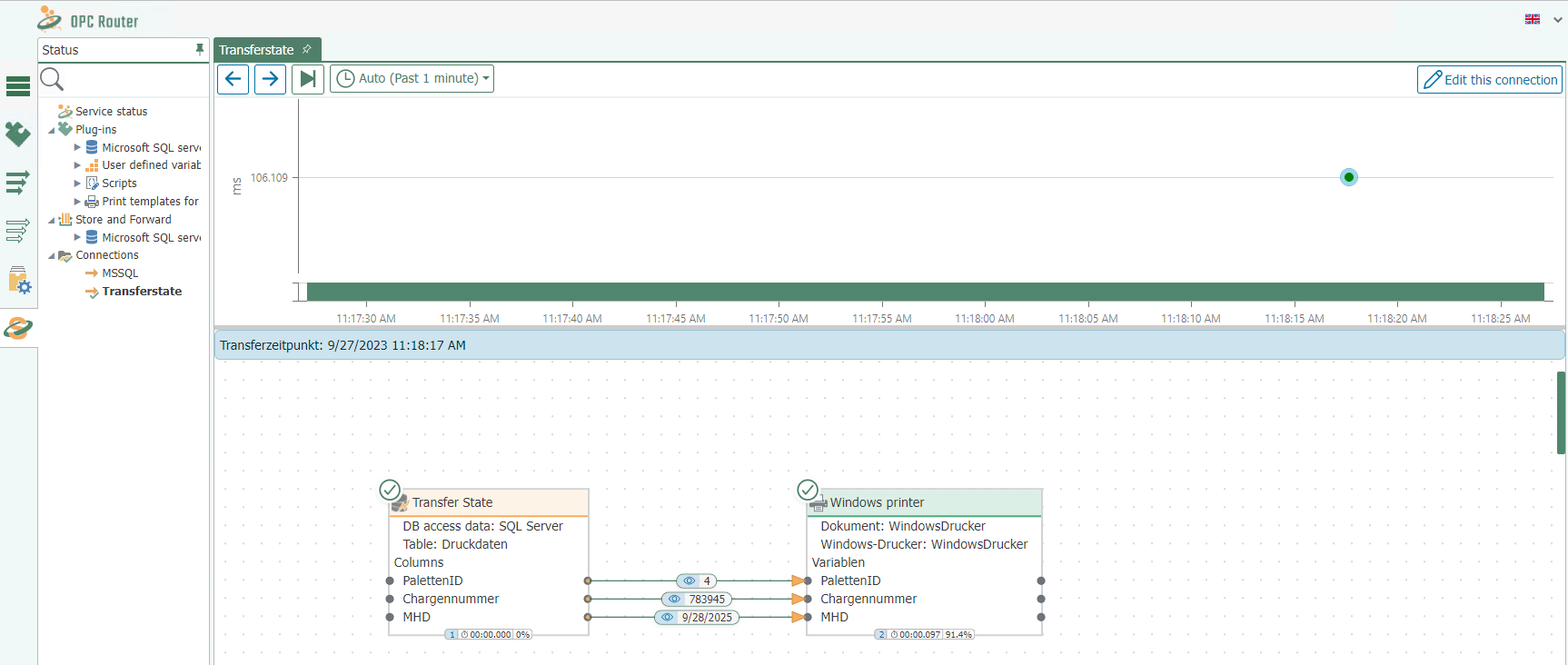
-
In Microsoft SQL Server Management Studio, you can then see that the record has been marked with a transfer status of
1, indicating that it was successfully transferred.