Cloud printer transfer object
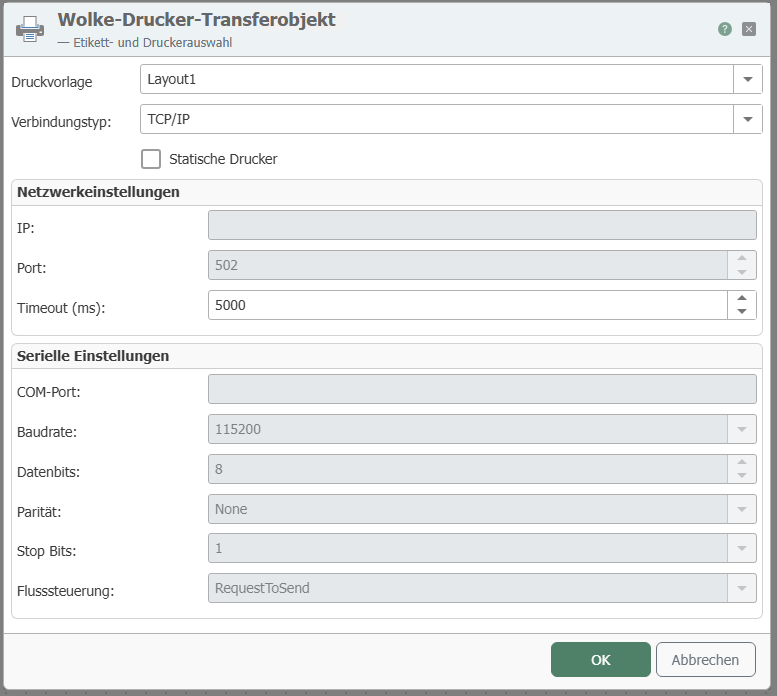
After double-clicking on the Cloud Printer transfer object, set the following properties:
| Property | Description |
|---|---|
| Print template | Print template created in the plug-in configuration. |
| Static printer | Select the checkbox if you always want to use the same printer. Specify the IP and port. If the checkbox is not selected and you want to use a dynamic printer, the printer name must be specified at runtime (from a constant, variable, database, etc.). |
| IP | Enter the IP address of your static printer. |
| Port | Enter the port of your static printer. |
| Timeout | Time (in ms) that the connection may take to establish before a connection error is returned. |
The transfer object provides you with all placeholders from the document template. If these template variables are not filled in the transfer object, the router uses the default values stored in the template.
note
Note: You can also enter a host from outside in the field for the IP address. To do this, create a constant with the IP of the printer, for example, and drag an arrow to the IP address field.