Solution Gallery
The Solution Gallery provides solutions (preconfigured projects or subprojects) designed to speed up and simplify project planning.
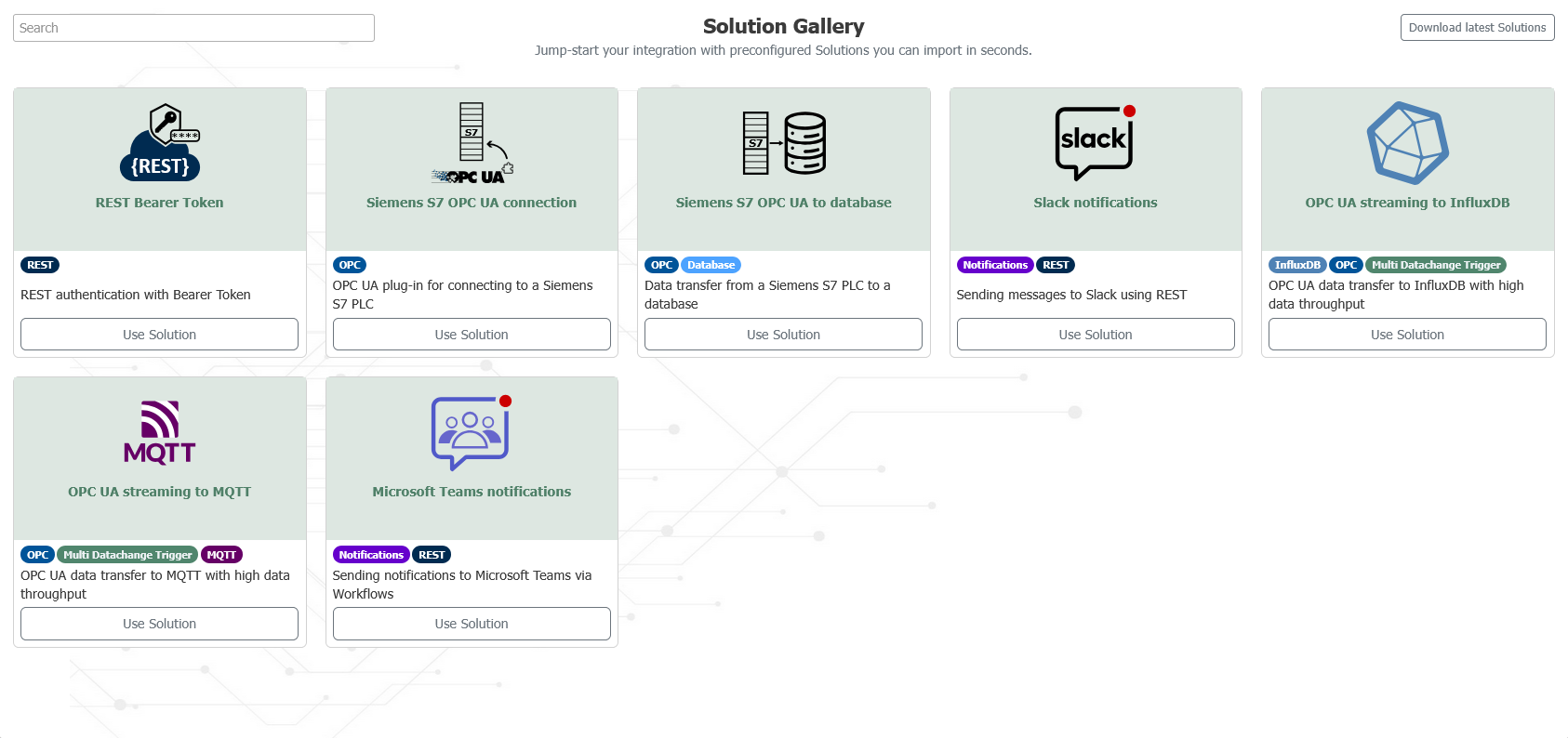
To use a solution, click the Use Solution button, which opens a dialog box.
This dialog box contains a detailed description as well as parameters for customizing the project you want to use.
If you’re unsure how to configure a parameter, you can click the help icon to get more information.
Clicking the OK button integrates the solution into your configuration, which you can further customize as needed.
Providing Your Own Solutions
The official solutions are located in a public GitHub repository. There, solutions can be maintained collaboratively and shared with the OPC Router community.
For internal use cases, you can establish a connection to your own sources. To do so, provide a ZIP file with a valid Solution Gallery structure and enter its URL in the configuration. For more information, see Establishing a Connection to Solution Sources.
Overview
- Connecting Solution Sources: Describes how to integrate your own internal or public sources.
- Creating a Solution: Describes the recommended flow for creating a reusable solution.
- File and Folder Structure of the Source: Describes the structure of a source and the required files.
- Fields in
solution.yamland Parameterization: Describes the contents ofsolution.yamland the parameter types.