Deploy OPC Router Portainer App Template
A Portainer environment is required to install the OPC Router Portainer app template. The installation of Portainer is described in the Portainer documentation.
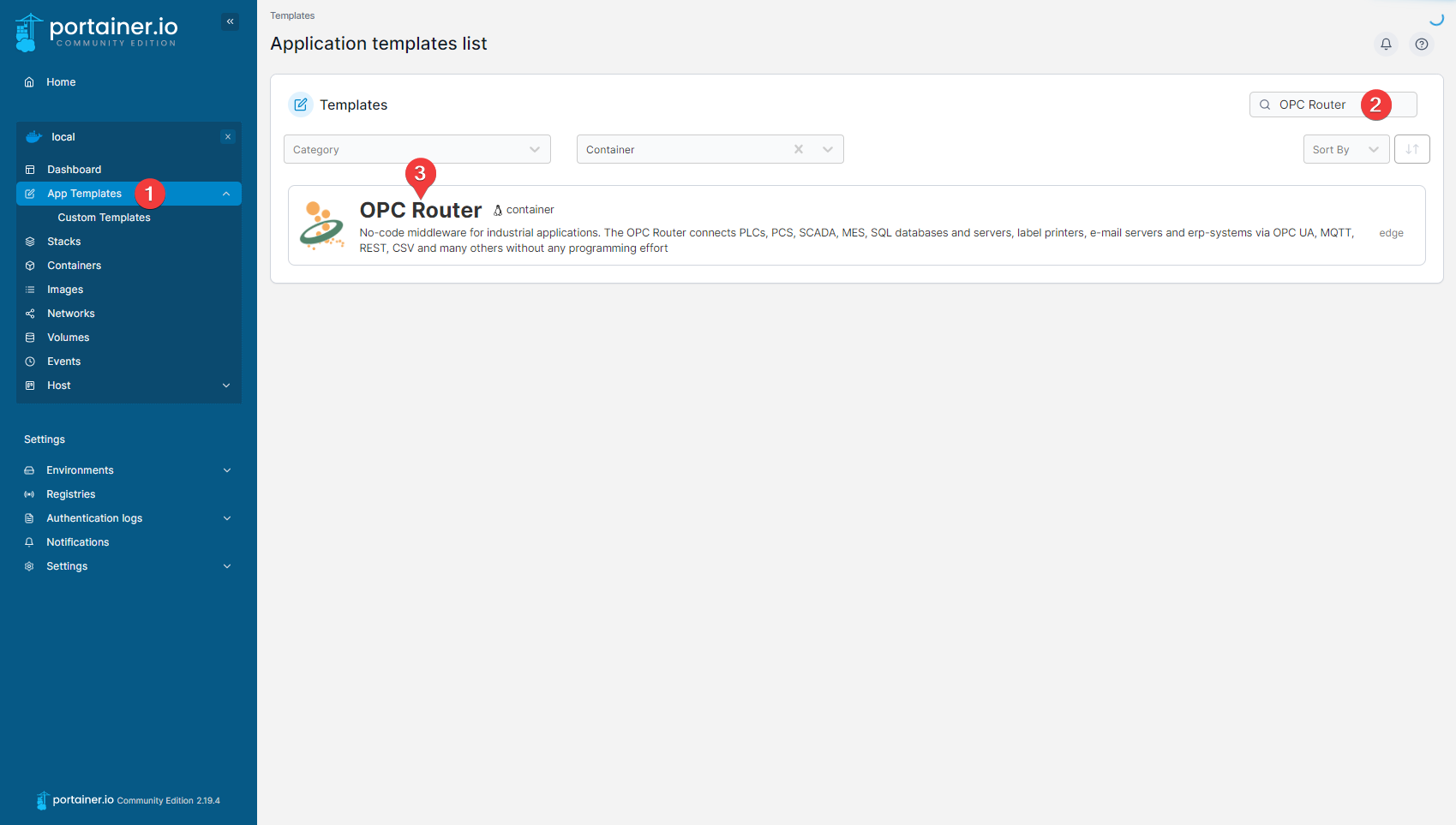
Navigate to the App Templates (1) and search for "OPC Router" (2). The OPC Router Template (3) should be found in the search results. Open the configuration view by clicking on the template.
-2db1bcc3416c74fdb4a2aa42e0c136e1.png)
Now enter a name for your OPC Router instance (1) and set the username (2) and password (3) for the initial user.
By clicking on Deploy the container (5) and setting Accept EULA to "Yes, I accept" (4), you agree to the End User License Agreement.
An OPC Router Runtime Container is now created and started by clicking Deploy the container (5). The ports through which it can be accessed from outside are assigned randomly.
Alternatively, the ports can be freely selected by expanding the advanced options (6).
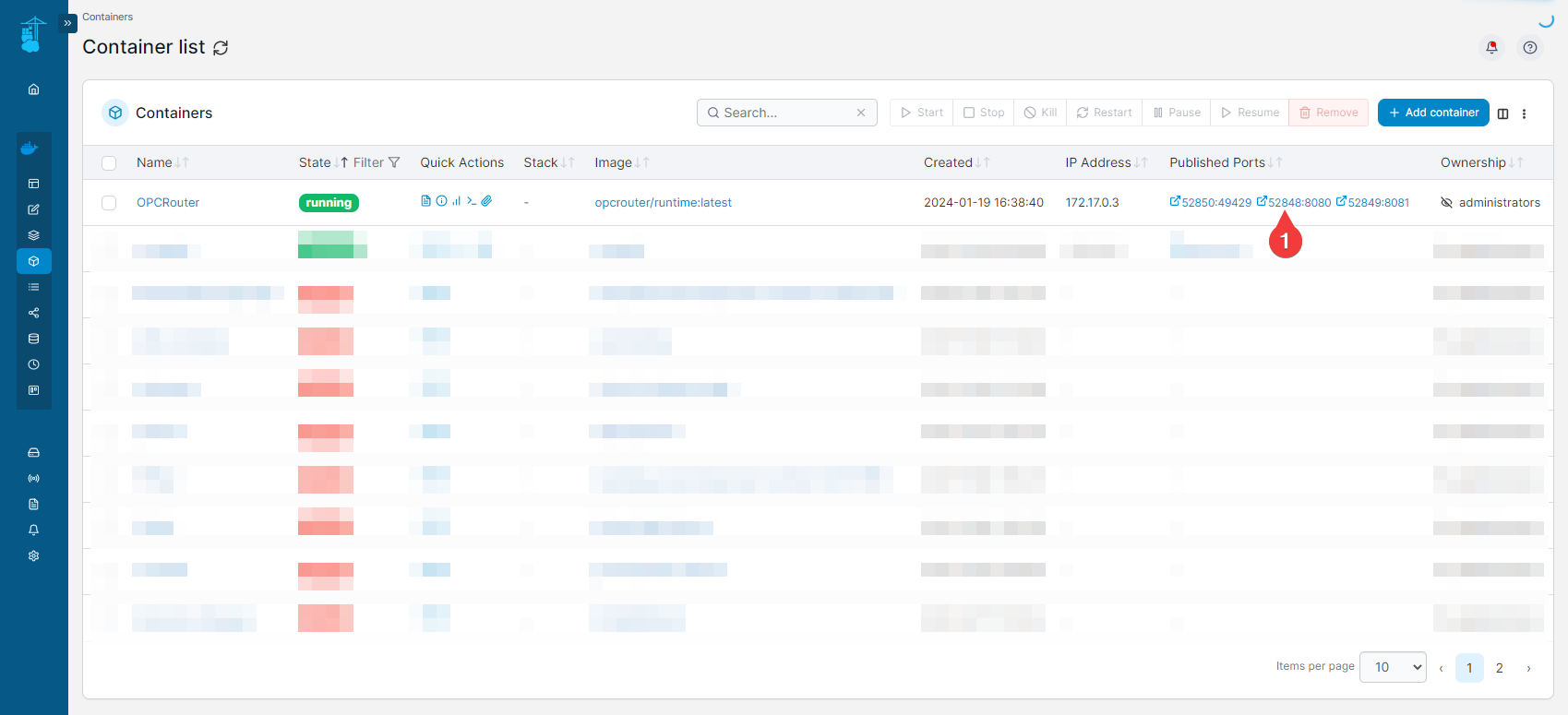
The OPC Router should now be displayed in the container list. Its web management can be accessed via the port to which the internal port 8080 is mapped (1).