Deploy OPC Router Portainer Edge Template
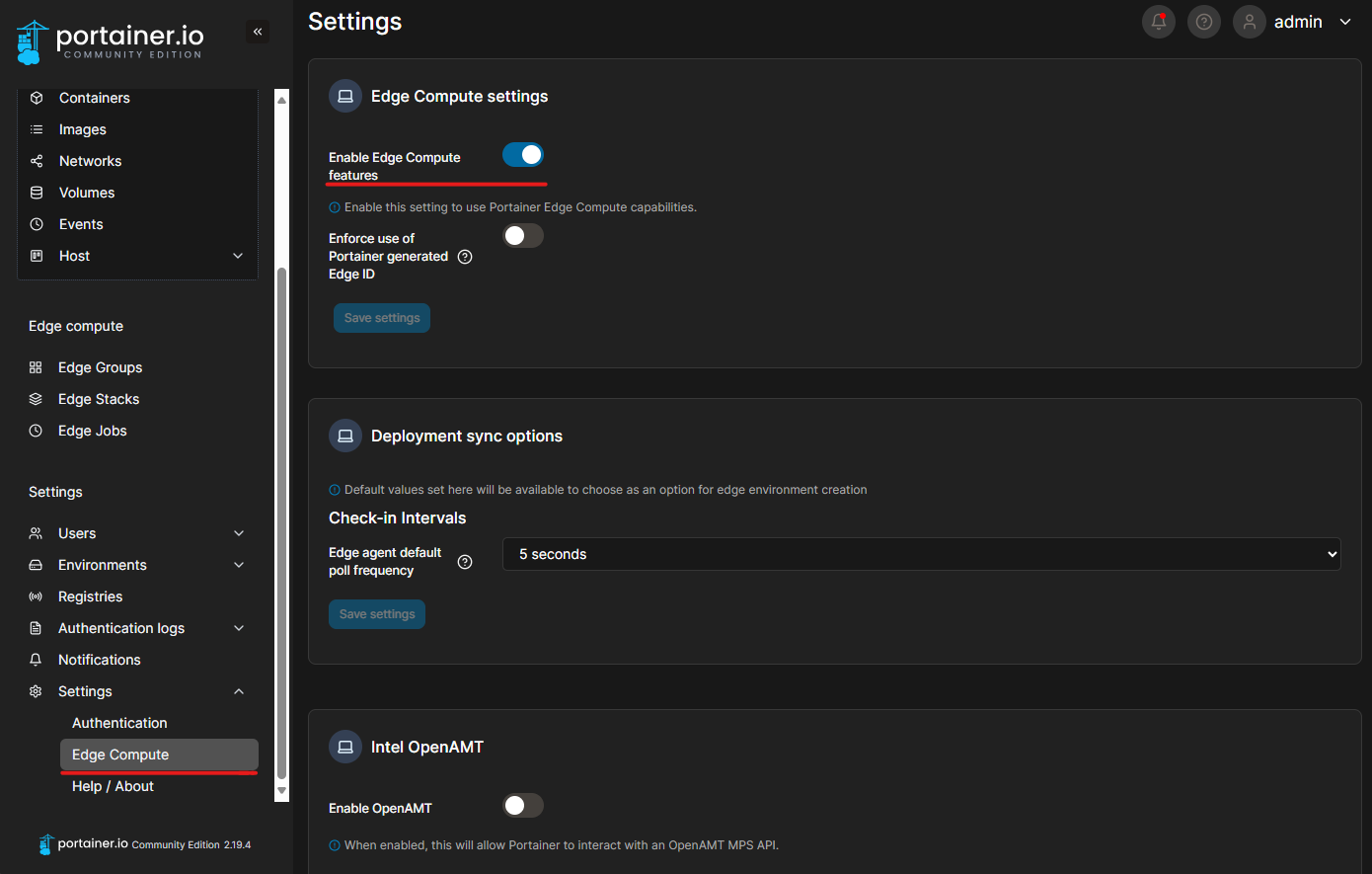
For the following steps to work, the "Edge Compute" feature must be enabled, as shown in the image above.
In addition, you must have previously created at least one Edge Environment and added it to an Edge Group. Tags can be used to assign Edge Environments to Edge Groups.
Add an Edge environment: Add an Edge environment
Documentation on Edge Groups: Edge Groups
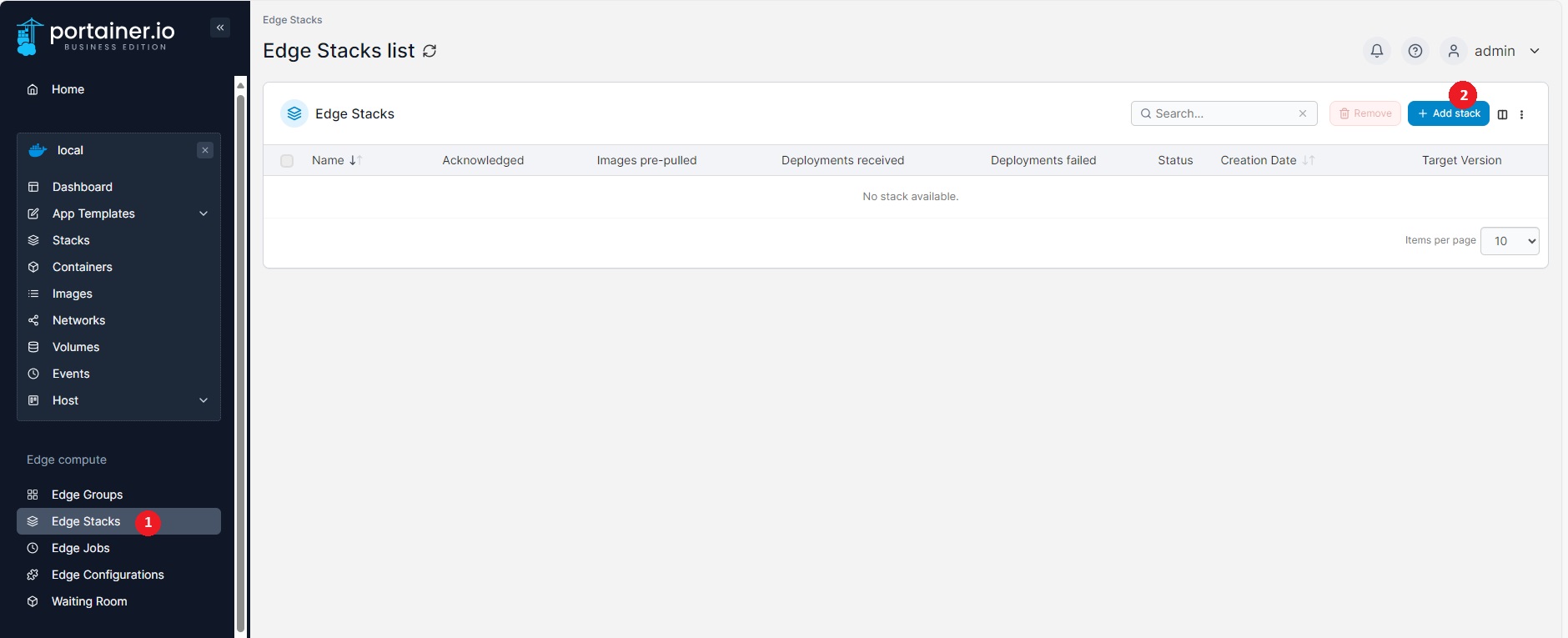
Navigate to Edge Stacks (1) and click Add stack (2).
. Select a group in Edge Groups (2). Select Template (3) as the build method and "OPC Router - No-code middleware for industrial applications" (4) as the template.

Finally, click on "Deploy the stack."

The OPC Router should now be displayed in the container list. Its web management can be accessed via the port to which the internal port 8080 is mapped (1).