JSON Read Transfer Object
With the JSON read transfer object as a simple data exchange format, you can evaluate texts formatted in JSON. Create a JSON transfer object within the connection as described. No plug-in configuration is necessary. You can project the transfer object directly within the connection as described. The JSON expression is "JMESPath."
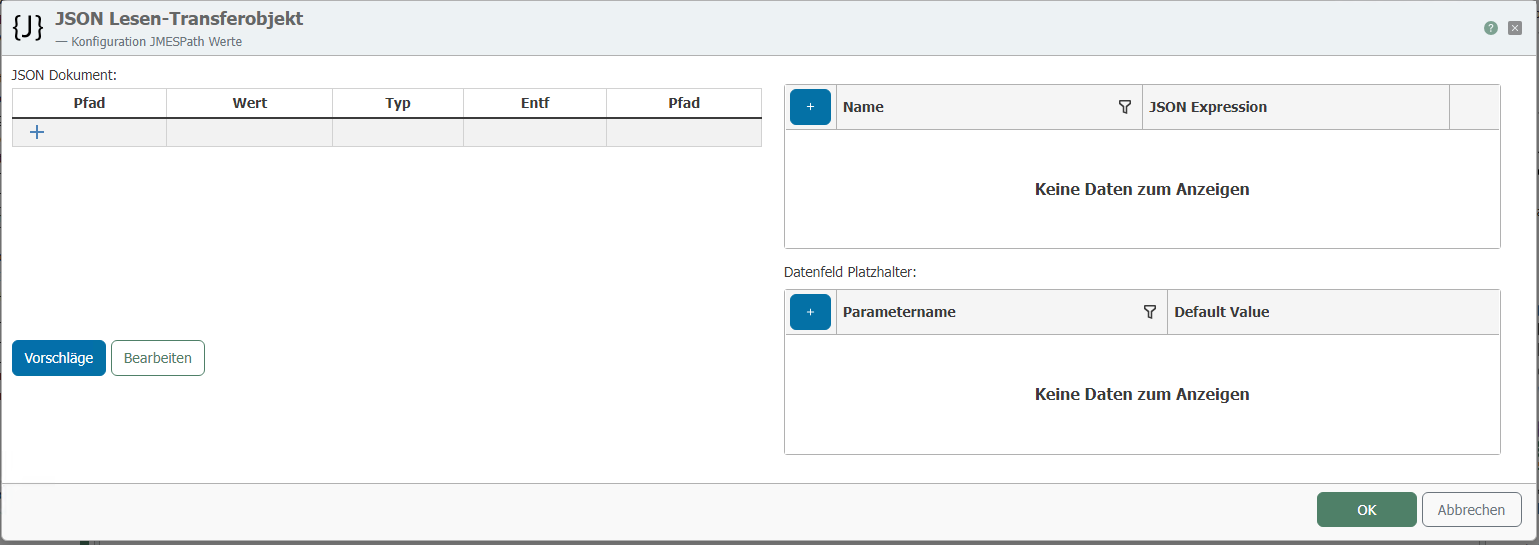
After double-clicking on the transfer object, set the following properties:
| Property | Description |
|---|---|
| JSON document | Here you can define the structure of the JSON to be read. You can enter the syntax of the JSON manually using the "Edit" button. Using the "Suggestions" button, you can evaluate transfers that have already been executed for this connection, examine them for JSON, and then adopt their syntax. |
| Data fields | Individual fields can be transferred from the JSON document using the "Right arrow" button or the "Apply expression" button. The raw data can be retrieved here at runtime. |
| JSON placeholders | JSON placeholders are used to place variables in the JSON document. In JMES Path Expressions, placeholders are specified in curly brackets, e.g., {MyPlaceholder} |
| (Expert option) Output null for missing values | If values are missing, i.e., JMESPath queries that would otherwise return no value, NULL is returned. This only works for unique JMESPath queries that return one or no values. If multiple values are returned as an array, they are neither filled with NULL nor returned as NULL for empty arrays. |
A tree structure is defined in the JSON Tree editor as follows, for example:
{
"key":"value",
"some":[
{"name":"one","value":1},
{"name":"two","value":2},
{"name":"three","value":3}
]
}