JSON Read Transfer Object
Using the JSON Read Transfer Object as a simple data exchange format, you can evaluate text formatted in JSON. Create a JSON Transfer Object within the flow as described. No plug-in configuration is required. You can configure the transfer object directly within the flow as described. The JSON expression is “JMESPath.”
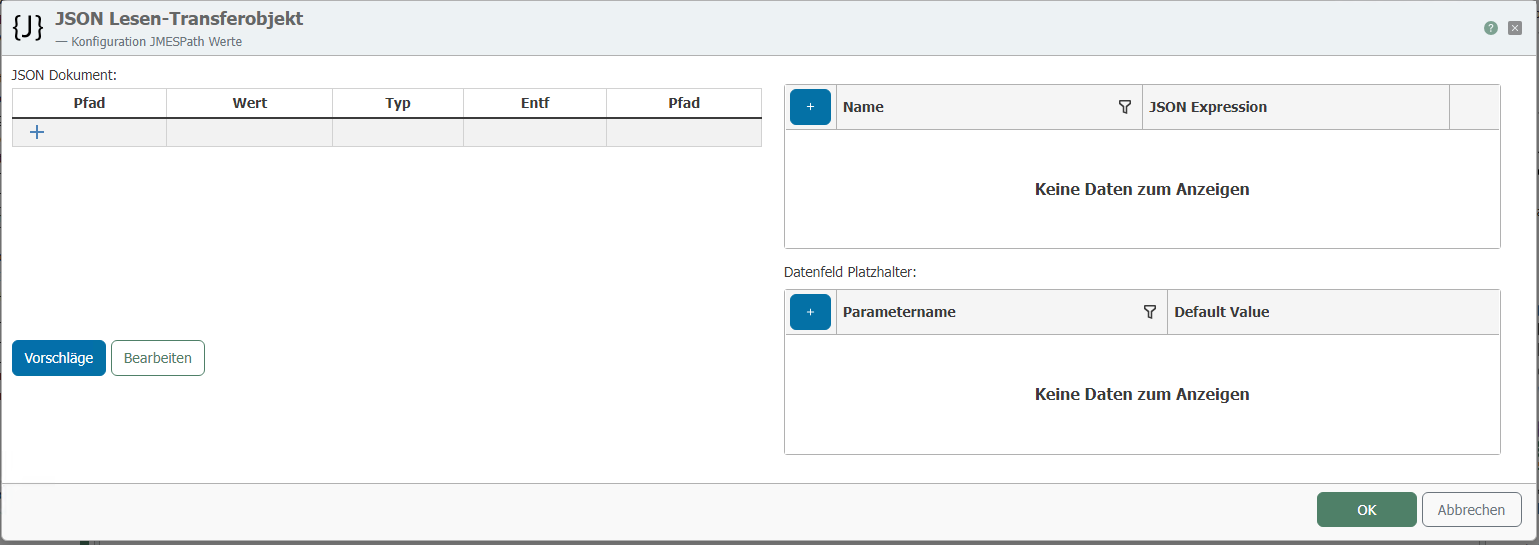
After double-clicking the transfer object, set the following properties:
| Property | Description |
|---|---|
| JSON Document | Here, you can define the structure of the JSON to be read. Use the “Edit” button to manually enter the JSON syntax. Using the “Suggestions” button, you can analyze previously executed transfers of this flow, examine their JSON, and then adopt their syntax. |
| Data Fields | Individual fields from the JSON document can be adopted using the “Right Arrow” button or the “Adopt Expression” button. The raw data can be retrieved here at runtime. |
| JSON Placeholders | JSON placeholders are used to insert variables into the JSON document. In JMES Path Expressions, placeholders are specified within curly braces, e.g., {MyPlatzhalter} |
| (Expert option) Output NULL for missing values | For missing values—i.e., JMESPath queries that would otherwise return no value—NULL is returned. This only works for unique JMESPath queries that return either one value or none; if multiple values are returned as an array, they are neither padded with NULL nor is NULL returned for empty arrays. |
A tree structure is defined in the JSON Tree editor as follows, for example:
{
"key":"value",
"some":[
{"name":"one","value":1},
{"name":"two","value":2},
{"name":"three","value":3}
]
}