ERP Web Services Plug-in
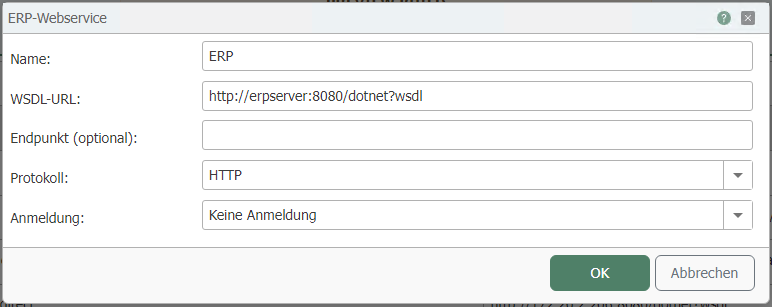
You can set the following properties in the configuration of the ERP plug-in:
| Property | Description |
|---|---|
| Name | Any name under which this web service appears in the connection project. |
| WSDL URL | URL at which the WSDL file can be accessed. |
| Endpoint (optional) | Enter an endpoint for your connection if required. |
| Protocol | Select a transfer protocol from the drop-down menu. |
| Login | If you need to log in to the web service, select the desired type here. You can obtain the relevant information from the administrator of the web service/ERP system. Depending on this property, you can configure additional settings:
|
| User | User name for logging in to the web service (for Basic and NTLM authentication) |
| Password | Password for logging in to the web service (for Basic and NTLM authentication) |
| Windows authentication | When activated, the user data under which the router service runs is used. |
 (4) (5) (6)-a14daec5b58d991f0e69c05d45f45d88.png)
Authentication in Method
If you use "via web service method call," set the appropriate options using the "Login Parameters" button.