ERP Web Services Plug-in
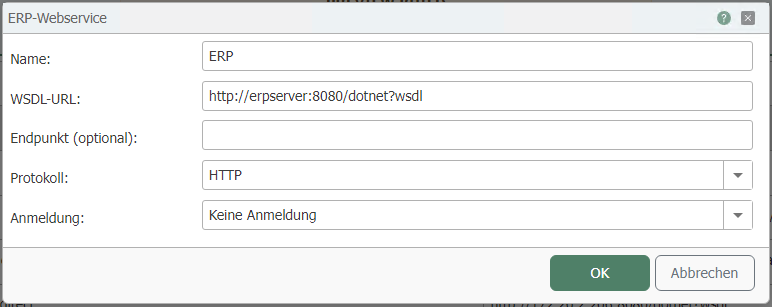
You can configure the following properties in the ERP plug-in settings:
| Property | Description |
|---|---|
| Name | Any name under which this web service appears in the Flow project configuration. |
| WSDL URL | URL where the WSDL file is accessible. |
| Endpoint (optional) | If necessary, enter an endpoint for your connection. |
| Protocol | Select a transmission protocol from the drop-down menu. |
| Authentication | If login to the web service is required, select the desired type here. You will receive the necessary information from the administrator of the web service/ERP system. Depending on this setting, you can configure additional options:
|
| User | Username for logging in to the web service (for Basic and NTLM authentication) |
| Password | Password for logging in to the web service (for Basic and NTLM authentication) |
| Windows Authentication | When enabled, the user credentials under which the router service is running are used. |
 (4) (5) (6)-a14daec5b58d991f0e69c05d45f45d88.png)
Authentication in Method
If you are using “in web service method”," use the “Log-in parameters” button to configure the appropriate settings.