Settings for Connections and Templates
For each connection and each template, the "Settings" button is available in the edit view. Use it to configure key properties for the connection or template.
For basics on working with templates, instances, and template variables, see Working with Templates.
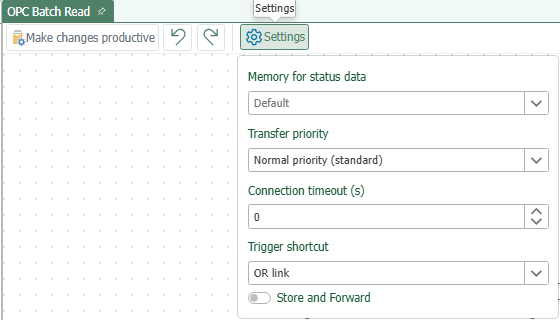
You can configure the following properties:
| Property | Description |
|---|---|
| Status Data Storage | Here you can select the diagnostic storage for the connection execution in which this connection should store the transmitted data. By default, the default storage is selected. For more information about these storage options—such as how to change the default storage and create your own storage for status data—see here: Diagnostic Storage for Connection Execution |
| Transfer Priority | Determines the priority of the connection. More information is available on the verbindungsprioritat.md page |
| Connection Timeout | Default = 0 (300 seconds) The connection timeout specifies the maximum duration a connection may last. |
| Trigger Combination | Can be set to AND or OR. AND: The transfer is triggered only after all triggers have been triggered. OR: A transfer is triggered when any one of the triggers is triggered. |
| Store and Forward | Determines whether Store and Forward is used for this connection. When this option is enabled, data is temporarily stored if a transfer object for the connection cannot be transferred due to a plug-in error, and is resubmitted after the connection restarts. This requires that Store and Forward has been enabled globally beforehand. For details, see Store and Forward. |