REST Client Transfer Object
You use the REST client transfer object to execute a specific REST call within a connection.
The relationship between the REST client plug-in and the transfer object is described in the chapter REST in OPC Router: Structure and Responsibilities.
The configuration dialog is divided into the tabs General, Request, and Response.
General
On the “General” tab, you select the connection and specify the endpoint, HTTP method, and URL parameters.
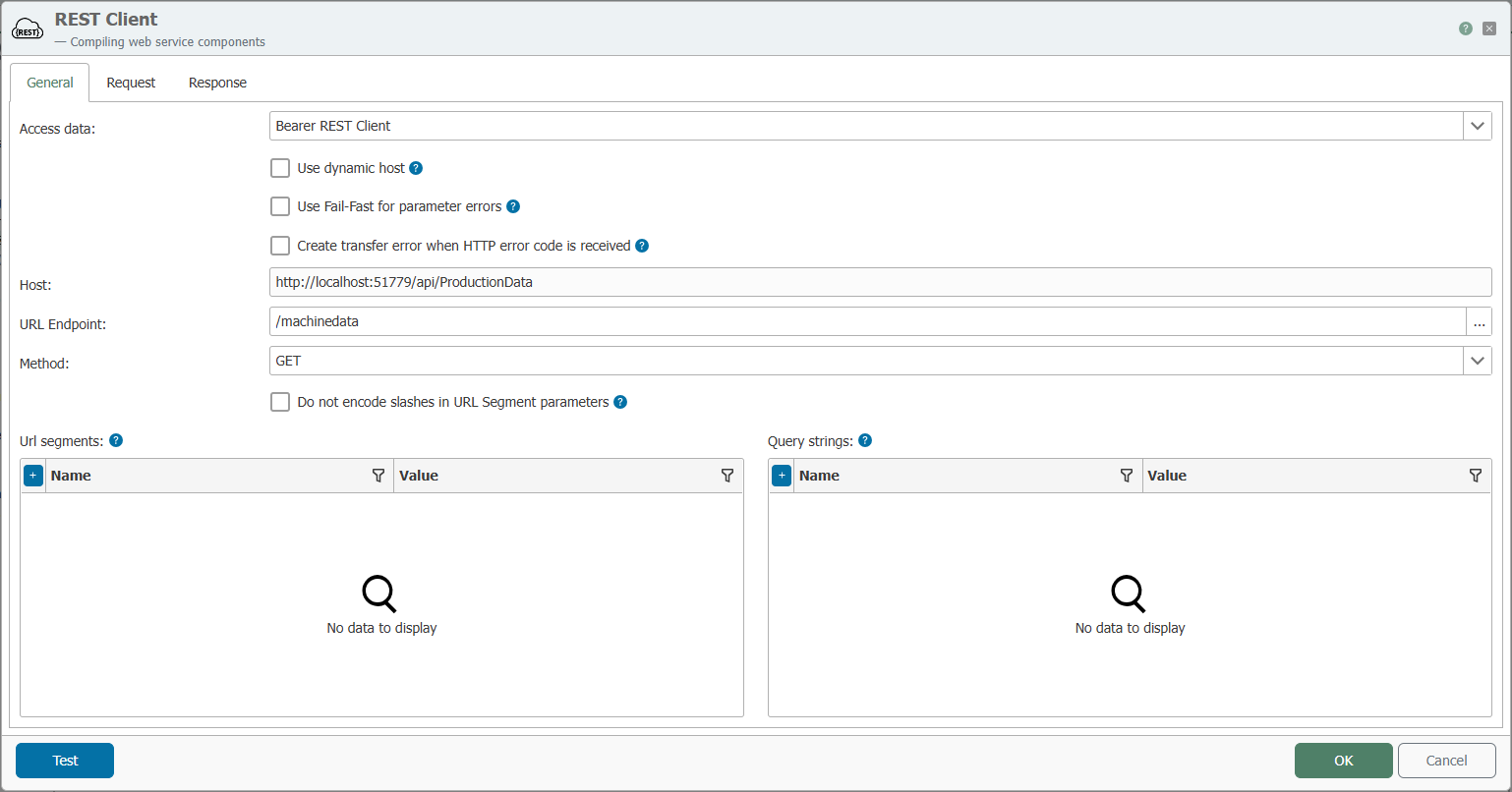
Be sure to use the correct case when entering the endpoint. URLs and paths may be case-sensitive.
| Property | Description |
|---|---|
| Connection | All REST client connections created in the Plug-ins section are available for selection here. If the desired connection is not listed, you can make it available in the Plug-ins section as a REST Client. |
| Use Dynamic Host | If enabled, the host can be passed as a parameter within the connection. This is useful when the same call needs to be executed against different target systems. |
| Use Fail-Fast for Parameter Errors | If enabled, the transfer object aborts at the first invalid parameter instead of continuing the call. |
| Generate transfer error on HTTP error code | If enabled, a transfer error is triggered as soon as the response returns an HTTP error code (for example, 4xx or 5xx). |
| Host | Displays the host address of the selected connection. If Use Dynamic Host is enabled, the host can be passed at runtime. |
| URL Endpoint | Endpoint that is called relative to the configured host URL. If an OpenAPI file is stored in the connection, the endpoint can be selected from a list using the “…” button. |
| Method | HTTP method of the call, such as GET, POST, PUT, or DELETE. |
| Do not encode slashes in URL segment parameters | If enabled, slashes (/) in URL segment parameters are not URL-encoded but are passed through unchanged. |
| URL Segments | Values for placeholders in the URL endpoint (URL segment type). Click + to create additional entries. |
| Query Strings | Query parameters appended to the URL as ?Name=Value. Click + to create additional entries. |
| Test | Opens a test dialog that allows you to verify the REST call. If the call is successful, the response is displayed, and values can be assigned to the response parameters. |
Endpoints with Placeholders
If an OpenAPI file is stored in the connection, the endpoint can be selected from a list.
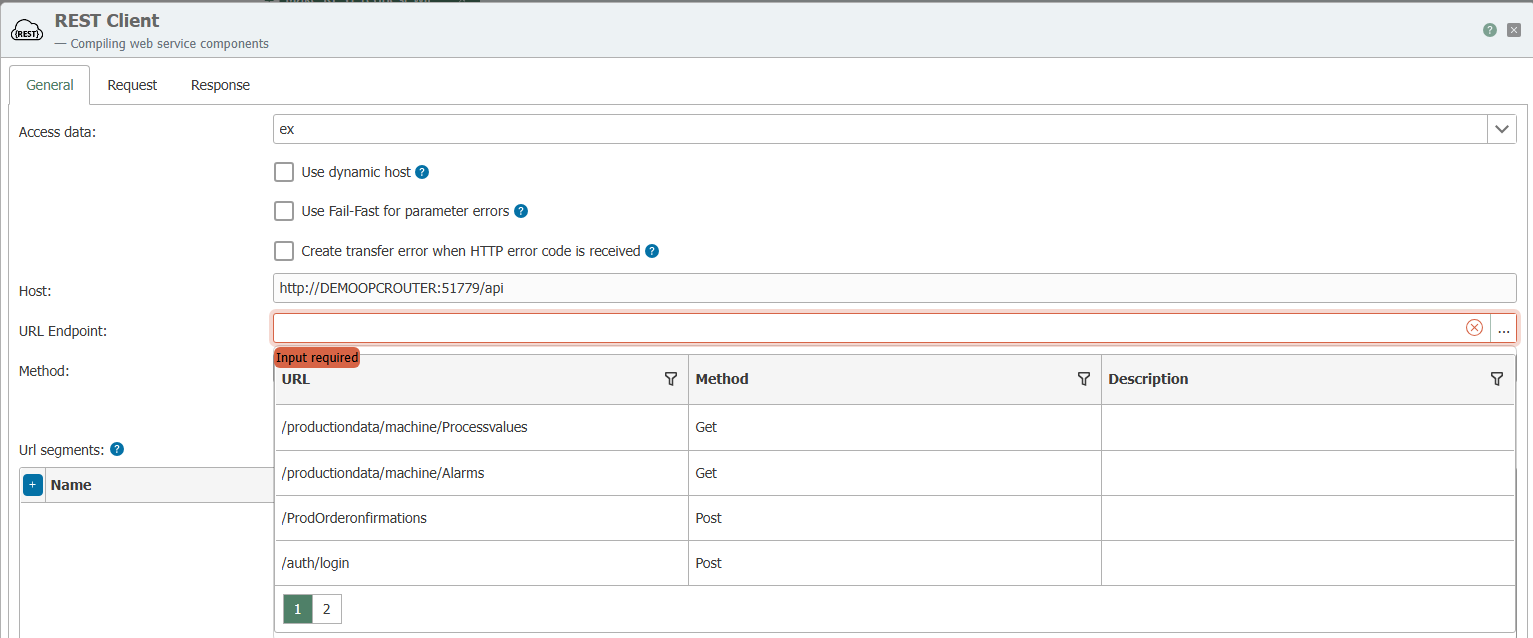
If the endpoint contains placeholders enclosed in curly braces, for example /v2/{user}/details, the OPC Router automatically creates corresponding request parameters of the URL segment type.
Request
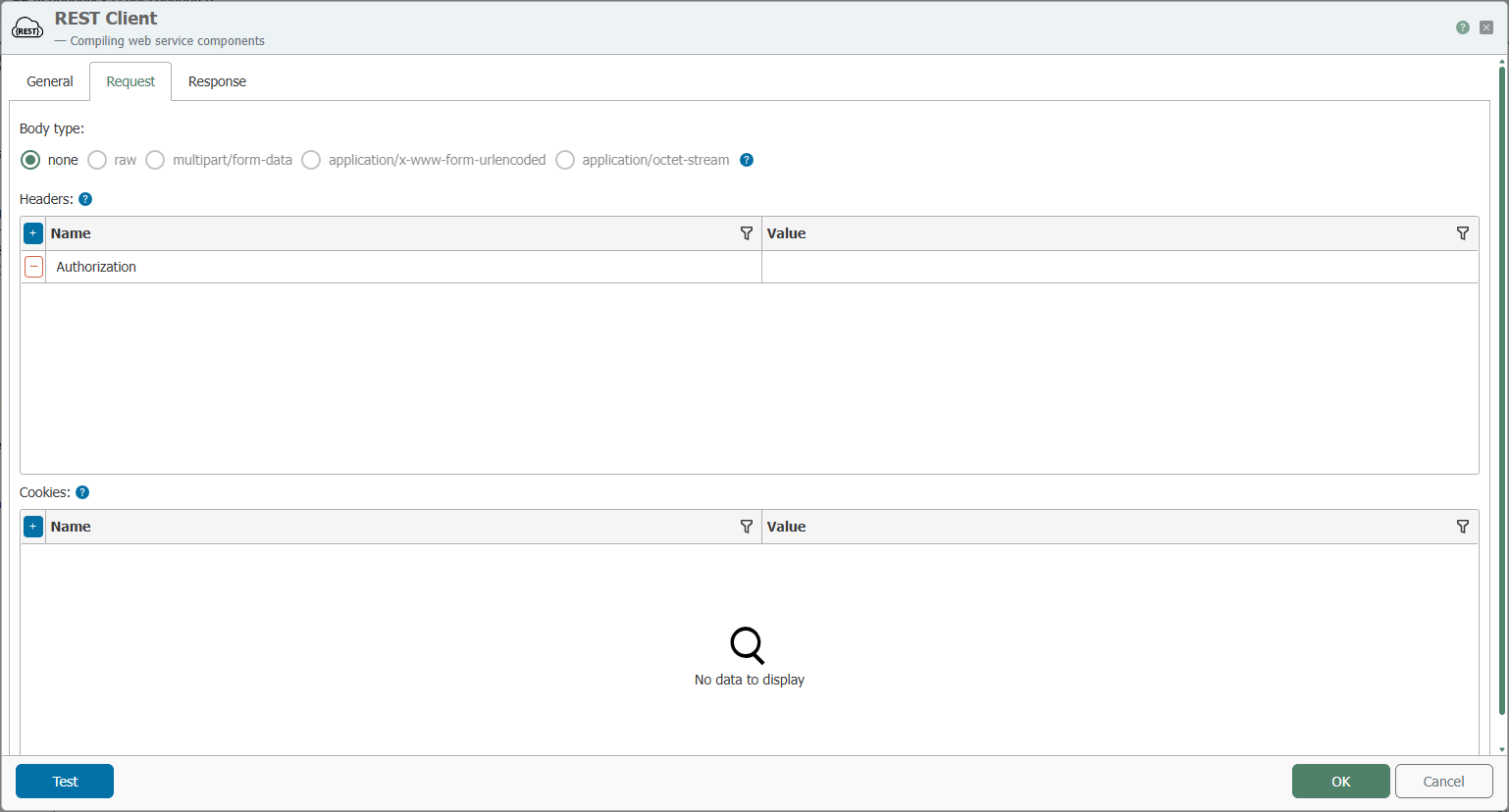
On the Request tab, you can define the content of the request as well as additional headers and cookies.
| Property | Description |
|---|---|
| Body Type | Format of the request body: none (no content), raw, multipart/form-data, application/x-www-form-urlencoded, or application/octet-stream. If you select raw, you must also choose the content type: text/plain, text/html, application/xml, or application/json. Depending on your selection, the dialog provides an appropriate input field for the request body. |
| Headers | HTTP headers sent with the request, such as Authorization. Click + to add additional headers. |
| Cookies | Cookies sent with the request. Click + to add additional cookies. |
Response
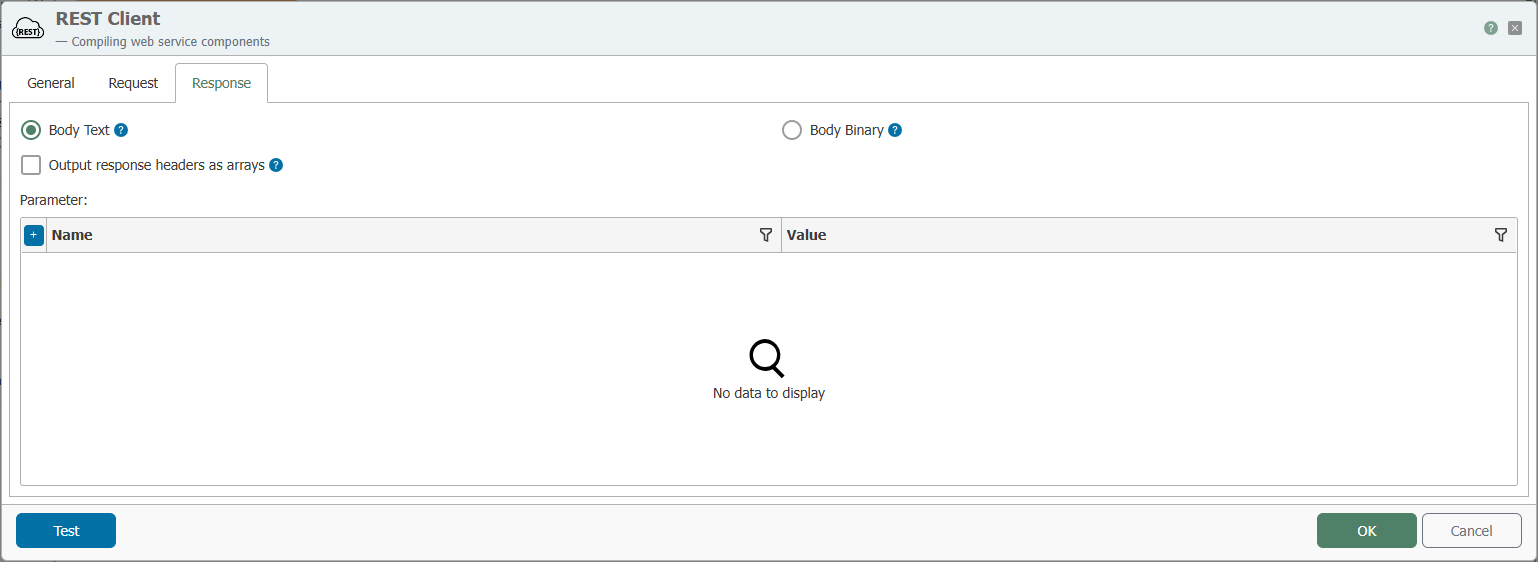
On the Response tab, you specify how the response content is processed and which values are read from the response.
| Property | Description |
|---|---|
| Body Text / Body Binary | Specifies whether the response content is processed as text or as binary data. |
| Output Response Headers as Arrays | When enabled, the response headers are output as arrays. This is useful when a header may appear multiple times. |
| Parameters | Parameters that are read from the response and made available for further processing in the connection. Use + to create additional parameters. |
Usage in Connections
- On the “General” tab, select the REST client connection.
- Specify the endpoint and HTTP method, and add URL segments and query strings as needed.
- On the “Request” tab, configure the body type, headers, and cookies.
- On the “Response” tab, define the required response parameters.
- If necessary, test the call using
Test.