REST Trigger
The REST trigger provides a REST endpoint within a connection. When an external client calls this endpoint, the associated transfer is triggered.
The mapping between the REST Server plug-in and the trigger is described in the chapter REST in OPC Router: Structure and Responsibilities.
Dialog Overview
The dialog is divided into the REST Server and MCP Server tabs. On the REST Server tab, you select the REST Server plug-in and configure the endpoint, HTTP method, response format, and request and response parameters.
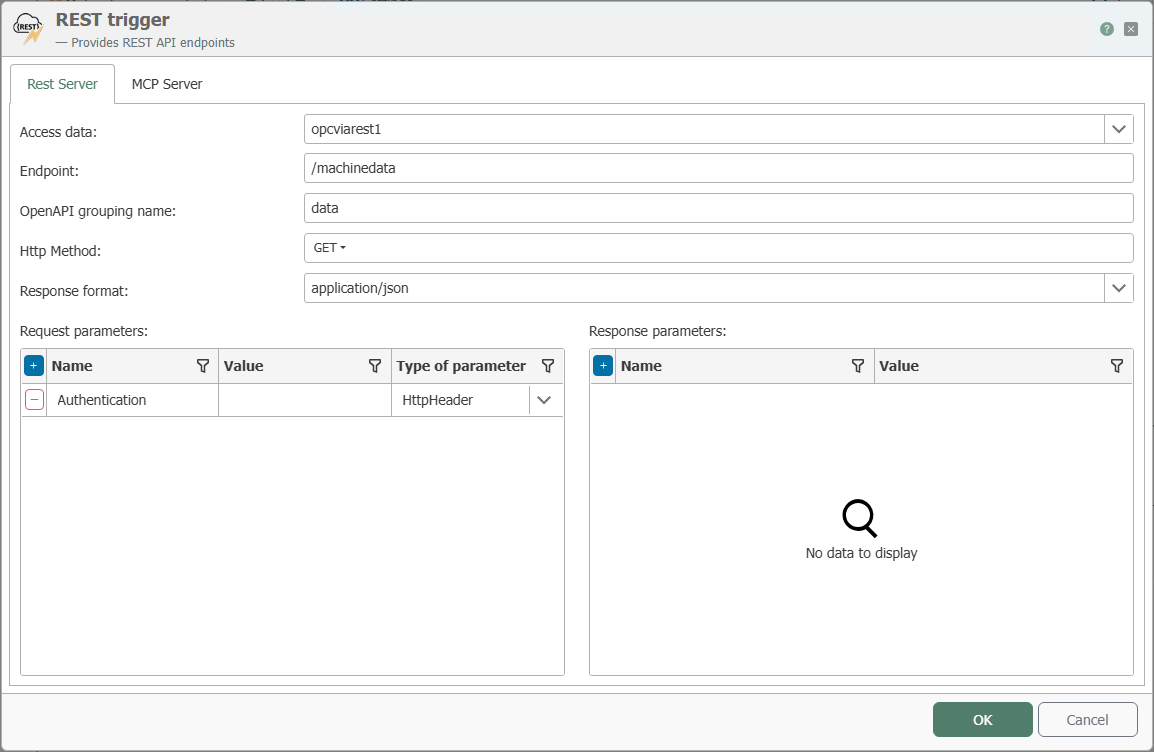
Configuration
| Property | Description |
|---|---|
| Connection | All REST Server plug-in instances created in the Plug-ins section are available for selection here. If the desired REST server plug-in is not listed, you can deploy it in the Plug-ins section as a REST server. |
| Endpoint | The path portion of the endpoint following the host address, port, and, if applicable, the route prefix of the selected REST server plug-in. |
| OpenAPI Group Name | Name of the group under which the endpoint is grouped in the REST server plug-in’s OpenAPI description. |
| HTTP Method | HTTP methods that the endpoint should support. |
| Response Format | Format in which the response is sent, for example, JSON. |
| Request Parameters | Parameters that an external client must pass when calling the endpoint. Use the Parameter Type column to specify how each parameter is passed. |
| Response Parameters | Parameters returned to the calling client as a response. |
Types of Request Parameters
For each request parameter, use the drop-down menu in the Parameter Type column to specify where in the call the parameter is expected.
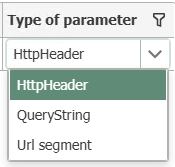
| Parameter Type | Description |
|---|---|
| HttpHeader | The parameter is passed as an HTTP header. |
| QueryString | The parameter is appended to the URL as a query string (?Name=Value). |
| URL segment | The parameter is part of the URL path. |
Endpoint Address
For example, if the address http://server:50117/api/ is configured in the REST Server plug-in and the endpoint GetData is specified in the trigger, the call can be accessed at http://server:50117/api/GetData.
If Provide API via Web Management Endpoint is also enabled in the REST Server plug-in, the path segment /services/{Plug-in Name} is inserted between the host address with port and the route prefix. The call might then look like http://server:8080/services/MyPlugin/api/GetData, for example.
If the OPC Router is running as a Docker instance, the port configured in the corresponding REST Server plug-in must also be exposed to the outside world within the container so that the trigger endpoint is accessible externally. This can be bypassed if the option Provide API via Web Management Endpoint is enabled in the REST Server plug-in and the Web Management Endpoint is accessible.
MCP Tool Configuration
On the MCP Server tab, you can additionally expose the REST trigger as an MCP tool. A complete, end-to-end example can be found at Providing Production Data via MCP.
The MCP Server tab can only be used once the MCP server feature has been enabled in the selected REST server plug-in instance. See MCP Server Configuration.
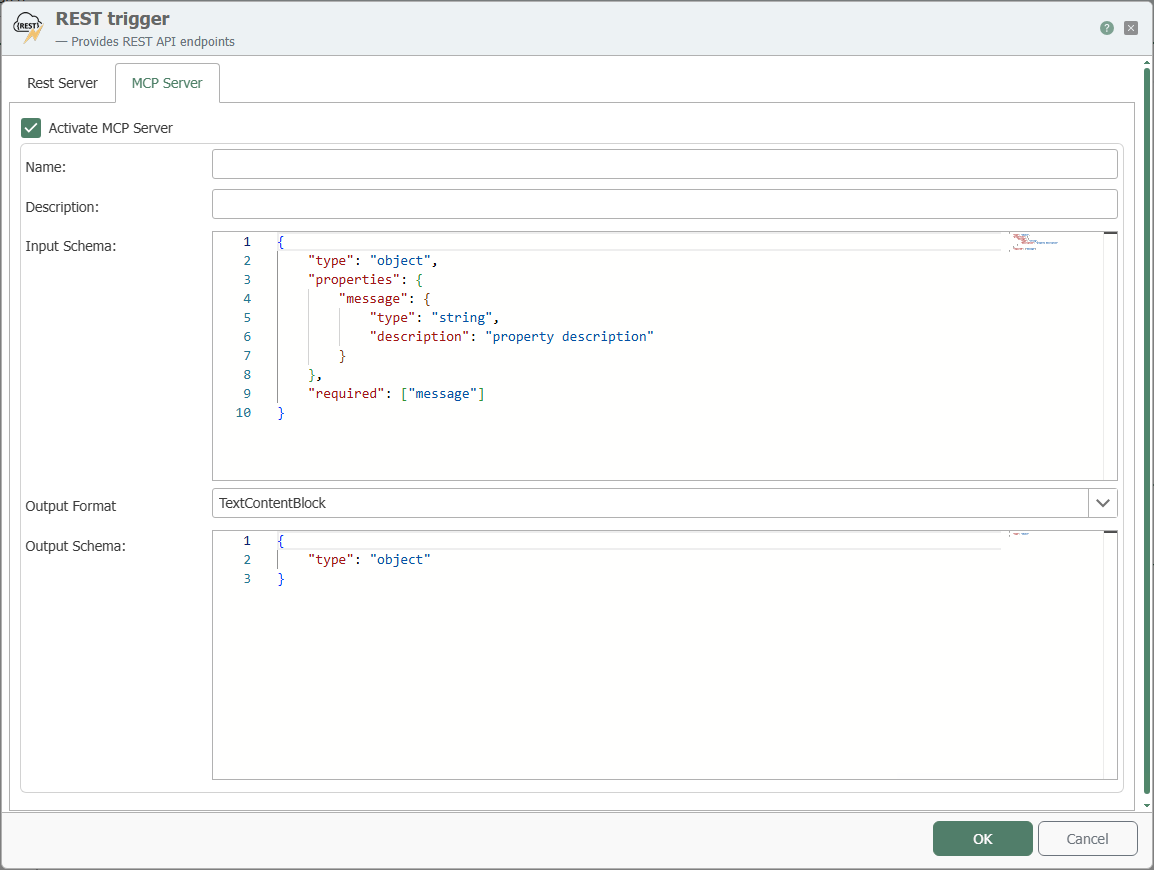
| Property | Description |
|---|---|
| Enable MCP Server | Makes the REST trigger available as an MCP tool. |
| Name | Name of the MCP tool. |
| Description | Description of the MCP tool. |
| Input Schema | Schema for the request to the MCP tool. |
| Output Format | Specifies the format in which data is returned. With TextContentBlock, unstructured text is returned. With StructuredContent, an output schema can be defined. |
| Output Schema | Return schema for the MCP tool. This property is only relevant when StructuredContent is used as the output format. |

You can find documentation for the schemas used at modelcontextprotocol.com in the schema reference.