REST Server
The REST Server plug-in provides the technical foundation for the REST endpoints that the OPC Router itself publishes externally. These endpoints are then used within a connection via the REST Trigger.
The mapping between the plug-in configuration and the trigger is described on the page REST in the OPC Router: Structure and Responsibilities.
Dialog Overview
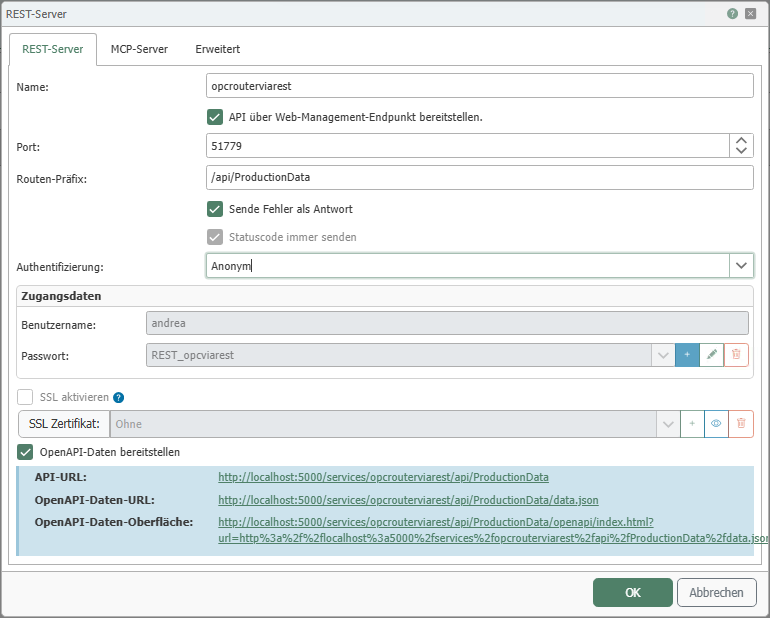
The screenshot shows the general settings for deploying custom REST endpoints, such as port, route prefix, authentication, SSL, and the provision of OpenAPI data.
REST Server Configuration
| Property | Description |
|---|---|
| Name | Any name under which the REST server appears in the connection configuration. |
| Expose API via Web Management Endpoint | If this option is enabled, the OPC router’s web management endpoint is used to expose the API in addition to the configured port. For more information, see the section Provisioning via the Web Management Endpoint. |
| Port | Port on which the API should be accessible. For more information, see the section Port and Accessibility. |
| Route Prefix | Path prefix that must be specified after the host address and port to access the API. |
| Send Error as Response | If this option is enabled, the appropriate HTTP status code is returned as a response in case of errors. |
| Always send status code | Sends the HTTP status code even for successful responses. |
| Authentication | Specifies how external clients must authenticate with the REST server. |
| Username | Username for logging in using the Basic authentication method. |
| Password | Password for logging in using the Basic authentication method. |
| Enable SSL | Enables a TLS-secured connection. |
| SSL Certificate | Certificate to be used for the secured connection. Click the plus sign to add a certificate, or the trash can icon to remove it. Click the eye icon to view the properties of the selected certificate. General information on importing and creating certificates can be found on the Certificate Management and Creating SSL Certificates. |
| Provide OpenAPI Data | Enables the provision of the OpenAPI description for the configured endpoints as a JSON file. The following OpenAPI properties are subordinate to this option. |
| API URL | Displays the full URL of the provided REST endpoint. This property is only available if Provide OpenAPI Data is enabled. |
| OpenAPI Data URL | Displays the URL to the JSON description of the OpenAPI data. This property is only available if Provide OpenAPI Data is enabled. |
| OpenAPI Data Interface | Displays the URL for the web interface through which the exposed OpenAPI data can be viewed or tested. This property is only available if Expose OpenAPI Data is enabled. |
The OpenAPI properties are organized hierarchically: API URL, OpenAPI Data URL, and OpenAPI Data Interface become available only after Provide OpenAPI Data is enabled.
Exposure via the Web Management Endpoint
If Expose API via Web Management Endpoint is enabled, the path segment /services/{Plugin Name} is inserted between the host address with port and the configured route prefix.
If the OPC Router is running as a Docker instance, the API can thus be made accessible without an additional exposed REST port, provided that the Web Management Endpoint itself is already accessible.
If you use this feature with Siemens Industrial Edge, the client address must be used without /opcrouter. For example, if https://172.20.10.220/opcrouter/services/MyPlugin/api is displayed in the plugin, the client must use https://172.20.10.220/services/MyPlugin/api.
Example:
- Host address and port of the web management endpoint:
http://server:8080 - Additional path segment:
/services/MyPlugin - Route prefix:
/api - Result:
http://server:8080/services/MyPlugin/api
Port and Accessibility
When configuring the port, note the following:
- The port must not already be in use elsewhere.
- If clients are to access the system from other devices, the port must be opened in the firewall.
- If the OPC Router is running as a Docker instance, this port must also be exposed to the outside world within the container.
- If
Provide API via Web Management Endpointis enabled instead, there is no need to expose the REST port separately, provided the Web Management Endpoint is accessible.
Route Prefix
The route prefix determines the path portion following the host address and port.
Example:
- Host address and port:
http://server:50117 - Route prefix:
/api - Result:
http://server:50117/api
Authentication
The following options are available for the Authentication property:
| Option | Description |
|---|---|
| Anonymous | The endpoint is accessible without login. |
| Basic | Access is granted via username and password. |
| Block API | The REST endpoint is not made available for external calls. |
Certificates
General information on importing and creating certificates can be found on the Certificate Management and Creating SSL Certificates.
MCP Server Configuration
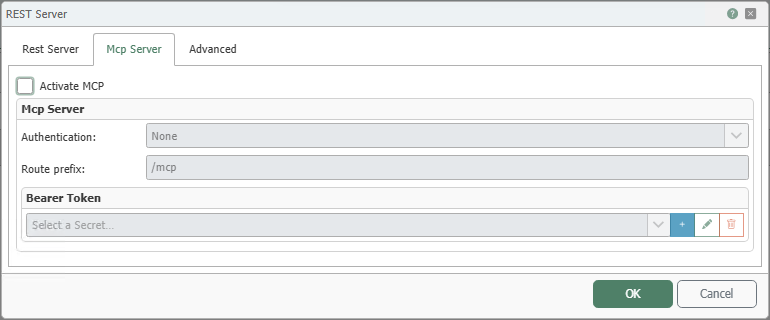
Using the Model Context Protocol (MCP), the provided REST endpoints can also be published as tools for AI applications. You can then specify which endpoints are offered as MCP tools in the REST Trigger.
| Property | Description |
|---|---|
| Enable MCP | Enables MCP functionality for the REST server. |
| Authentication | Specifies whether no authentication (None) or Bearer token authentication (Bearer) is used for the MCP endpoint. |
| Route Prefix | Path prefix of the MCP endpoint. |
| Bearer Token | Token for authentication when Bearer token authentication is used. |
The Bearer Token field is used when the Bearer option is selected for Authentication.
Advanced Configuration
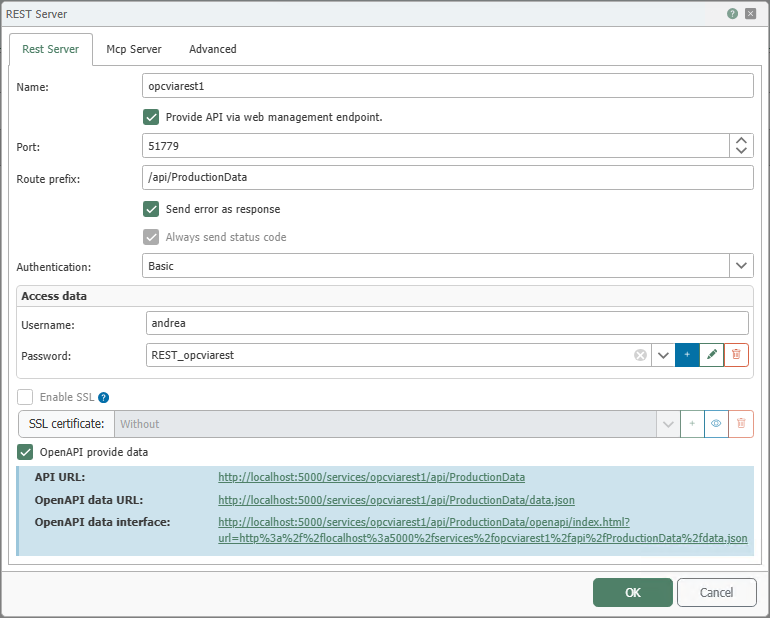
On this tab, you can configure CORS (Cross-Origin Resource Sharing), among other settings. CORS uses HTTP response headers to control whether a web browser allows access to the REST endpoint from a different origin.
| Property | Description |
|---|---|
| Legacy Mode | Enables a compatibility mode for the REST server deployment. This provides backward compatibility with older versions of OPC Router. Enable this only if instructed by support or if problems persist after updating from an older version of OPC Router. |
| Use CORS Policy | Enables the configuration of CORS response headers for the REST endpoint. |
| Access-Control-Allow-Origin | Specifies which origin is returned in the Access-Control-Allow-Origin header. |
| Access-Control-Allow-Methods | Specifies which HTTP methods are allowed in the Access-Control-Allow-Methods header. |
| Access-Control-Allow-Headers | Specifies which HTTP headers are allowed in the Access-Control-Allow-Headers header. |
The fields for the CORS headers are displayed when Use CORS Policy is enabled.