REST Client Transfer Object
The REST Client Transfer Object allows REST APIs to be used in connections. How to create a transfer object is described on the [Projecting](../../../faq/connection_projecting/connection_projecting_project.md "mention") page.
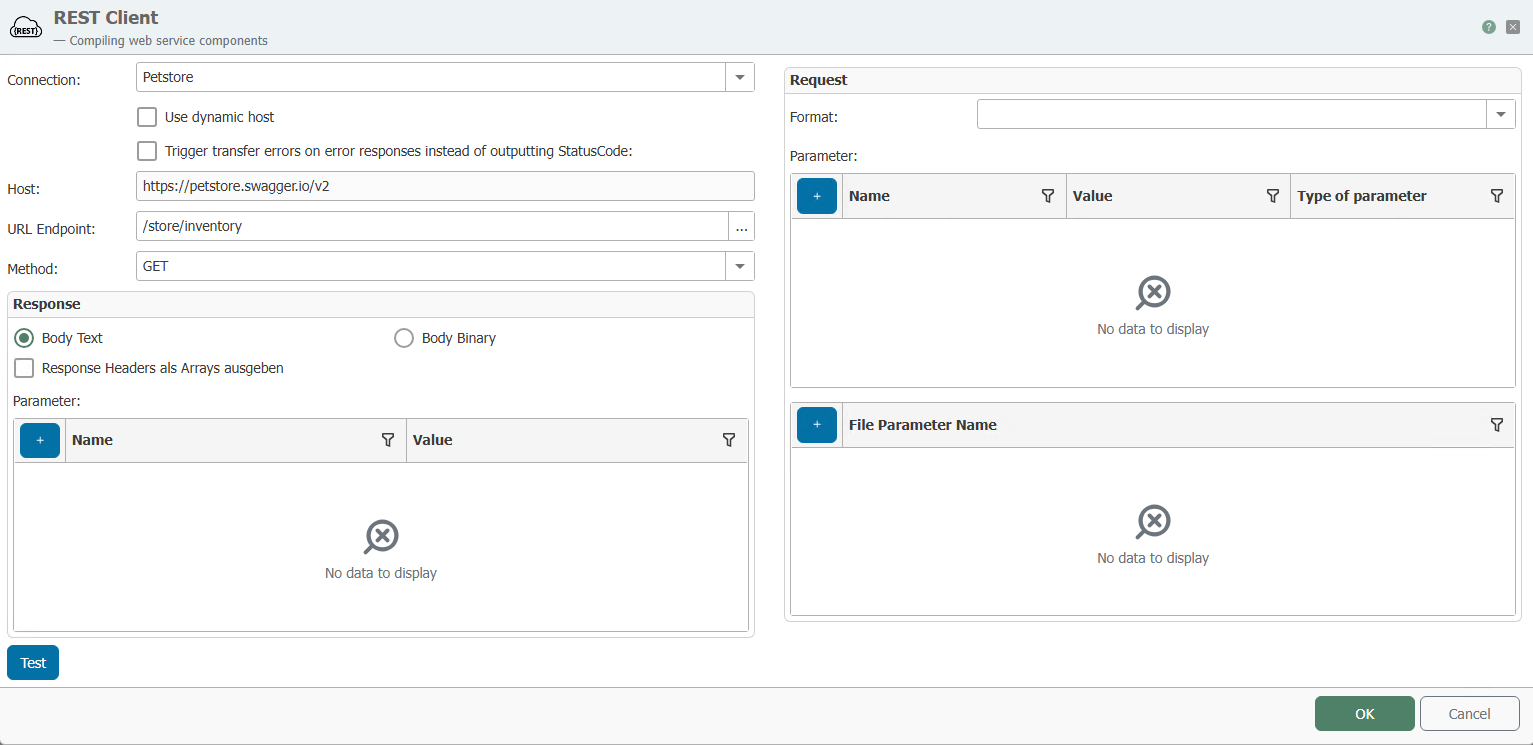
The following properties can be configured for the REST client transfer object:
Attention: Please note that the URL is case sensitive when entering it.
| Connection | REST client to be used for this transfer object. |
|---|---|
| Use dynamic host | If this option is enabled, the host can be passed as a parameter in the connection. This is useful if requests are to be sent to different hosts. When the option is enabled, a host address can be entered in the test function, which is called up via "Test." |
| Host | The address specified in the selected connection is displayed here. |
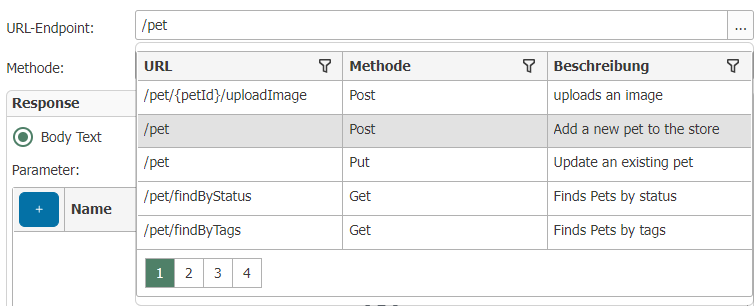
| URL endpoint | Address for the endpoint. If an OpenAPI file has been specified for the selected connection, the endpoint can be selected from a dropdown menu (see graphic). Placeholders can be defined within the URL in curly brackets. E.g.: |
| Method | Method to be used for the call. |
| Format | Format to be used for the request. E.g. JSON or XML. |
| Request parameters | The parameters sent with the request. |
| Response parameters | The expected return parameters of a response can be specified here. |
| Test | The "Test" button opens a modal window where you can check whether the connection is working correctly. You can try out the call using the "Send" button. If the call works, the expected response (response body) is displayed and the response parameters are assigned corresponding values. |