... read out a current data record?
To read out a current data record from a database table, sort the table in descending order by the timestamp field and transfer only one data record. The database must be polled at the required interval using a time trigger. In this variant, the current data record is transferred each time the function is called. To transfer only one new record, continue reading in the next chapter.
You can, of course, set optional filter criteria, e.g., if the table contains several measurement series.
Variant 1: Timestamp sorting without filter
Required fields/columns:
| Name | Description |
|---|---|
| <zeitstempel> | Timestamp of type date/time, according to which sorting is performed |
| <werte> | Column(s) with the relevant values |
Configure a DB transfer object with the following properties:
| Name | Configuration |
|---|---|
| DB connection | <ihre db-anbindung="" aus="" der="" plug-in-konfiguration=""> |
| Type | Select |
Tab: General
| Name | Configuration |
|---|---|
| Table | <tabelle, die="" ihre="" daten="" enthält=""> |
| Available columns/Used columns | <alle werte-spalten=""> |
Tab: Filter (Queries, Update, Delete)
| Name | Configuration |
|---|---|
| Filter | No further filters in this variant |
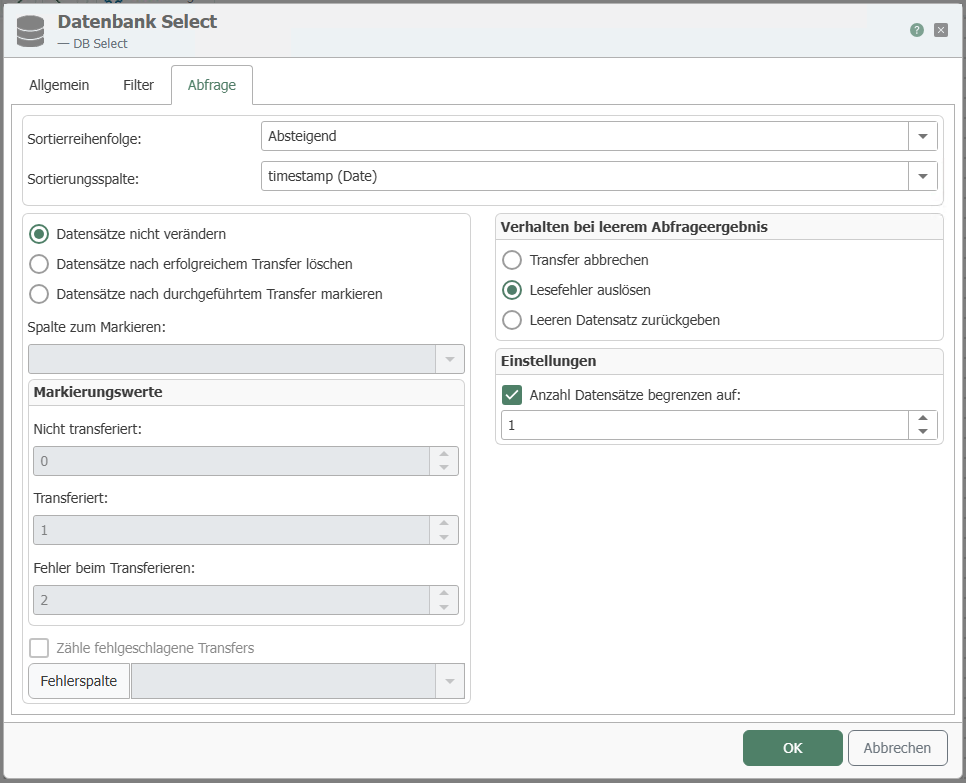
Tab: Query
| Name | Configuration |
|---|---|
| Do not change records | Activate if the records are not to be changed |
| Mark transferred records | Activate if transferred records are to be used. The corresponding records can be selected in the column for marking. |
| Delete transferred records | Activate if transferred records are to be deleted. |
| Sort by column | <zeitstempel-spalte> |
| Sort order | Descending (newest value at the top) |
| Limit number of records to | 1 (only the first record = the newest should be transferred) |
| Trigger read error | As needed |
| Cancel transfer | as needed |
Your transfer object looks like the one in the next figure in the connection. In the example, the Value column was used as the value column. It is now available as a data source. You cannot see the sorting in the connection project planning:

Plan another time trigger with the required interval, e.g., 10 seconds. Then, every ten seconds, the latest data record from the table is transferred, regardless of whether it has already been transferred or not.
Variant 2: Timestamp sorting with additional filter
In this variant, the table contains several measurement series, each of which is defined by a ConfigID. An additional filter must be configured.
Required fields/columns:
| Name | Description |
|---|---|
| <zeitstempel> | Timestamp of type date/time, according to which sorting is performed |
| ConfigID | ID of the measurement series |
| <werte> | Column(s) with the relevant values |
Project a DB transfer object with the following properties:
| Name | Configuration |
|---|---|
| DB connection | <ihre db-anbindung="" aus="" der="" plug-in-konfiguration=""> |
| Type | Select |
Tab: General
| Name | Configuration |
|---|---|
| Table | <tabelle, die="" ihre="" daten="" enthält=""> |
| Available columns/Used columns | <alle werte-spalten=""> |
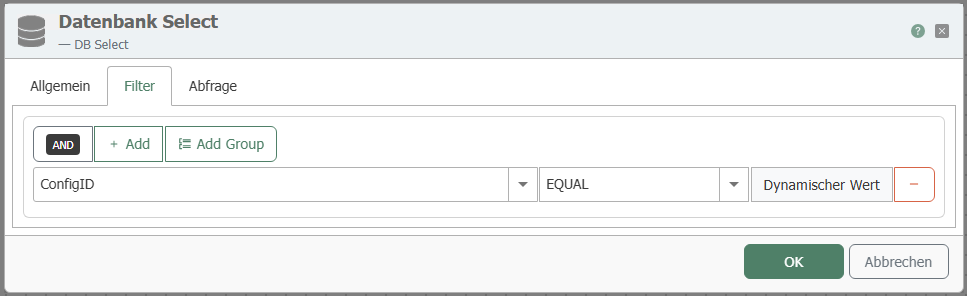
Tab: Filter
| Name | Configuration |
|---|---|
| Filter | "Add filter" creates a new filter. |
| Edit filter/filter group | Column: ConfigID Comparison operator: EQUAL |
| Preview | This should now read: WHERE (ConfigID = ?) |
Tab: Query
| Name | Configuration |
|---|---|
| Sort by column | <zeitstempel-spalte> |
| Sort order | Descending (newest value at the top) |
| Limit number of records to | 1 (only the first record = the newest should be transferred) |
| Error if query result is empty | As needed |
| Cancel transfer if query result is empty | as needed |
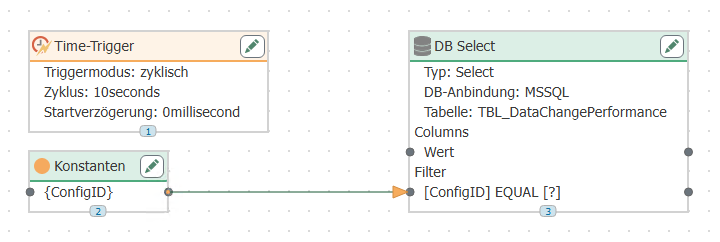
Your transfer object looks like the one in the illustration. Remember to fill the filter with a value, e.g., using a constant object. The DB transfer object with filter requires a two-step transfer. The first step (blue arrowhead) defines the filter, the second, green, reads the value. Since the data destination can be arbitrary, this is only mentioned here in passing.
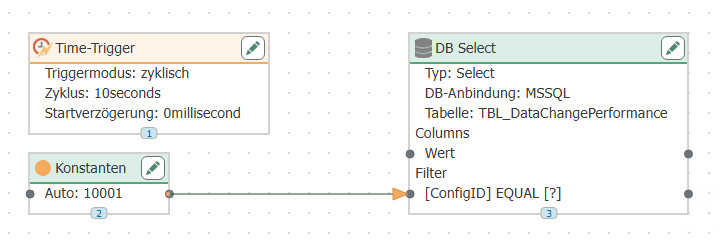
Configure a time trigger with the required interval, e.g., 10 seconds. Then, every ten seconds, the latest data record from the table is transferred, regardless of whether it has already been transferred or not.
Variant 3: Timestamp sorting with additional filter from template
Variant 2 is also suitable for configuration via a connection template.
- Instead of configuring a connection, configure a connection template with the same settings for the DB transfer object as in variant 2.
- In the constant object, do not enter the value, but a template variable
{ConfigID}. - Project the time trigger as in variant 2.
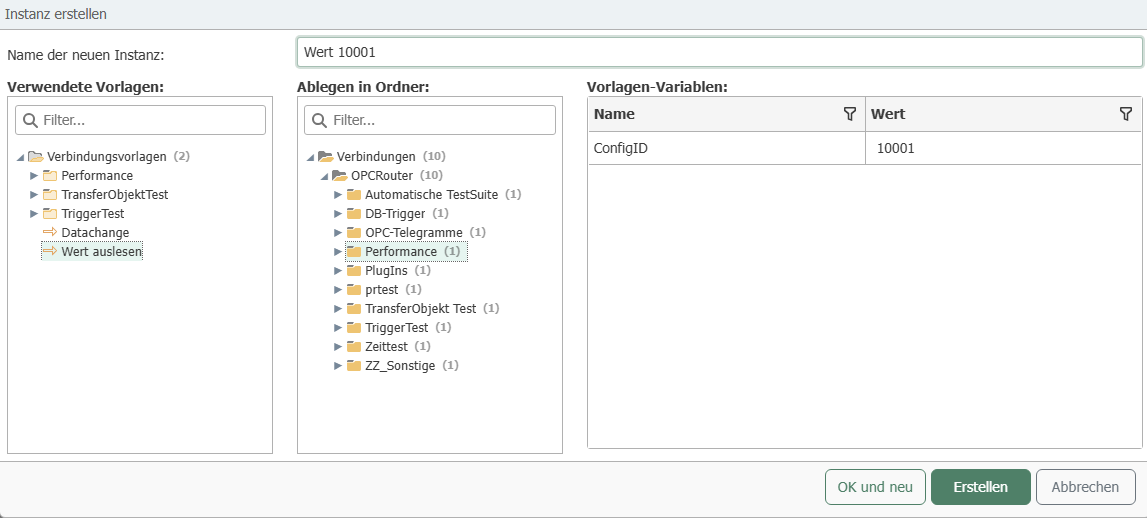
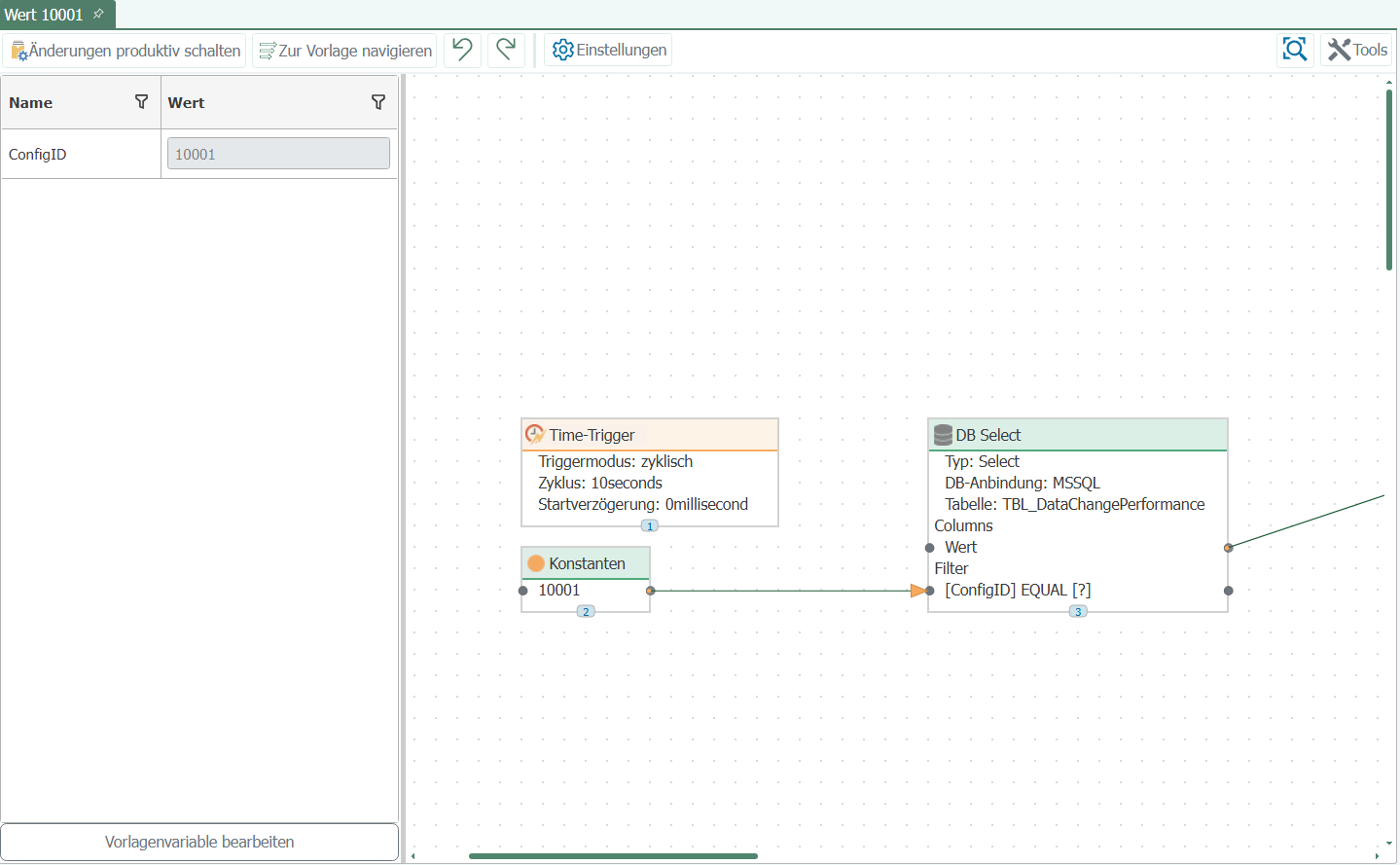
- Create an instance from the template and enter the value for the ConfigID.
This allows you to quickly create connections for all existing measurement series (=ConfigIDs): one instance per ConfigID. Figure above: Template; Figure below: Instance.