Azure IoT Edge Marketplace
Installing the OPC Router on an edge device offers many advantages. Using an edge computer saves resources and also allows the OPC Router to be deployed in a Docker container.
 ### Installing OPC Router on an Edge Computer
After setup, you can install OPC Router as a module. To do this, select the IoT Hub and click on "IoT Edge" in the navigation bar on the left under "Device Management." Select the appropriate device under the "IoT Edge Devices" tab.
On the new page, click on "Set Modules."
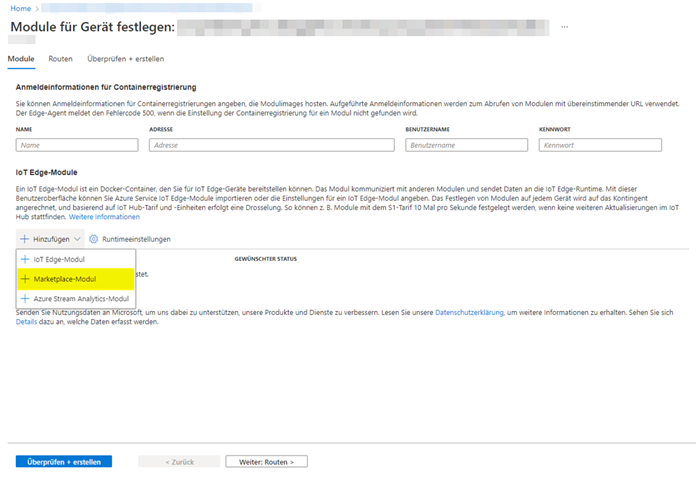
On the following page, click on "Add." Select "Marketplace Module" from the drop-down menu.
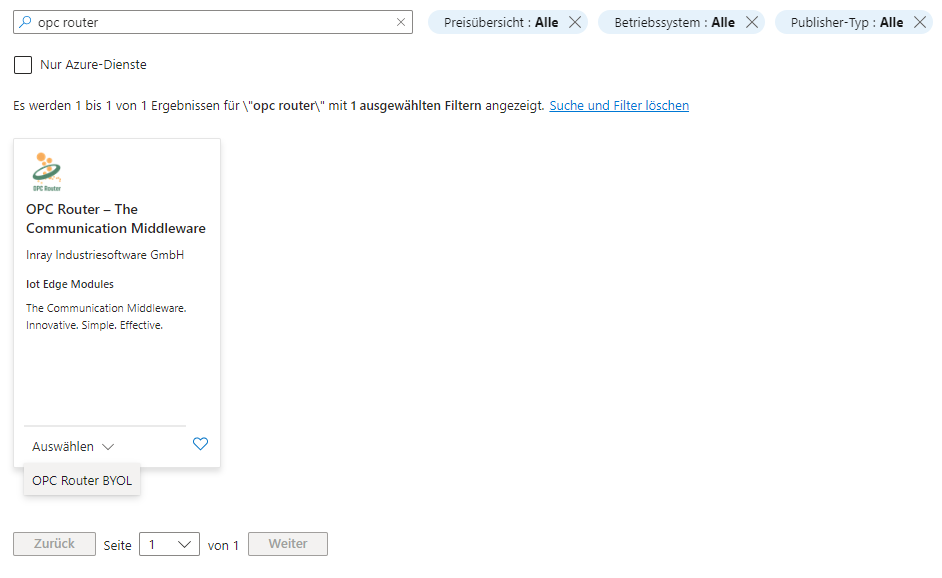
Enter "opc router" in the search field and click on "Select" and then "OPC Router BYOL."
 The OPC Router has been installed on the device and is now in the list of modules.
However, additional configuration is required.
The OPC Router has been installed on the device and is now in the list of modules.
However, additional configuration is required.
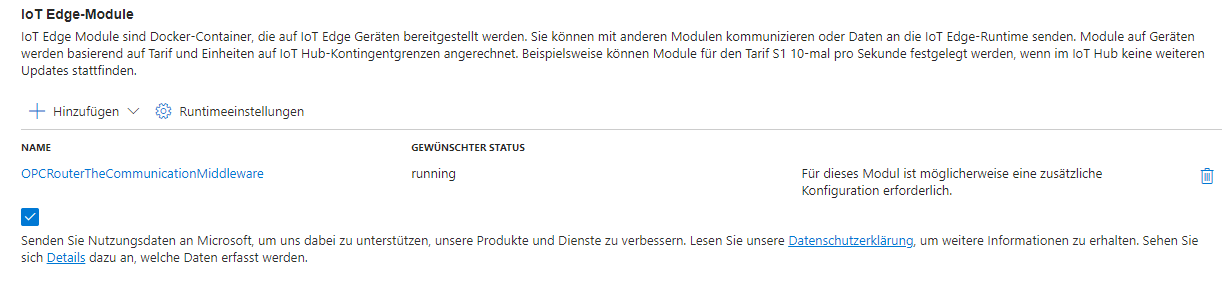 Click on "OPCRouterTheCommunicationMiddleware."
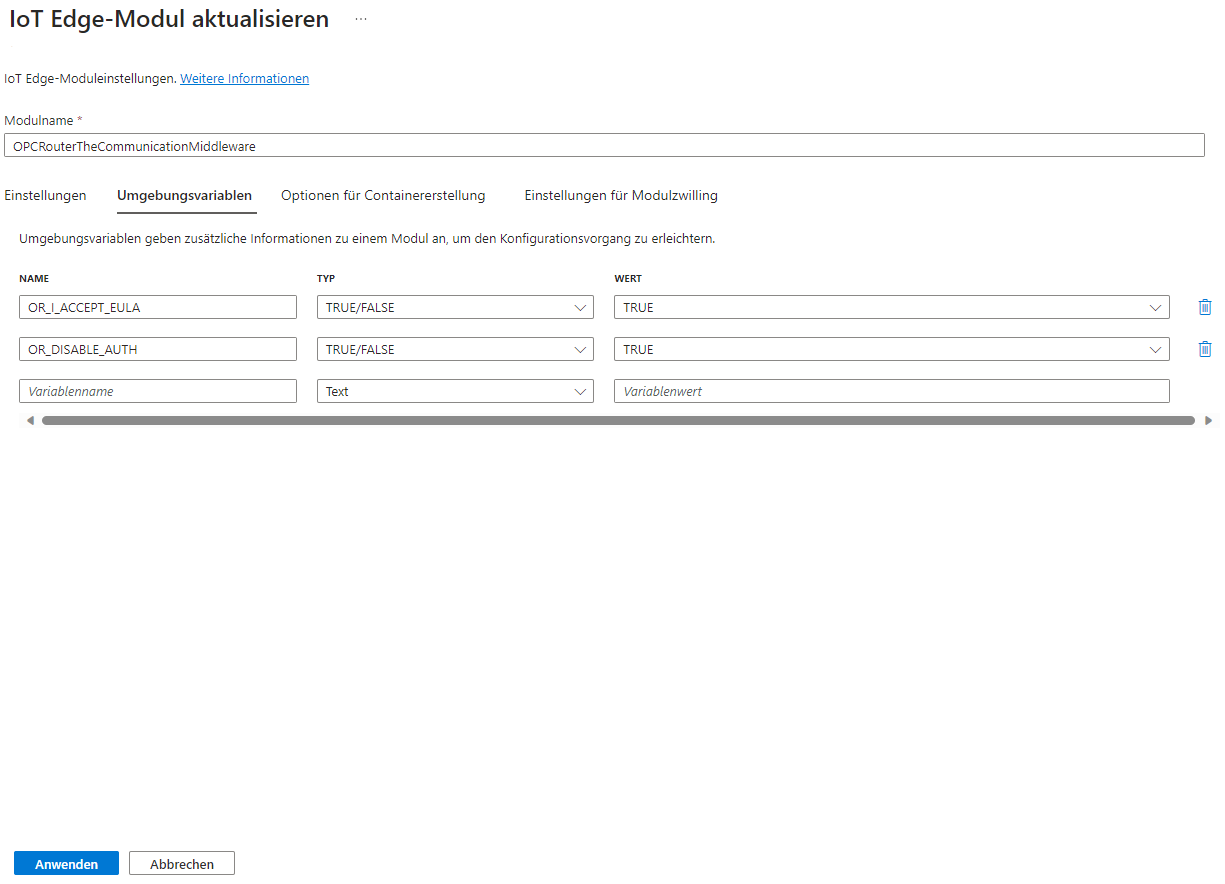
Go to the "Environment Variables" and enter "TRUE/FALSE" in the "Type" field of "OR_I_ACCEPT_EULA" "TRUE/FALSE" and "True" in the "Value" field if you agree to the EULA, and add the "OR_DISABLE_AUTH" variable in a similar manner. Click "Apply."
 Under "Container Creation Options," select "HostPort."
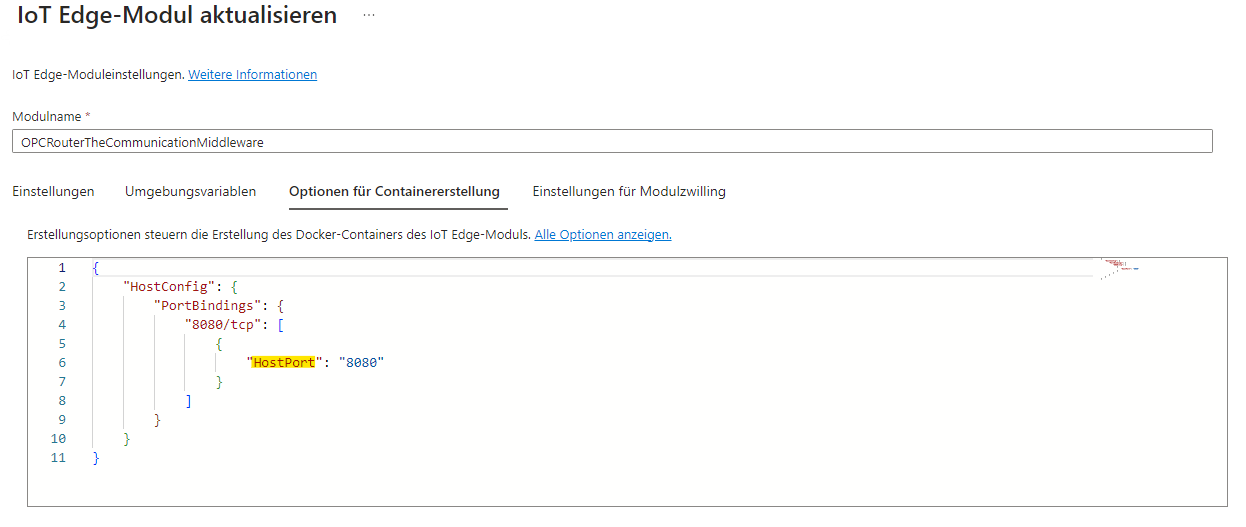 \
\
Click "Apply."
Enter the "Device IP Address:HostPort" in your browser and use the OPC router.\
\
\
\