Store and Forward
You will find the Store and Forward button under the menu item Tools - Settings.
Store and Forward can be used to temporarily store data when servers are unavailable.
To activate Store and Forward, click the slider at the top so that it is set to ON.
Warning
Even when Store and Forward is activated, it must also be activated in the corresponding connections.
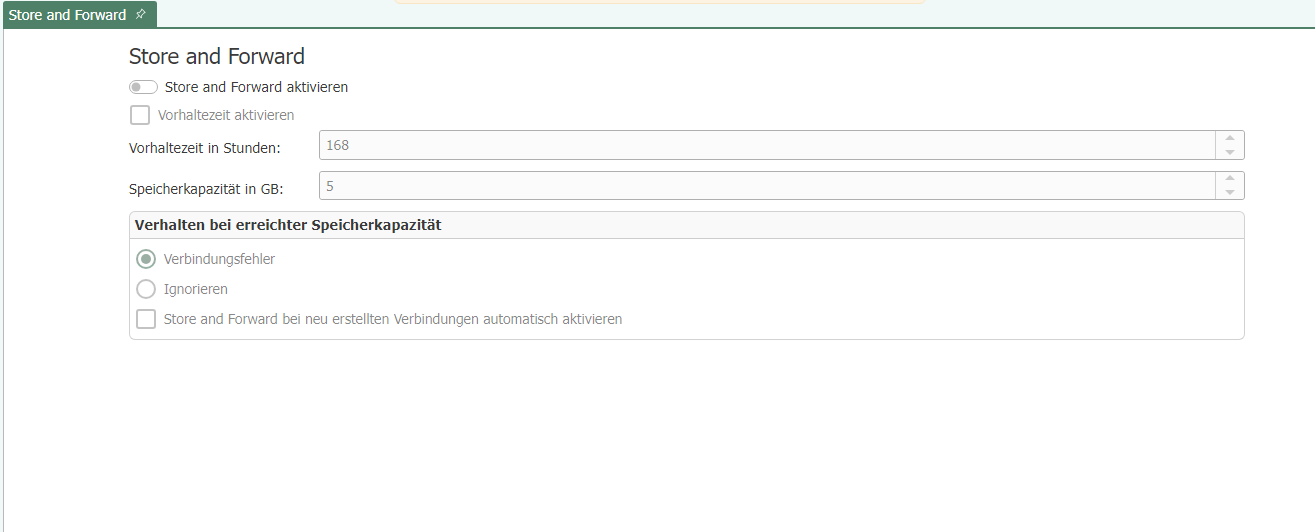
Settings
| Property | Description |
|---|---|
| Activate retention time | Specifies the maximum number of hours that the router retains the recorded values. After this time has elapsed without the plug-in coming out of the error state, the values that are too old are discarded. |
| Storage capacity | Maximum storage capacity that the OPC Router provides for the cached values. Specified in gigabytes. |
| Behavior when storage capacity is reached |
|
| Automatically activate store and forward for newly created connections | Activate this option if you want the store and forward option to be activated for newly created connections. |