Stored Procedures
This transfer object applies to relational database plug-ins, provided that the respective database or driver supports stored procedures.
Using the "Stored Procedure" type, the OPC Router triggers a stored procedure. Input parameters and return parameters can be used as destinations or sources within the connection.
Special Features in the OPC Router
The transfer object for stored procedures has several special features in the OPC Router:
- The procedure can provide input parameters, return parameters, and, depending on the database, result sets.
- The OPC Router reads the available parameters and makes them available in the transfer object as usable elements.
- When the "Retrieve Result Set" command is executed in the OPC Router, the procedure is called once to determine the structure of the result set.
- This call takes place within a transaction, which is subsequently rolled back.
- To determine the structure, the OPC Router first calls the procedure with
NULLvalues. If a parameter does not allowNULLvalues, the OPC Router uses default values for the respective data type instead, for example0for numeric parameters or an empty string for character strings. - The procedure must therefore be transaction-safe and must not return any errors when called for structure detection.
Properties
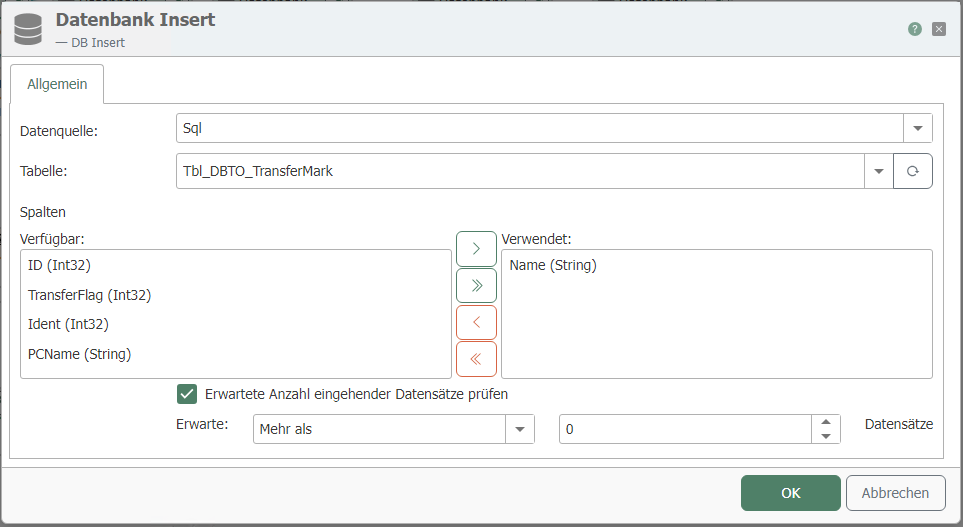
| Property | Description |
|---|---|
| DB Connection | The configured instances of the relational database plug-ins are available here. |
| Type | Select “Stored Procedure” to call a stored procedure. |
Tab: General
| Property | Description |
|---|---|
| Table | Name of the stored procedure. Note: Depending on the database system, a schema specification may also be required. |
| Available Columns/Used Columns | Here you will find the input and return parameters of the stored procedure in the lists. By selecting the elements to be used, you specify which parameters are used in the connection. |
Notes on the documentation for individual database systems
The general properties of the transfer object apply to relational databases in OPC Router. Database-specific details, such as syntax, result sets, or SQL dialects, are documented on the respective plug-in pages.