Domino Printer Transfer Object
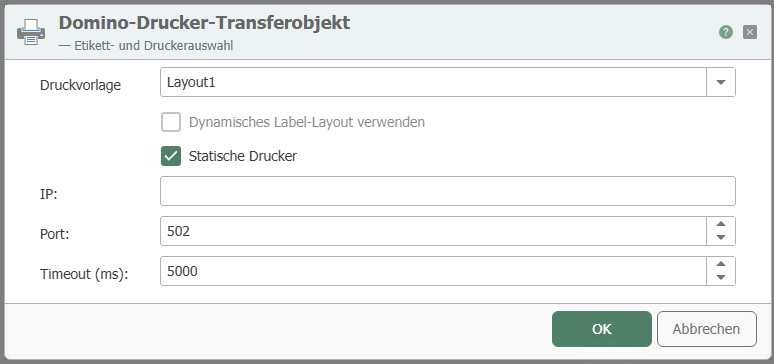
| Property | Description |
|---|---|
| Print Template | Print template created in the plug-in configuration. |
| Static Printer | Check this box if you always want to use the same printer. To do so, specify the IP address and port. If the checkbox is not selected and you want to use a dynamic printer, the printer name must be specified at runtime (from a constant, variable, database, etc.) |
| IP (available if "Static Printer" is selected) | Enter the IP address of your static printer. |
| Port (available if “Static Printer” is selected) | Enter the port of your static printer. |
| Timeout | Time (in ms) that the connection attempt may take before a connection error is returned. |
The transfer object provides you with all placeholders from the document template. If these template variables are not populated in the transfer object, the router uses the default values stored in the template.
note
You can also enter a host from outside into the IP address field. To do this, create a constant with the printer’s IP address, for example, and drag an Item Link to the IP address field.