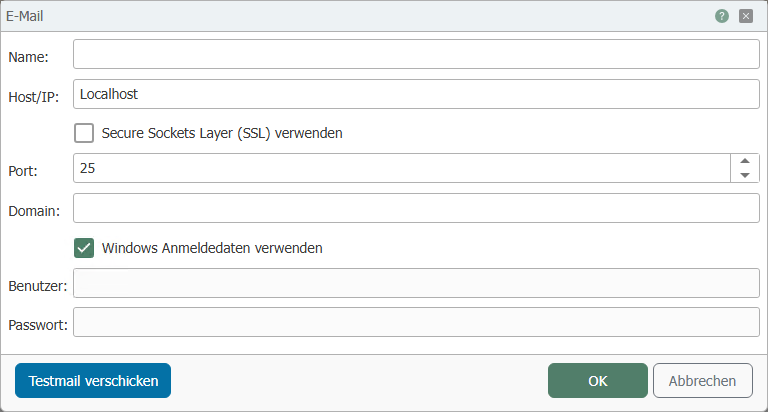
The email plug-in connects OPC Router to any number of accessible mail servers. At this point, you only need to enter the login information for the mail (outgoing mail) server. You can configure the details for sending mail later in the connection.
If there is a firewall between OPC Router and the mail server, please also ensure that the appropriate permissions are set.
The mail server plug-in supports SMTP and NT authentication as standard and SSL as an option.
The standard procedure is as follows:
- Open the "Email" menu item by double-clicking on "Plug-ins."
- Click on the plus button or double-click on an existing entry.
-
Make the necessary settings (see section "Plug-in Configuration").
-
You can send a test email to check the settings via "Send test email." Another dialog box will open. Simply enter an email address and click on "Test." The dialog box will display the history log. If the email fails to send, you will receive further information via "Error message."

- Confirm with "OK."
Note: The test email is sent in the language set in Management.
The mail server is now available for projecting a connection.