Email Trigger
The email trigger initiates transfers when an email is received. Emails in MIME format are also processed.
The following properties can be configured:
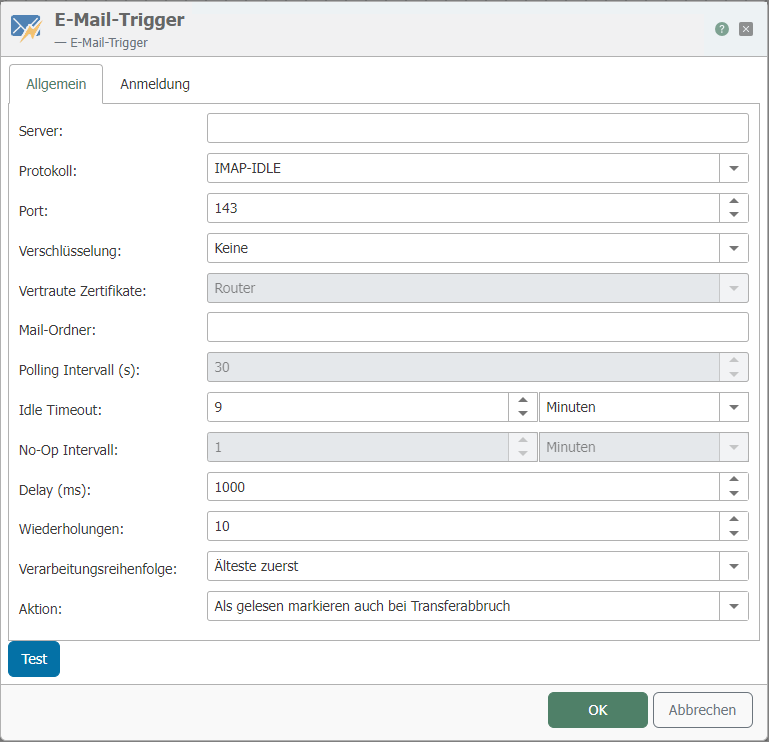
"General" tab
| Property | Description |
|---|---|
| Server | Enter the address of the mail server |
| Protocol | Select the mail server protocol |
| Port | Select the port for the mail server |
| Encryption | Choose between:
|
| Trusted certificates | Set which certificates should be trusted.
|
| Mail folder | A "mail folder" in an email trigger is a specific location within an email application where the trigger should monitor for new emails. When setting up an automated workflow, for example with Microsoft Power Automate, you can specify which email folder (e.g., Inbox, Sent Items, or a custom folder) the trigger should monitor. When a new email arrives in the specified folder, the trigger can initiate a predefined action or workflow. |
| Polling Interval (s) | Specify the interval at which new messages are checked |
| Idle Timeout | The connection to the email server is kept open for the set period of time. If no email arrives, the timer starts again. If an email arrives during this period, the router immediately exits this waiting state. Note: This function must be supported by the server. |
| No-Op Interval | Refers to a period of time during which the trigger checks for new emails but does not perform any operation (no-op) if no new emails are found. |
| Delay (ms) | Refers to the amount of time in milliseconds that the system waits before performing the next action after the trigger conditions are met. This setting is useful for ensuring that actions do not overlap or are performed too quickly, which can be important in email processing where timing is critical. |
| Repetitions | Number of repetitions before the transfer is stopped as an error. |
| Processing order | Select which emails should be processed first. |
| Action | Select what should happen to the emails afterwards |
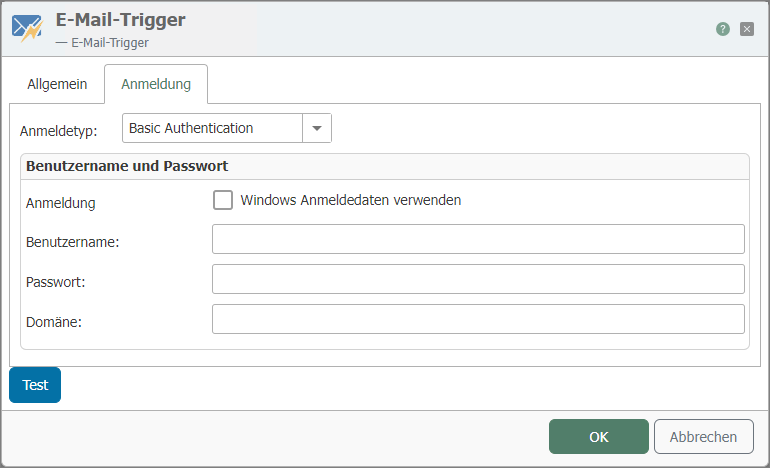
| Property | Description |
|---|---|
| Login Type | Refers to the method used by the email system to authenticate a user or service before allowing access to trigger an email-based workflow. This setting is critical for security and ensures that only authorized entities can initiate the email trigger. |
| Use Windows credentials | Alternatively, uses the user under which the router service is running (default: "System"). |
| Username | This is the username of the account used for authentication. |
| Password | The secret key associated with the user account. |
| Domain | This property is relevant if you are using Windows authentication. The domain refers to the group of computers, users, and devices that are managed together and operate according to the same rules in a network. Specifying the domain name is important for authentication if the user account is part of a Windows domain network. |