Telegram trigger
The trigger allows you to add new commands to the plug-in. With the Telegram trigger, it is also possible to receive messages on the end device using a command, as shown in the example below. Furthermore, the trigger can output a written message.
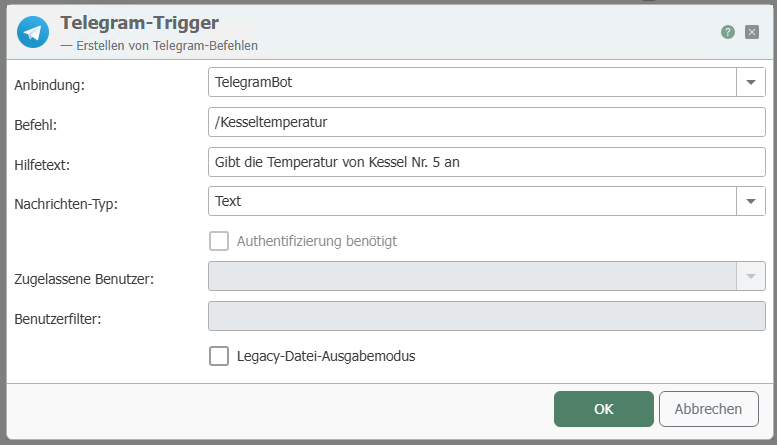
After double-clicking on the trigger, set the following properties:
| Property | Description |
|---|---|
| Connection | Select a connection from the drop-down menu. |
| Command | Enter a command /<befehl> |
| Help text | Enter a help text here, which will then be displayed together with the command. Note: The help text is required, otherwise the commands cannot be transferred to the bot. |
| Message type | Select a message type from the drop-down menu, e.g., text message, voice message, etc. With the message type "Any file," all file types can be sent (text, images, videos, etc.). |
| Authentication required | Select the checkbox if you only want to allow authorized users to receive messages. |
| Authorized Users | Select authorized users from the drop-down menu. |
| User Filter | Here you also have the option of entering a filter to select specific authorized users. |
You can receive any type of file with the Telegram trigger. To send a file from OPC Router to Telegram, you need the Telegram transfer object. To send a file, e.g., an image, to OPC Router, you must specify the trigger command as the description. However, the file name of the image is not sent, and you must rename the file if you want to save it.
To respond to a keystroke on a keyboard button, use the Telegram callback trigger.
Example Telegram connection
In our small example, the boiler temperature is queried. The data is collected by the OPC Router and can be queried via Telegram.
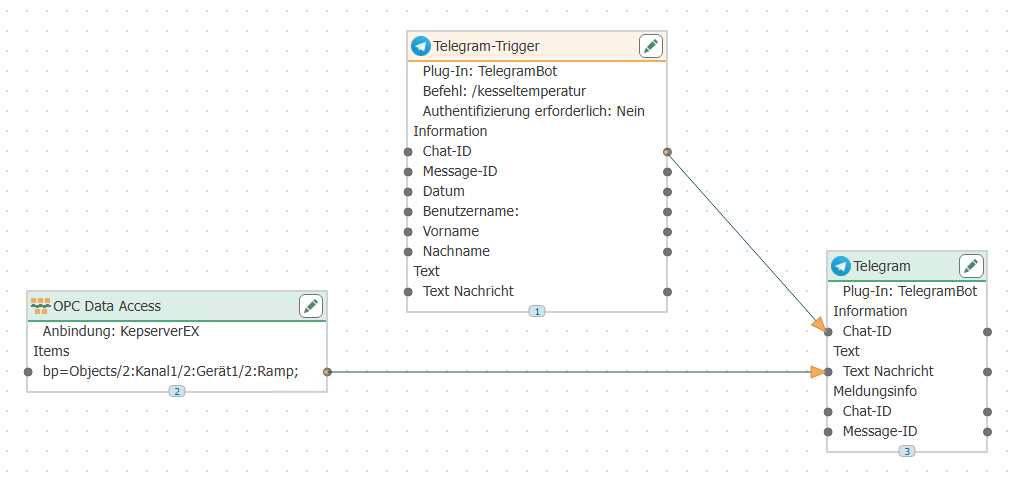
To display the boiler temperature on a remote web-enabled device, proceed as follows:
- Go to the link of your bot, which you received together with the AccessToken from BotFather.
- Enter the command
/start. - If you click on
/help, BotFather will show you all possible commands. - Select the command
/boiler temperature. - The boiler temperature and help text will then be displayed on your device.
Integration with Telegram
The section on sequence diagrams explains how to interpret this diagram.
The Telegram trigger continuously retrieves incoming messages from the Telegram server; the OPC Router does not register a webhook for this purpose. If a message matches the configured command and the user is authorized, the trigger initiates a transfer and waits for it to complete. This wait is built-in and cannot be disabled; the time budget is the connection’s timeout. Note that three different sources can respond in the same chat: the substantive response comes from the flow, an error message comes from the trigger after the transfer, and standard commands such as /start and /help are handled by the Telegram connection without any transfer at all.
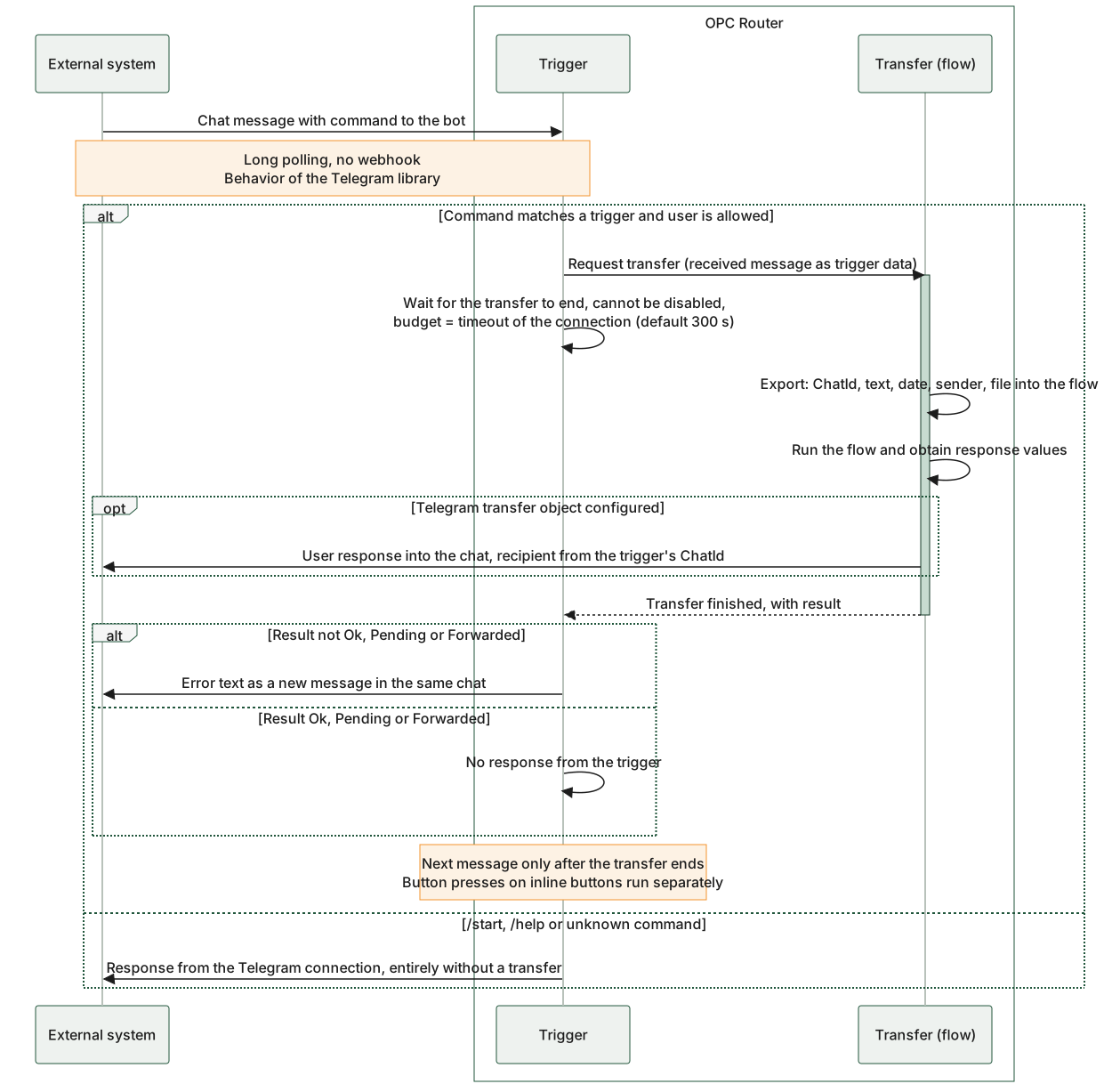
The diagram distinguishes between the three points that post to the same chat: the Telegram transfer object in the flow (substantive response, even while the transfer is still in progress), the trigger after the transfer (only in case of an error), and the Telegram connection itself (standard commands, without a transfer). It also shows that the trigger always waits for the transfer to complete, and processing of the next message is paused until then. The router continuously retrieves new messages from the Telegram server on its own; it does not register a webhook, which is the behavior of the Telegram library. Only after the transfer ends does the connection accept the next message, while presses on inline buttons continue to function independently of this.
Telegram trigger flow: business response from the flow, error message from the trigger, standard commands from the connection.