Videojet Message Printer Transfer Object
 The transfer object for the Videojet Message Printer overwrites the currently selected label and repopulates it with the transferred text elements.
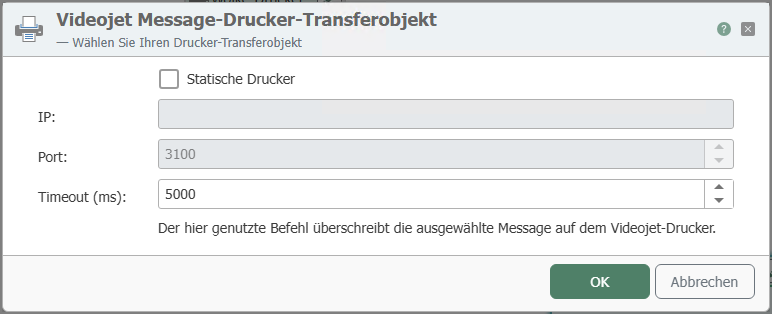
After double-clicking on the Videojet Message Printer transfer object, set the following properties:
| Property | Description |
|---|---|
| Static printer | Select the checkbox if you always want to control the same printer. To do this, specify the IP and port. If the checkbox is not selected and you want to control a dynamic printer, the printer name must be specified at runtime (from a constant, variable, database, etc.). |
| IP | Enter the IP address of your static printer. |
| Port | Enter the port of your static printer. |
| Timeout | Time (in ms) that the connection may take to establish before a connection error is returned. |
If you use this command, the selected message on the Videojet printer will be overwritten.
You can specify corresponding values for the predefined fields in this transfer object:
- FONT NUM to specify the font size of the text element.
- HORC for the horizontal alignment of the text element.
- VERC for the vertical alignment of the text element.
- ATTRIB for selecting various printer-specific attributes
- MESSAGE TEXT to enter your freely selectable text on the label
- Label = Name of the label to be overwritten.
The documentation for your Videojet printer describes how the individual entries must be made in the MESSAGE DATA Field Format section.
You can also create multiple text elements using array input.