Troubleshooting and migrating from legacy redundancy to secure redundancy
As of version 5.4, legacy redundancy is no longer supported. For seamless and secure communication, all your instances must use the same redundancy version. Please note that the different redundancy versions are not compatible with each other.
The advantage of this secure redundancy is the use of the "pre-shared key." It enables secure, encrypted communication. If you have been using legacy redundancy, you should carefully read these instructions for switching to secure redundancy.
Migration from legacy redundancy to secure redundancy
Primary service
When activating and using redundancy, you must decide which instance of the OPC router should be the primary service.
Legacy redundancy suggested choosing a port, with a default port. With secure redundancy, it is no longer necessary to select the port for the primary service.
The two available options are now the "pre-shared key" and the "timeout".
-f55c4d5cc258a705239da1d2a8e4a0e1.png)
The "Pre-shared key" must be generated (1.A). Remember to copy the key to your clipboard (1.B) before clicking Paste and Close (1.C).
-608fe1e8fe74cf193cea9f128ca11c9d.png)
The pre-shared key can also be generated via the "secondary service." It is important that you have the same pre-shared key on the primary and secondary services.
Secondary service
As mentioned above, the new OPC Router redundancy is provided via OPC Router Management. Ensure that the secondary service has access to this.
Of course, you should first paste the pre-shared key that you generated and copied from your clipboard into the primary service (2.A).
In legacy redundancy, you had to fill in the "Primary Hostname" and "Primary Port." In Secure Redundancy, you can specify the address of the primary service directly (2.B).
It will look like "http://localhost:5000" in URL format. If the primary service uses HTTPS, you must of course specify this in the address and can then change which "Trusted Certificates" you want to use (2.C).
Required to validate the primary service certificate (HTTPS). If the OPC Router Management of the primary service transfers an invalid certificate, no connection can be established. (2.C)
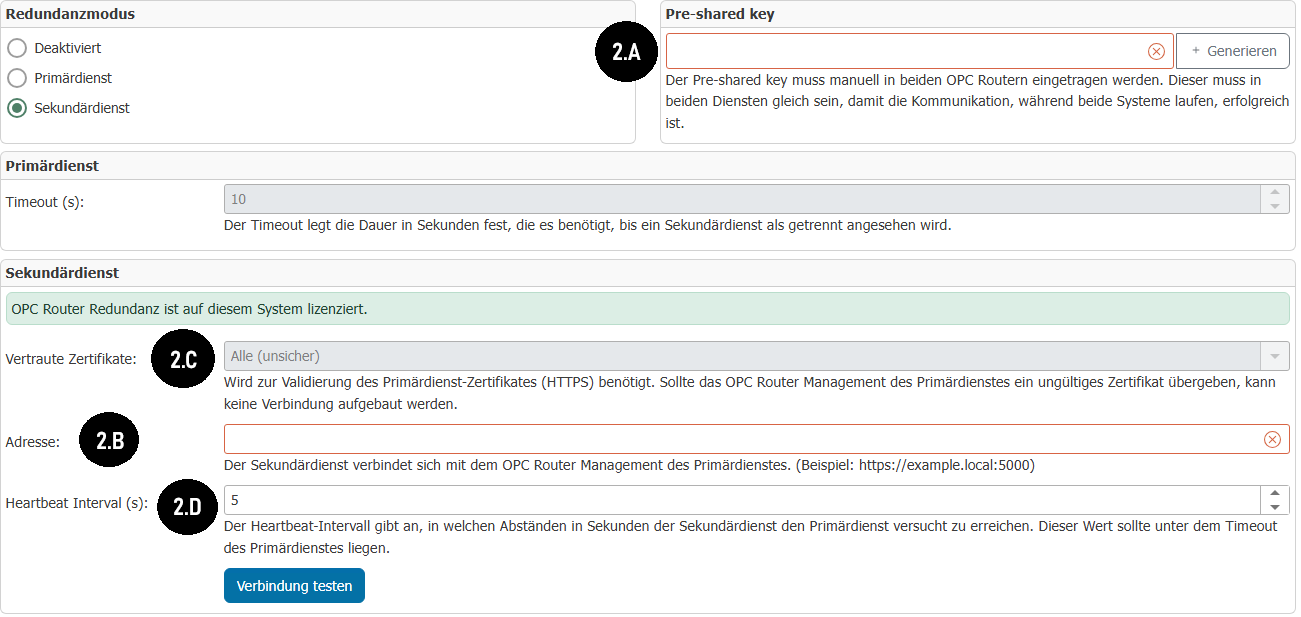
For the Heartbeat Interval (s) (2.D), the interval in seconds during which the secondary service attempts to reach the primary service.
Note: This value must be less than the timeout of the primary service so that the connection in the primary service is not constantly considered disconnected.
You must publish your changes on the primary and secondary services.
You can then test the connection and check whether the secondary service can reach the primary service. The secondary service should then switch to "standby" until the primary service is no longer reachable.
Troubleshooting
Block the OPC Router port in the firewall.
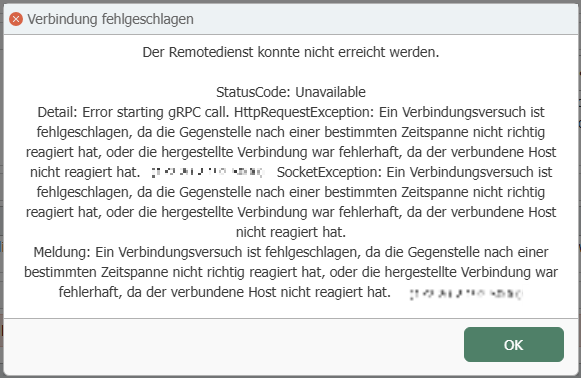
If you receive this error message during the connection test, the port (e.g., 5000) on the computer where the primary service is located has probably not been enabled.
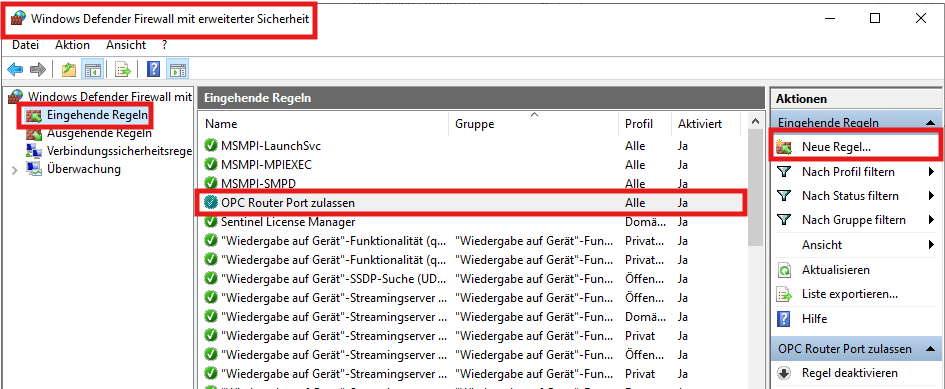
Press your Windows key and search for "Windows Defender Firewall with Advanced Security", then go to "Inbound Rules" and "New Rule", which will allow you to open the port you are using for the primary service (e.g. 5000).
This error message may also occur if your address is incorrect. Again, be sure to enter the correct IP address and port in the correct format.
Pre-shared keys differ between the two services
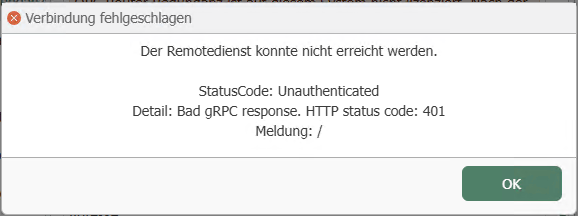
This error message may occur if the pre-shared key between the primary service and the secondary service is different.
Simply generate the pre-shared key on your primary service, copy it, and then paste it into the secondary service.
Be sure to publish the changes on your primary service after generating the new pre-shared key before testing the connection again.
Certificate issues (HTTPS)
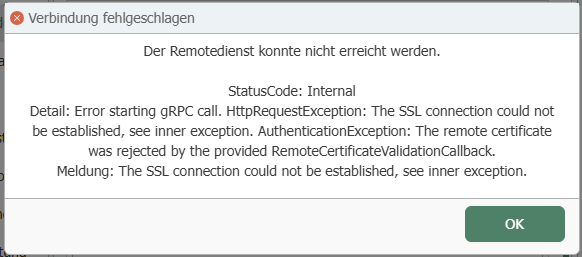
This error message may occur if you are using HTTPS for your primary service and attempting to connect without importing the self-signed SSL certificate you have likely generated into the secondary service.
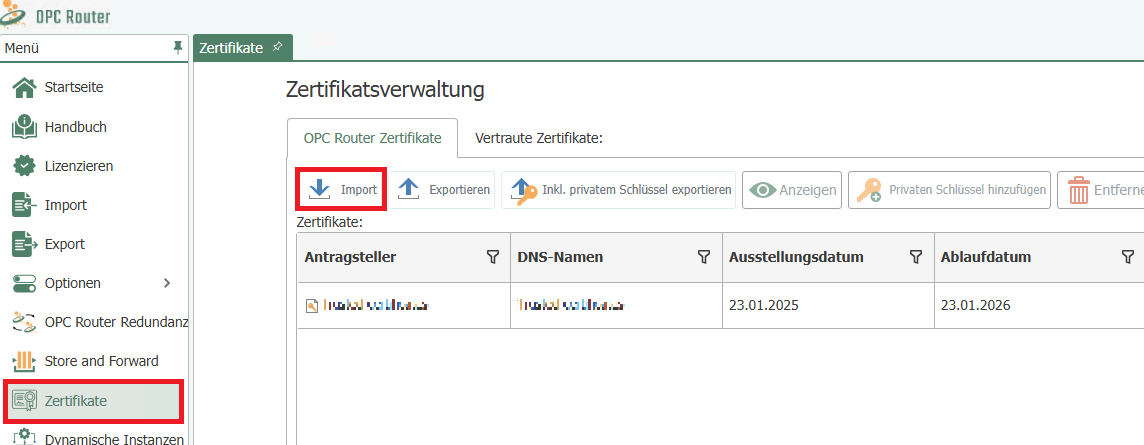
Go to the menu, then Certificate Management, and import the self-signed SSL certificate you generated to use HTTPS with OPC Router.
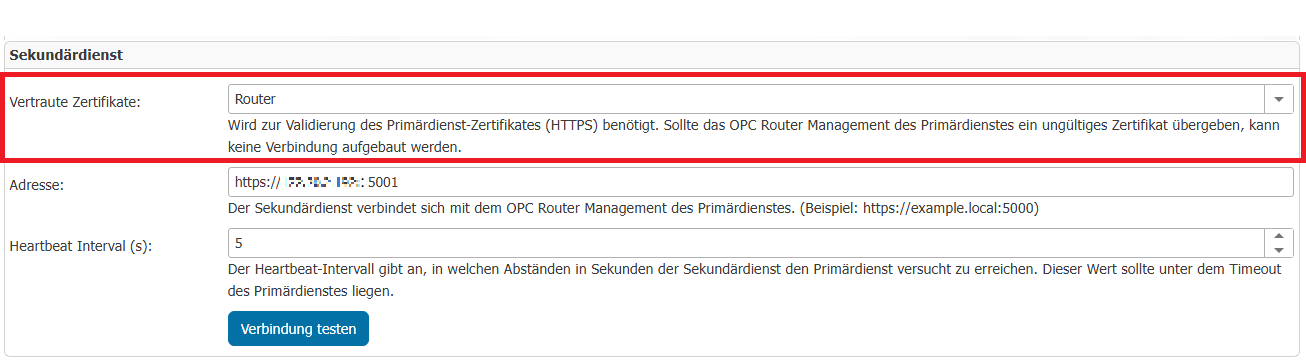
Don't forget to set trusted certificates on Router if you have imported the certificate into OPC Router, for example.
If you are using HTTPS for the primary service, the port will probably be 5001 instead of 5000, so you should make sure to open it as seen previously in "Blocking the OPC Router port in the firewall".