SAP BAPI Transfer Object
You use the SAP BAPI transfer object to call a BAPI (Business Application Programming Interface) of an SAP® BusinessObject. BAPIs are available as both sources and destinations.
Dialog Overview
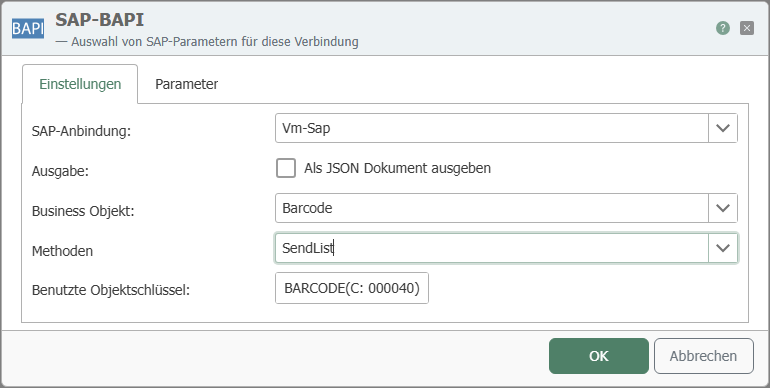
The screenshot shows the selection of the SAP® connection, the Business Object, and the method, as well as the configuration of the parameters.
General
| Property | Description |
|---|---|
| SAP Connection | All SAP® connections created in the Plug-ins section are available for selection here. If the desired connection does not yet exist, you can make it available in the Plug-ins section as an SAP® connection. |
| Output | Provides the results of the BAPI call as a JSON document for further processing. |
| Business Object | Selection of the SAP® business object. |
| Methods | Selection of the method provided by the business object. |
| Object Keys Used | Object keys uniquely identify an object and are entered automatically. Required field for instance-dependent methods. |
Parameters
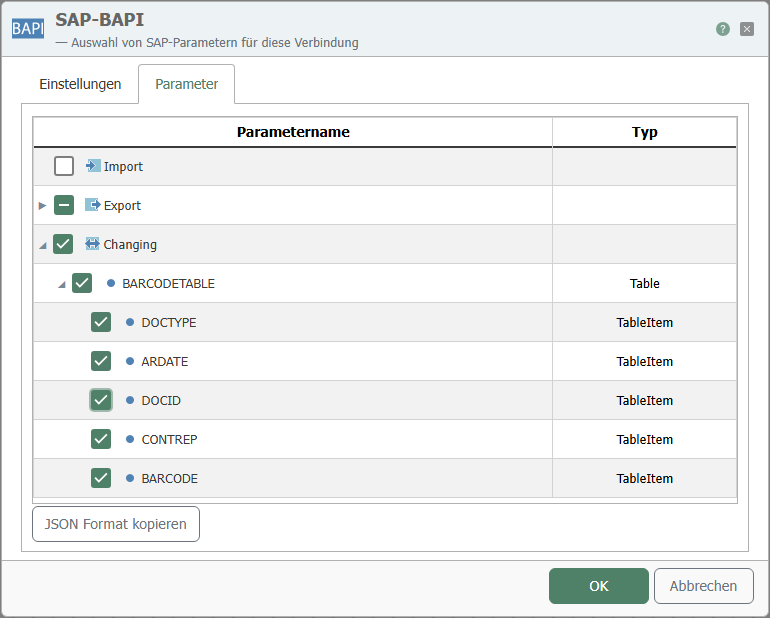
| Property | Description |
|---|---|
| Parameter Selection | Select the required parameters by checking the corresponding boxes. You can also select entire categories by checking the box at the category level. The specified table must have a primary key; Tables without a primary key are not supported. |
| Copy JSON Format | Copies a JSON document to the clipboard whose structure corresponds to the function call. |
The parameters are categorized as follows:
- Import: Data transfer into the SAP® system.
- Export: Data transfer from the SAP® system.
- Changing: Data transfer to the SAP® system and return of the modified values.
These categories may contain further subcategories, such as “Table,” which in turn contains the available tables.