SAP BAPI Transfer Object
SAP BAPIs are available to you both as sources and as targets. The required SAP system must be configured as a plug-in instance. Create an SAP BAPI transfer object within the connection as described.
The following properties can be configured:
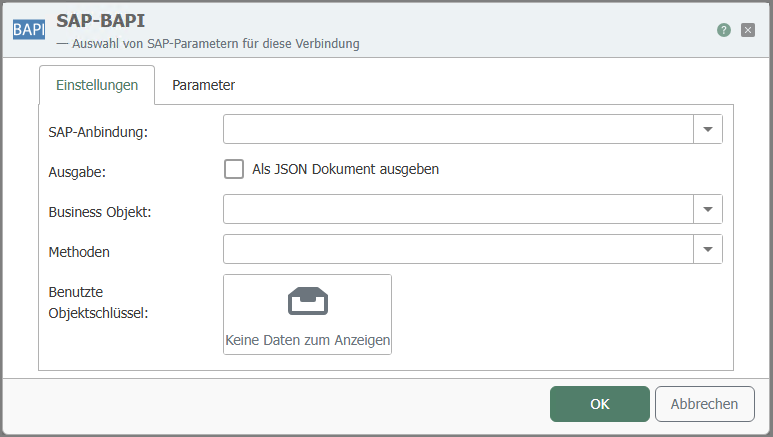
"General" tab
| Property | Description |
|---|---|
| SAP connection | The configured instances of the SAP plug-in are available here. |
| Output | Provides the results of the BAPI call as a JSON document for further processing. |
| Business object | Selection of the SAP business object. |
| Methods | Selection of the methods provided by the business object. |
| Object keys used | Object keys uniquely identify an object and are entered automatically. Mandatory field if it is an instance-dependent method. |
"Parameters" tab
| Property | Description |
|---|---|
| Parameter selection | Select the required parameters by checking the corresponding boxes. You can also select entire categories by checking the corresponding boxes. Note: The specified table must have a primary key. Tables without a primary key are not supported. |
| Copy JSON format | Copies a JSON document to the clipboard whose structure corresponds to the function call. |
The parameters are categorized. They mean:
- Import: Data transfer to the SAP system
- Export: Data transfer from the SAP system
- Changing: Data transfer to the SAP system and return of the changed values.
These categories may contain further subcategories, e.g., "Table," which in turn contains the available tables.