SAP RFC Transfer Object
You use the SAP RFC transfer object to call an RFC function module in an SAP® system. SAP® systems are available via RFC as both sources and destinations. You can find a complete example at SAP RFC Transfer Object Example.
Dialog Overview
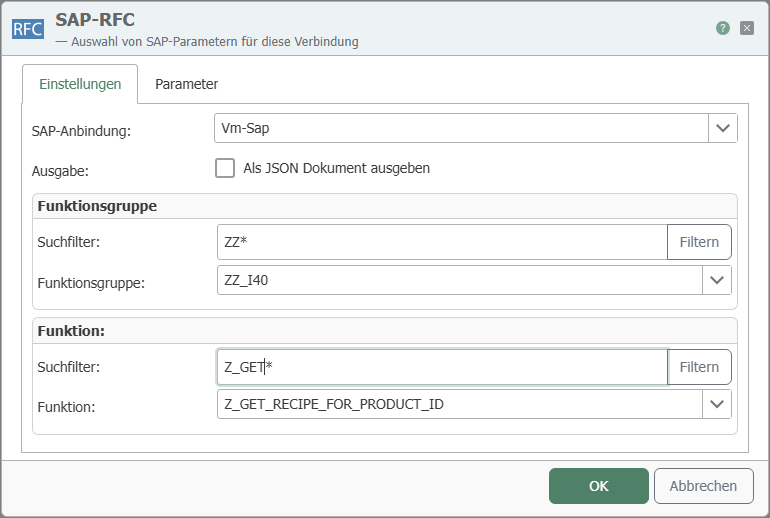
The screenshot shows the selection of the SAP® connection, the function group, and the function module, as well as the configuration of the parameters.
Settings
| Property | Description |
|---|---|
| SAP Connection | All SAP® connections created in the Plug-ins section are available for selection here. If the desired connection does not yet exist, you can make it available in the Plug-ins section as an SAP® Connection. |
| Output | Provides the results of the RFC call as a JSON document for further processing. |
| Function Group | Selection of the function (module) groups available on the SAP® side. Enter a search term in the search filter (* as a wildcard) and click “Filter” to narrow the selection to matching groups. |
| Function | Selection of the function module within the chosen function group. Enter a search term in the search filter (* as a wildcard) and click “Filter” to narrow the selection to matching modules. |
Parameters
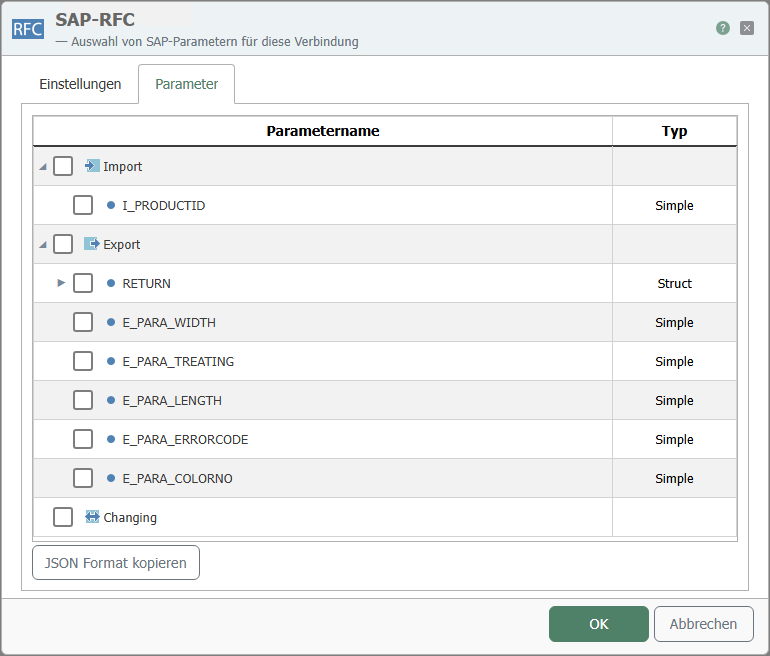
| Property | Description |
|---|---|
| Available Parameters | Select the required parameters by checking the corresponding boxes. You can also select entire categories. |
| Copy JSON Format | Copies a JSON document to the clipboard whose structure corresponds to the function call. |
The parameters are categorized as follows:
- Import: Data transfer into the SAP® system.
- Export: Data transfer from the SAP® system.
- Changing: Data transfer to the SAP® system and return of the modified values.
These categories may contain further subcategories, such as “Table,” which in turn contains the available tables.
note
If RFC functions are modified on the SAP® system after they have been configured in the OPC Router, the OPC Router may need to be restarted to reflect the changes.