Additional settings for logging in via Windows users
The OPC Router offers two login options: logging in via users created during installation or by system administrators via the OPC Router, and logging in via Windows users. For security reasons, logging in via Windows users is only possible in many environments if HTTPS has been set up.
In order for login to be possible, the certificate must contain the name used to access the web browser. For systems in a Windows domain, such as "computer123.mycompany.local", an alternative name (Subject Alternate Name) such as "computer123.mycompany.local" must be stored in the certificate with the full name including the domain.
Certificates created for HTTPS setup should be trusted by installing the certificates in Windows.
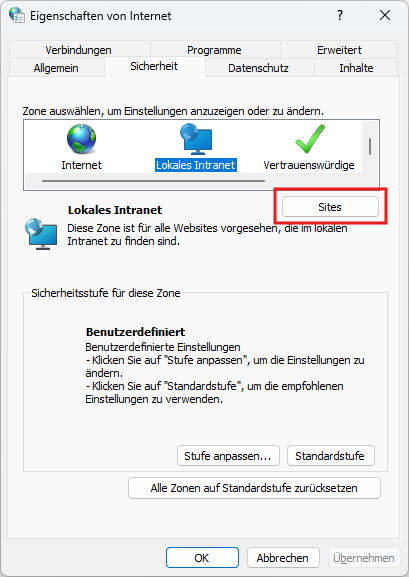
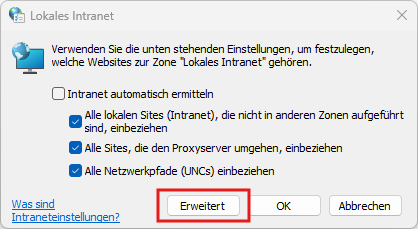
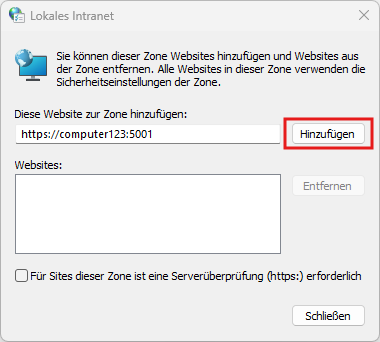
Windows login can be restricted by security settings in the group policies and via the domain. If Windows login is only permitted for websites located on the local intranet, an exception must be added for all systems that want to access the OPC router so that the system on which the OPC router is installed is trusted.