SAP RFC Transfer Object Example
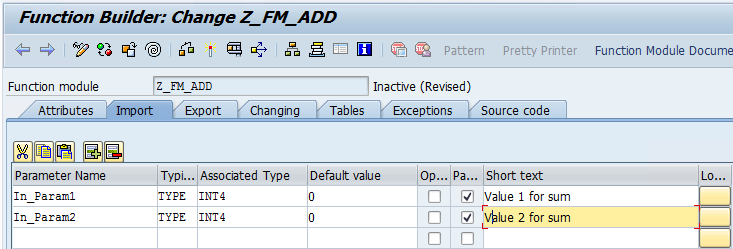
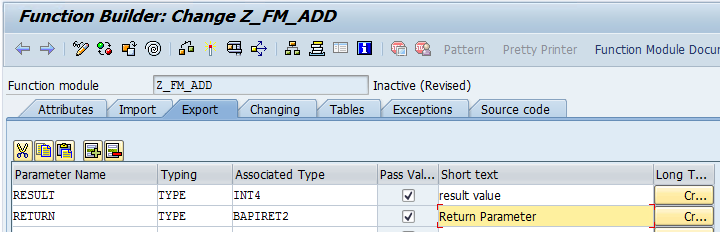
This example demonstrates how to call an RFC function module using an SAP RFC transfer object. The function module Z_FM_ADD is used as an example; its import, export, and source code are shown in the following figures.
Function Module in the SAP® System
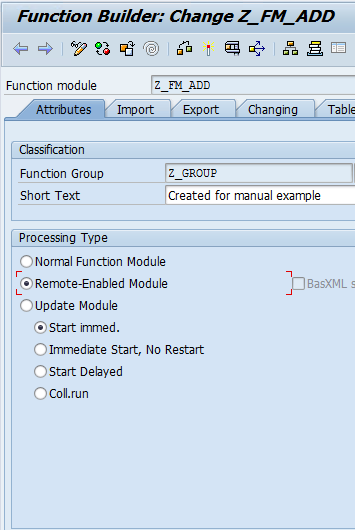
In the general properties, select the "Remote callable" option so that this function module can be called by third-party systems, such as the OPC Router. Otherwise, this function module can only be called within the current SAP system.
Import
Export
Source Code
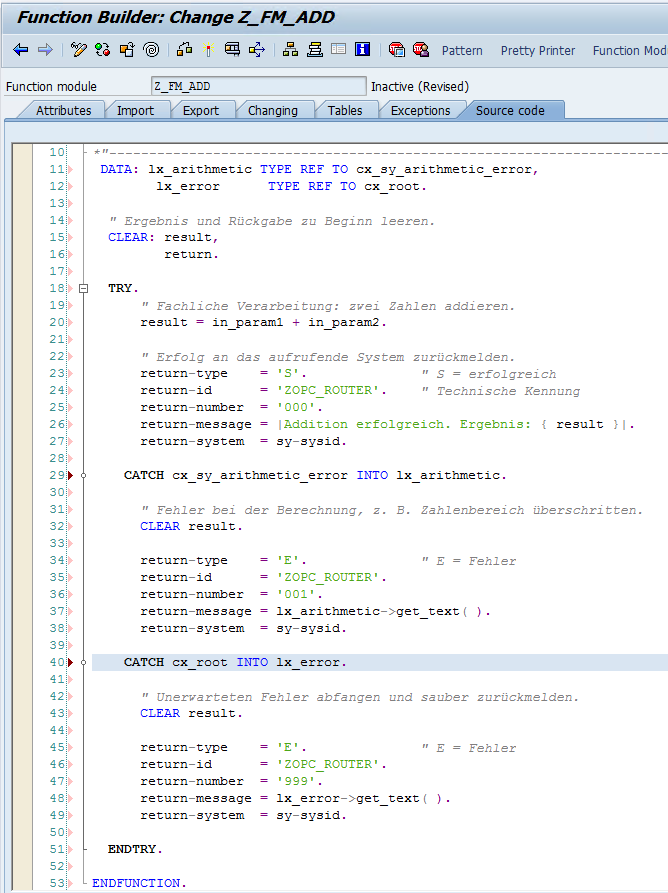
The function module must then be saved, checked, and activated (“Save,” “Check” and “Enable” in the Function Builder, transaction SE37). Only an active function module marked as remote-capable can be called via RFC from the OPC Router.
Create a Transfer Object
In the OPC Router, select the SAP-RFC transfer object for a new flow.
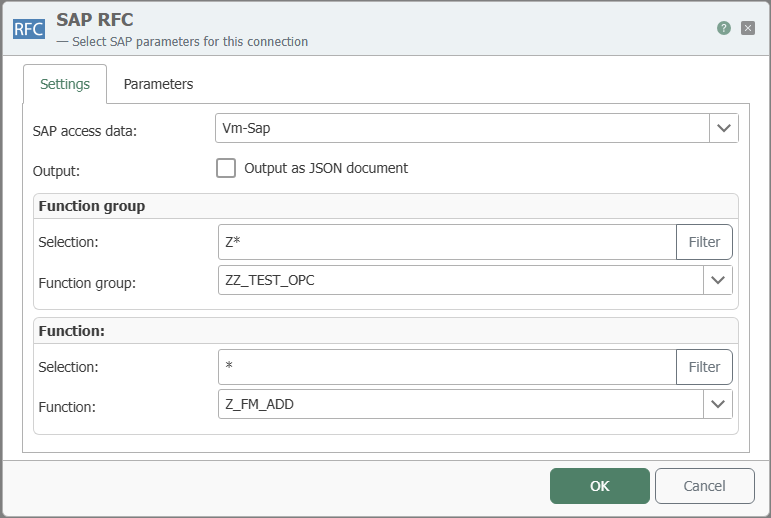
In this example, the function module Z_FM_ADD is located in the function group ZZ_TEST_OPC. A connection named Vm-Sap was created in the SAP® plug-in to access it.
Double-click to open the SAP-RFC transfer object and perform the following steps on the “Settings” tab:
- Select “
Vm-Sap” in the “SAP access data” field. - In the “Function group” section, click “Filter” in the “Search Filter” field to load the function groups.
- Select “
ZZ_TEST_OPC” in the “Function group” field. - In the “Function” section, click “Filter” in the “Search Filter” field to load the functions.
- Select “
Z_FM_ADD” in the “Function” field.
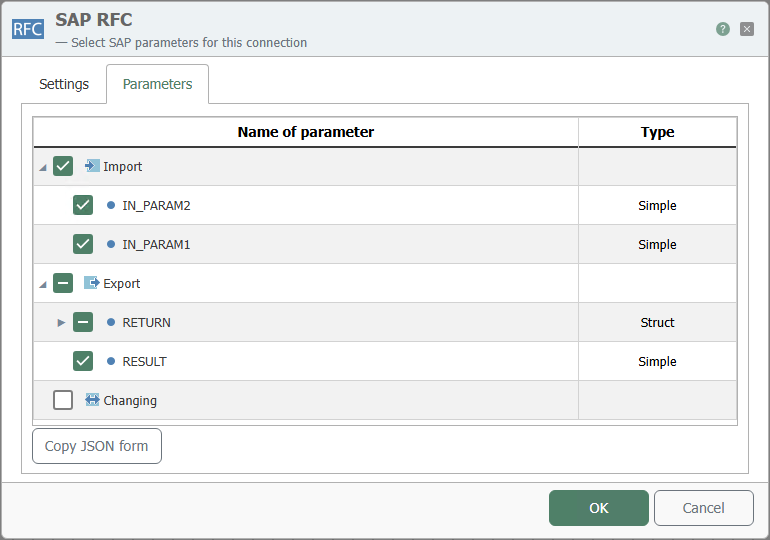
On the “Parameters” tab, select the imports and exports.
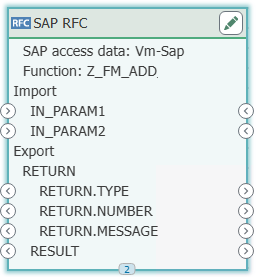
After confirming with “OK”, the SAP RFC transfer object looks like this:
Design the Flow
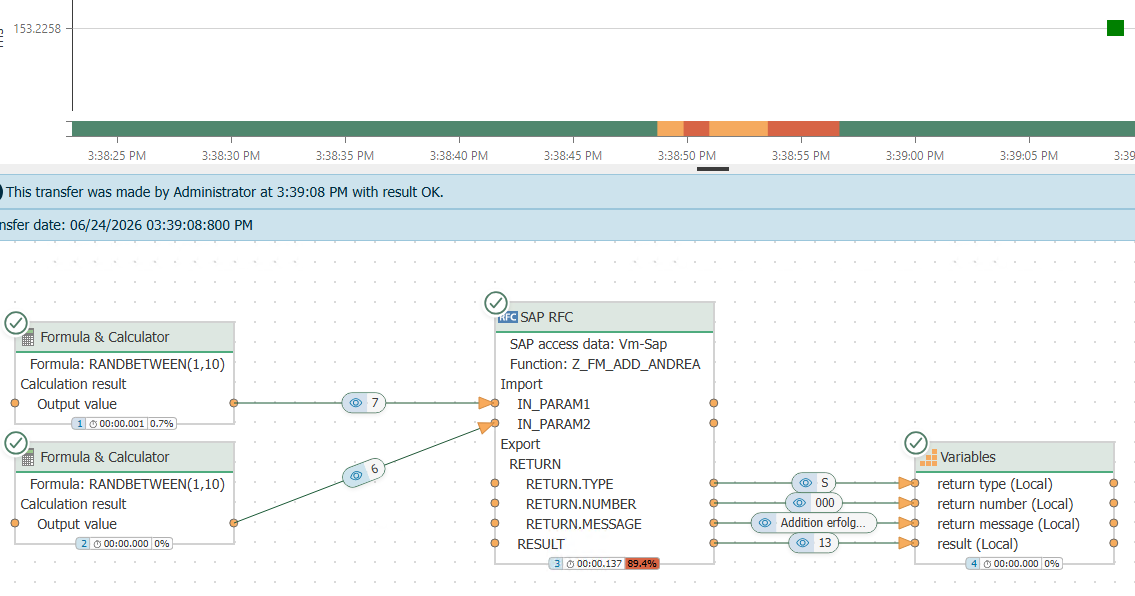
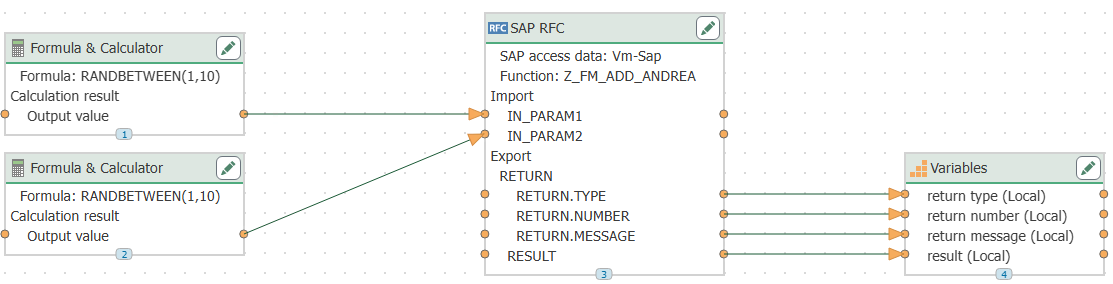
As shown in the following figure, In_Param1 and In_Param2 are set to constants, and RESULT is assigned to a variable.
Deploy the change
Next, click “Deploy Change” at the top of the page and confirm again by clicking “Deploy Change” in the “Publish” section.

Trigger the flow and check the result
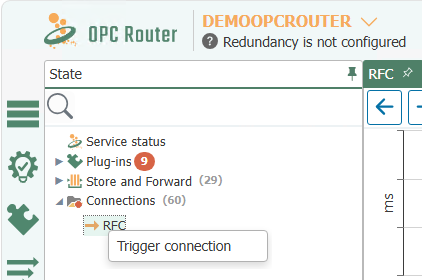
Next, trigger the flow in the Status Indicator by right-clicking on your flow and selecting “Trigger Flow.”
As expected, the value of RESULT is equal to the sum of In_Param1 and In_Param2.