Exporting an OPC Router Project
In OPC Router 5, open the “Export Project” function via the menu item under "settings."
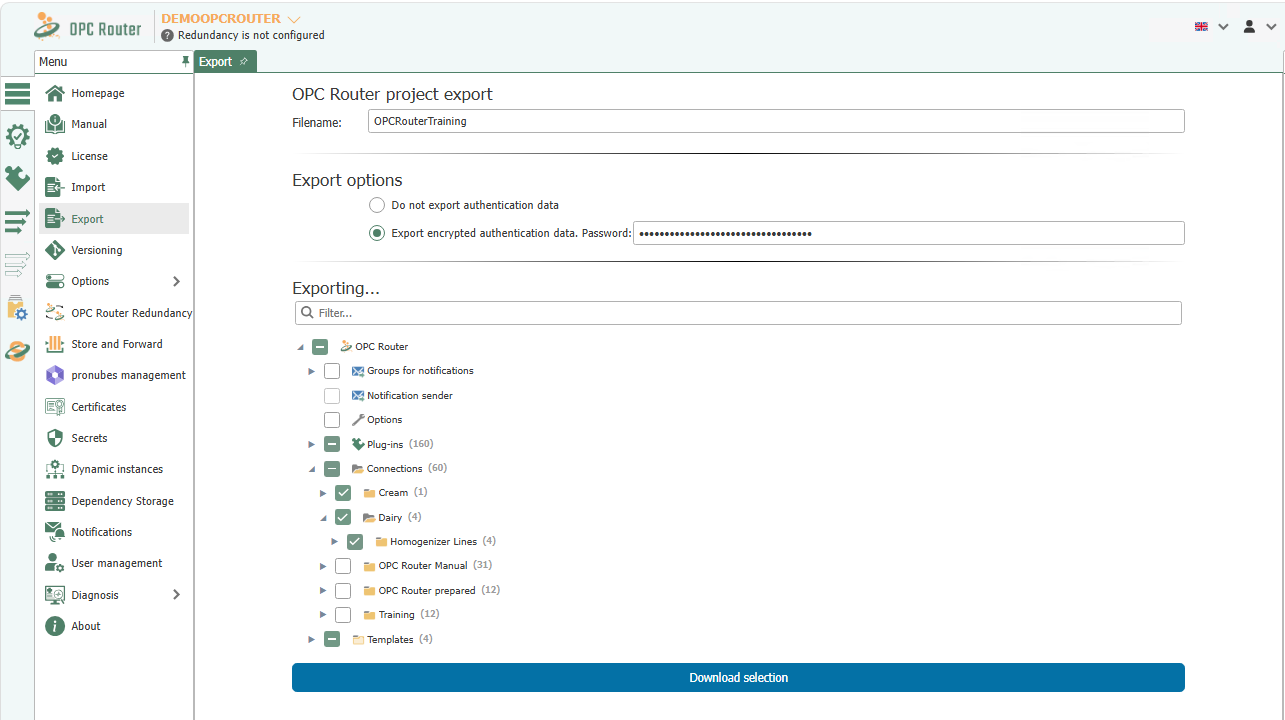
Enter a file name and select which parts of the project structure you want to export. If you select templates and flows, the associated structures are automatically included.
If necessary, specify whether authentication data should not be exported or should be exported encrypted with a password.
Then start the export by clicking “Download selection”.”
What the export file contains
The export creates an .rpefile containing the selected parts of the project engineering configuration: plug-in configurations, templates, and flows—including the structures on which they depend—options, notification groups and senders, and GDS applications. Authentication data is included only if you select that option during export.
The file contains no license—the license ID and system name of the exporting system are included only as a source reference; importing the file does not license the target system. Also not included: user accounts and runtime data such as transfer logs or status.