User Management
In User Management, you can view, create, and delete internal and external users, as well as manage their roles. External users include, for example, Windows authentication users in Windows deployments, Microsoft Entra ID users, or other SSO or Forward Auth users. External users are marked with the External flag in the table.
Once an initial user has been created, it will also be listed here. Although this user can be deleted or modified, it will be restored with the Admin role after restarting the Management Service to prevent users from locking themselves out of the management system entirely.
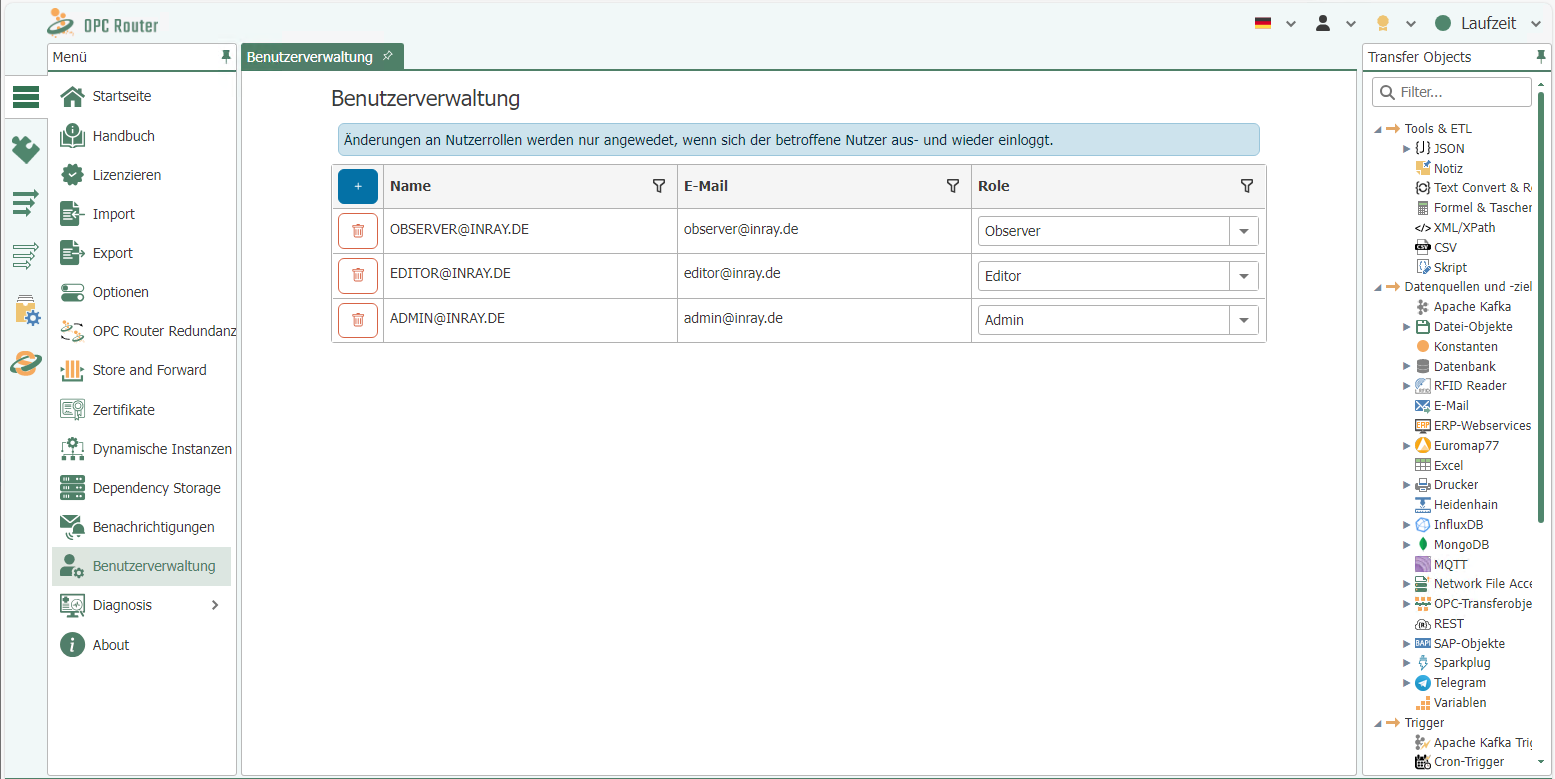
New users can be created by clicking the plus sign in the upper-left corner of the table, which opens a new dialog.
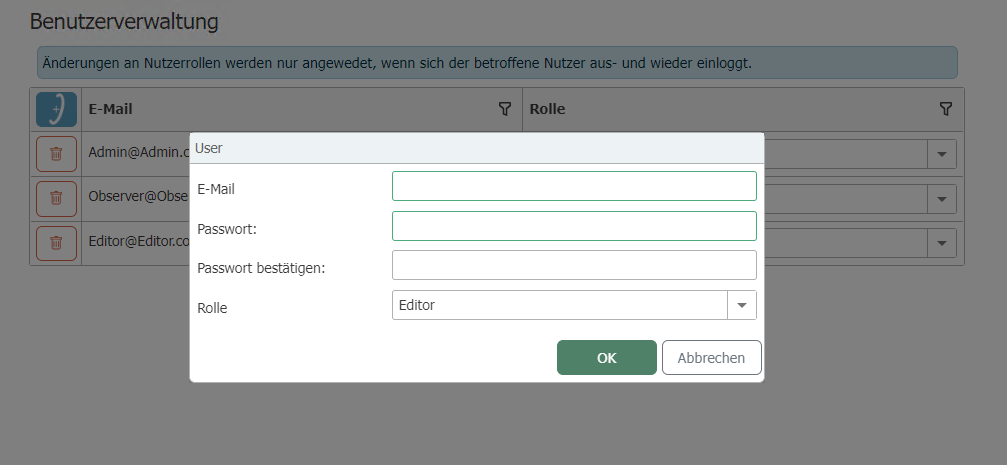
Here, you must specify an email address and a user role; only one user is allowed per email address. Additionally, you can specify whether the user is an external user.
A password must be specified for internal users. No local password is stored for external users.
External users are suitable, for example, for pre-provisioning for Microsoft Entra ID or pronubes Remote Management with Auth Forward. If you click OK to confirm the dialog and all the entered data is valid, the new user should appear in the table.
These passwords are login credentials for Web Management and are not stored in the Secrets repository. The OPC Router uses the Secrets repository to manage the credentials it uses to log in to third-party systems—such as databases, brokers, or mail servers.
Users’ roles can be changed using the dropdown menu in the table, and users can be removed using the Delete button. There is no provision for changing local passwords for external users.
Changes to users’ roles are not immediate. Existing saved login tokens (stored in browser cookies) remain valid with the old role until they are either deleted or revalidated. This occurs when the user logs out and then logs back in.
Login Options
The "Sign-in Options" section describes the different ways a user can sign in—locally with a password, via Windows authentication, or via Microsoft Entra ID—as well as the purpose of each method and where it is configured.
Automatic Logout
For security reasons, OPC Router Management can automatically log users out:
- Due to inactivity: If there is no user activity (mouse, keyboard, touch), the session expires after the configured time, and the user is redirected to the login page. Any activity extends the session.
- Upon reaching the maximum session duration: Regardless of activity, every session ends at the latest after the configured maximum duration.
By default, both timeouts are disabled. They can be enabled globally via environment variables or command-line options and can also be customized on a per-user basis (see below).
Shortly before automatic logout, a warning with a countdown appears. In the case of inactivity-based logout, you can extend the session there by clicking the “Stay logged in” button; once the maximum session duration has been reached, you must log in again.
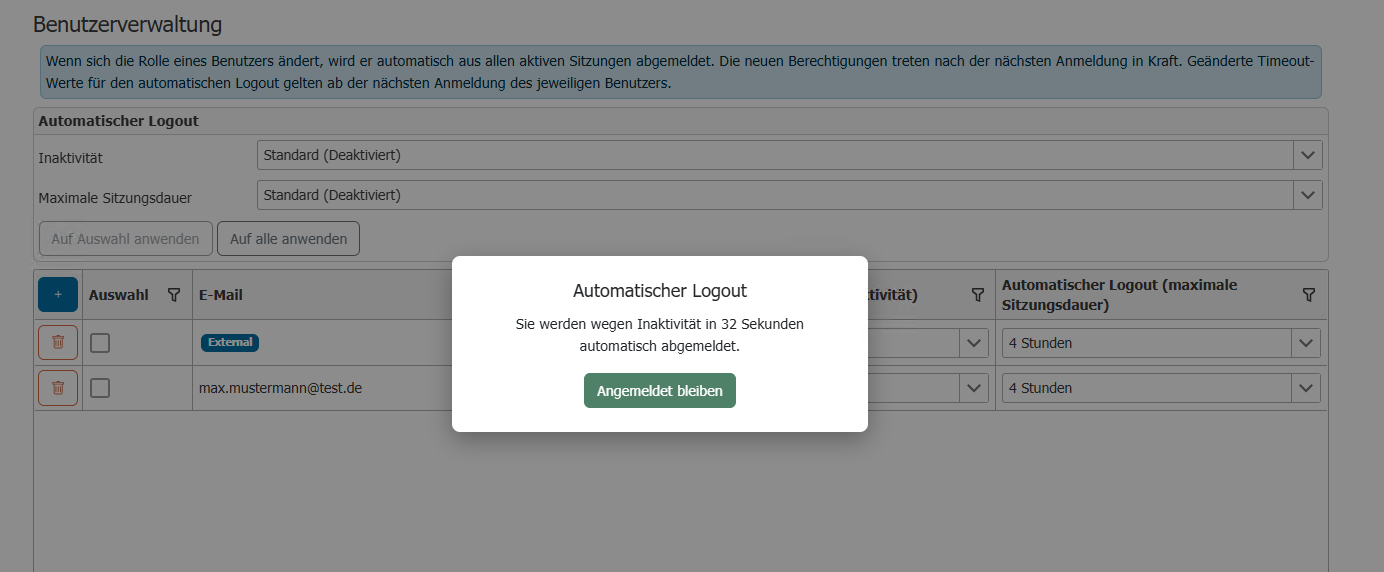
Set logout times for each user
You can set both times individually for each user in User Management. To do so, select the desired value in the “Automatic Logout (Inactivity)” and “Automatic Logout (Maximum Session Duration)” columns in the user’s row:
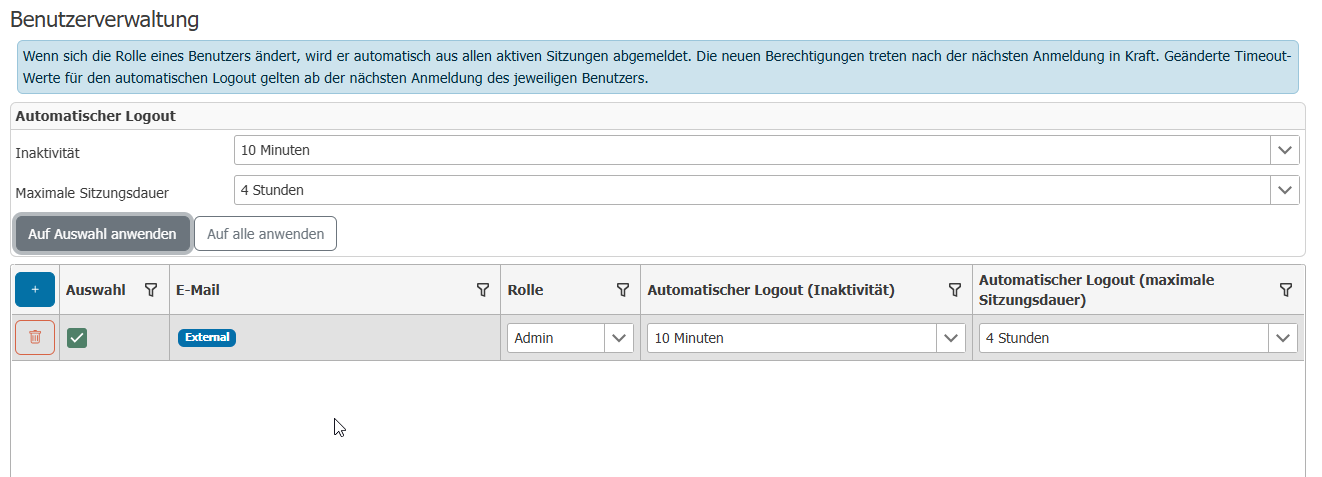
- Default uses the globally configured value (displayed in parentheses).
- Disabled turns off the respective timeout for this user.
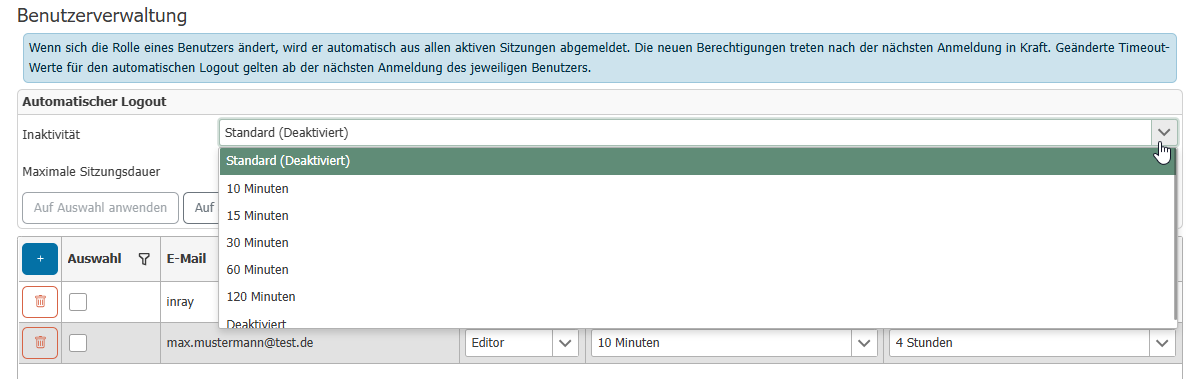
To set the times for multiple users at once, select the desired users in the "Selection" column, set the values in the bar above the table, and click "Apply to Selection"—or click "Apply to All" to apply the times to all users. A dialog summarizes the change before it is applied:
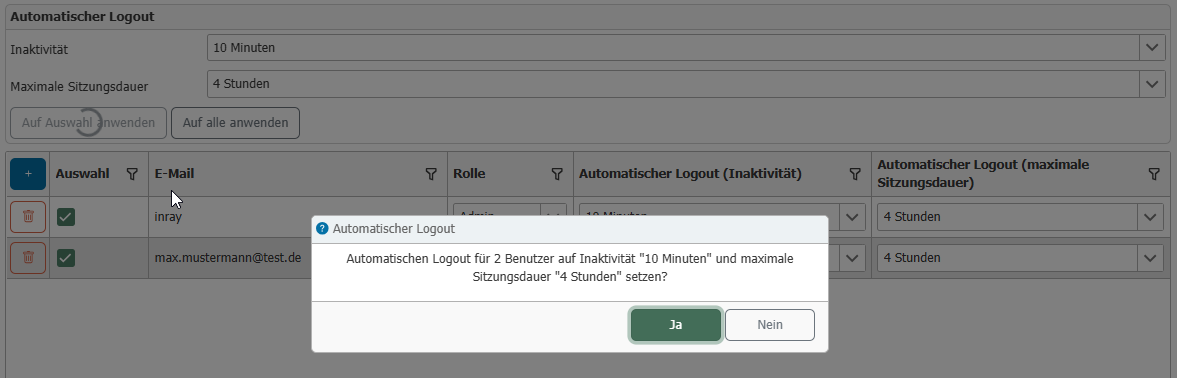
Changed logout times take effect the next time the respective user logs in. Current sessions retain the times that were in effect when they logged in.
Configure Global Defaults
You can set the default values using environment variables or command-line options of the management service:
| Setting | Environment Variable | Command-Line Option | Default |
|---|---|---|---|
| Maximum session duration (hours) | OR_WEB_SESSION_TIMEOUT_HOURS | --session-timeout-hours | 0 (disabled) |
| Inactivity timeout (minutes) | OR_WEB_SESSION_INACTIVITY_TIMEOUT_MINUTES | --session-inactivity-timeout-minutes | 0 (disabled) |
The value 0 disables the respective timeout.
When Windows authentication is enabled, the browser can log the user back in after an automatic logout without requiring the password to be re-entered, since the login is performed via the Windows account.
Security Notes:
-
When accessing the OPC Router from another PC, we strongly recommend enabling HTTPS to encrypt data transmission and ensure secure communication. For details on enabling HTTPS, refer to the OPC Router installation guide. This measure is particularly important when sensitive data is being transmitted or when accessing the system via unsecure networks, such as the Internet.
-
After deleting a user, it may take up to 30 minutes for that user to be logged out on all devices.