Creating instances
To use the template for data transfers, you must first create instances, i.e., actual connections.
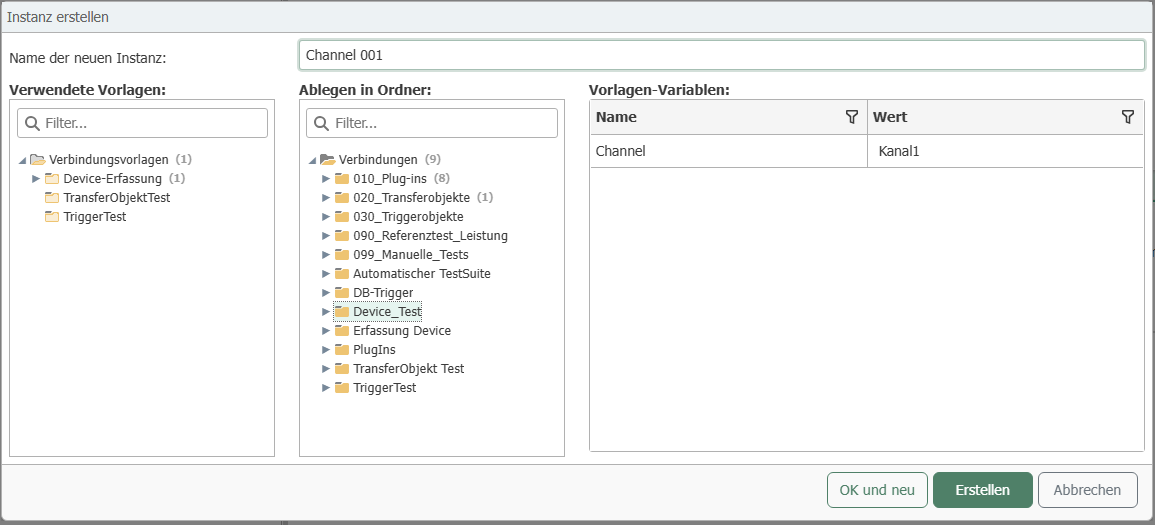
- In the "Templates" or "Connections" snap-in, select the "Create Instance" drop-down button and then "Create Single Instance."
- Assign a name for the connection, e.g., "Capture Channel 1."
- Select the desired template.
- Select the desired storage location.
- You cannot change anything in the connection; you only need to specify the values for the variables. In this case, all you need to do is enter "1" under Number in the template variables. So enter "1" and close the connection by clicking "Create" or select "OK and New" to create additional instances.
- Create a connection for channels 2, 3, 4, 5, etc. in the same way.
- Activate the instances.
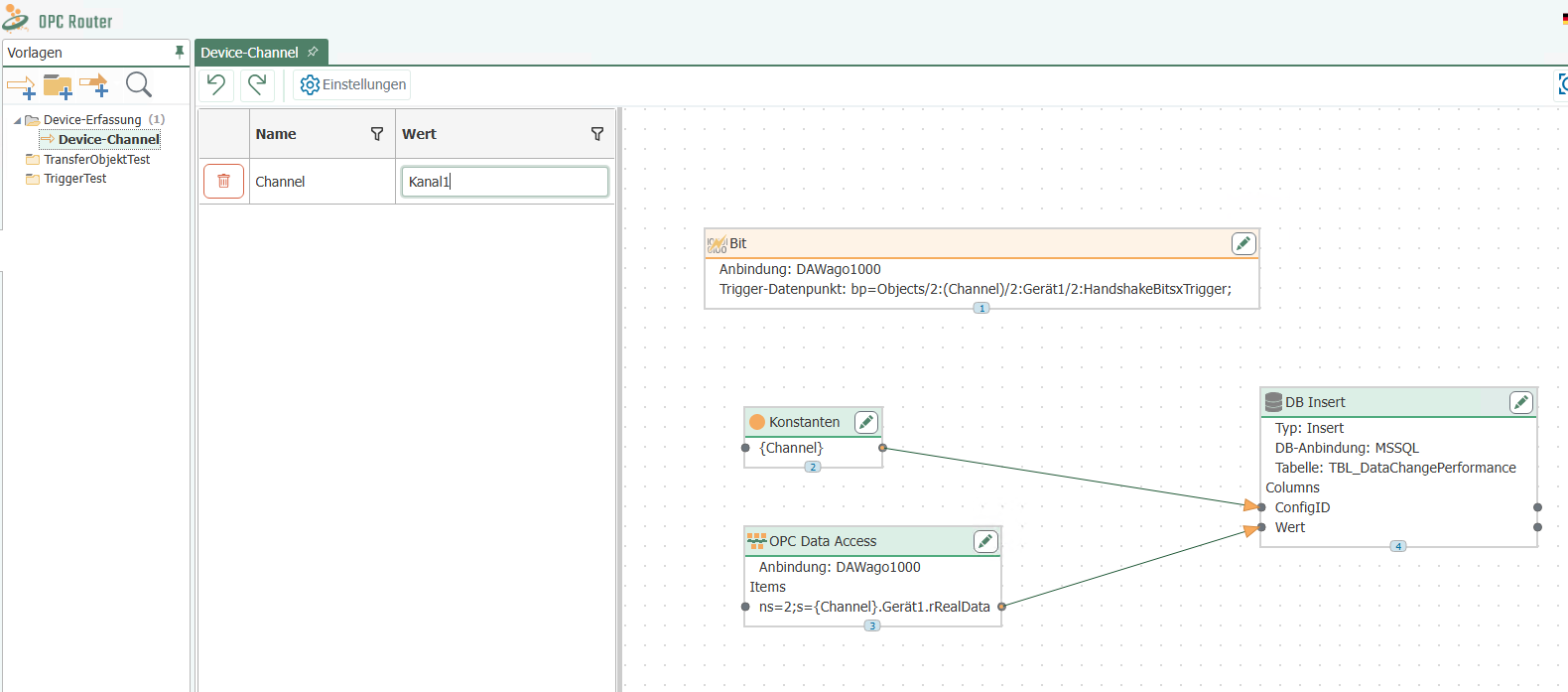
The instances have been created and the data points have been named correctly. You can use the "Edit" button to change the values of the template variables later. You can also overwrite some connection settings.
warning
Caution: For template variables with relative time specifications (e.g., intervals in the time trigger), the time unit must also be specified (ms, s, m, h, d, month, year).
note
Note: If you change the template at a later point in time, the instances will be adjusted.
If a template has been selected and "New Instance" has been selected, then "New Instance" is also preset as the name and variables and template are displayed.