Cron trigger
The cron trigger initiates scheduled transfers. You can configure the schedule as needed in the properties window. However, advanced users can also enter the schedule manually.
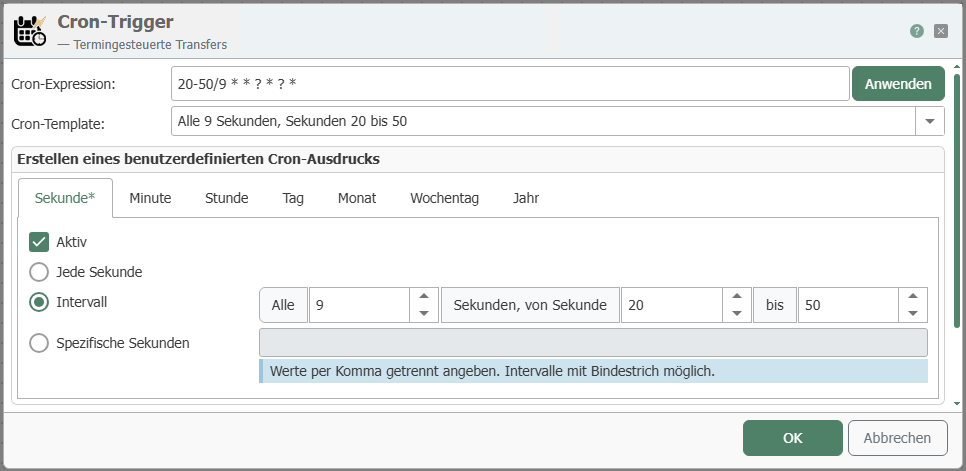
The individual properties are:
| Property | Description |
|---|---|
| Expression | Display of scheduled transfers after selecting the properties. Manual entry is also possible here. Confirm your entry by clicking the "Apply" button. |
| Description | Display of the printout in text form. The display changes automatically when the selection and entries are changed. You can choose between different printout suggestions here. |
| Active | After selecting a range (second, minute, hour, day, month, weekday, year), activate the checkbox to activate the trigger. The areas that are activated are indicated in the tab by an asterisk *. You can define specific details by simply entering a number. For example, if 5 is entered for Specific hours, the transfer will only be triggered at 5 o'clock. Multiple specific entries can be separated by commas. |