Text Replace Transfer Object
The "Text Replace" transfer object is used to pass text via connections in order to combine values and text.
After double-clicking on the transfer object, set the following properties:
| Property | Description |
|---|---|
| Output | Choose between SingleText and Array:
|
| Text | Enter your text here. You can enter placeholders by double-clicking on the corresponding entry in the placeholder list to the right. |
| Placeholder | Enter a new placeholder here using the plus sign or edit a selected placeholder using the corresponding button. You can remove a placeholder again using the red cross. |
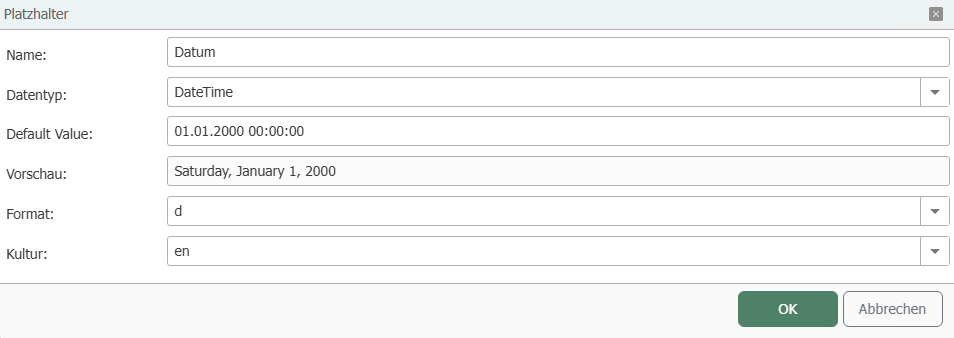
Define placeholder
| Property | Description |
|---|---|
| Name | Assign a unique name for the placeholder. |
| Data type | Specify the data type of the placeholder, e.g., String, DateTime. |
| Default value | Enter a default value if required. |
| Preview | The preview shows you how a value will be displayed. |
| Format | Select a format for the data types Int64, Float, or DateTime. |
| Culture | Select the culture to obtain the appropriate notation. For example, commas or periods are set differently depending on the selected culture. |
-1afb2a74e895d939d3127ba3c1c3a07d.png)