Calculator transfer object
You can use all available (numerical) values as input for calculations. You can then use the results as a data source in further transfers. Create a calculator transfer object within the connection as described.
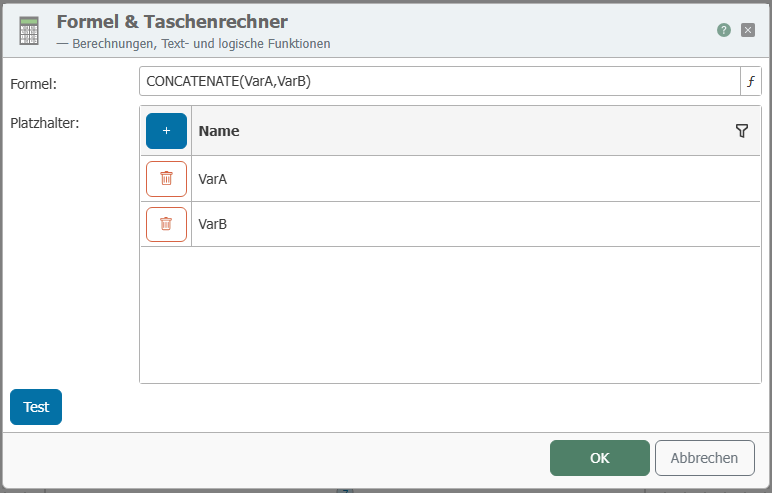 After double-clicking on the transfer object, set the following properties:
- Use the "New" button to add as many placeholders as your formula requires. You can fill these placeholders later with values from OPC items, database tables, variables, etc.
- Put the formula together.
- The placeholders are simply entered or accepted by double-clicking.
- Use the normal mathematical symbols for linking (
+-*/()). - Functions apply to the immediately following placeholder; otherwise, please use parentheses (e.g.,
sqrt(A+B)= square root of the sum of A and B). - Rounding functions: Use the "Round up" or "Round down" button (rounds up/down to whole numbers).
- Concatenate function = concatenate character strings: The values must be enclosed in " " in the formula, e.g., CONCATENATE("A","B").
- Additional functions via the "Advanced" button.
- Use the "Test" button to open another dialog box. Enter values for the placeholders here and check the formula.
- If everything is correct, confirm both dialog boxes with "OK."
The calculator transfer object is now available in the connection. Connect variables, OPC items, database fields, etc. to the placeholders and use the result as a data source.