MQTT transfer object
To enable a connection, proceed as described.
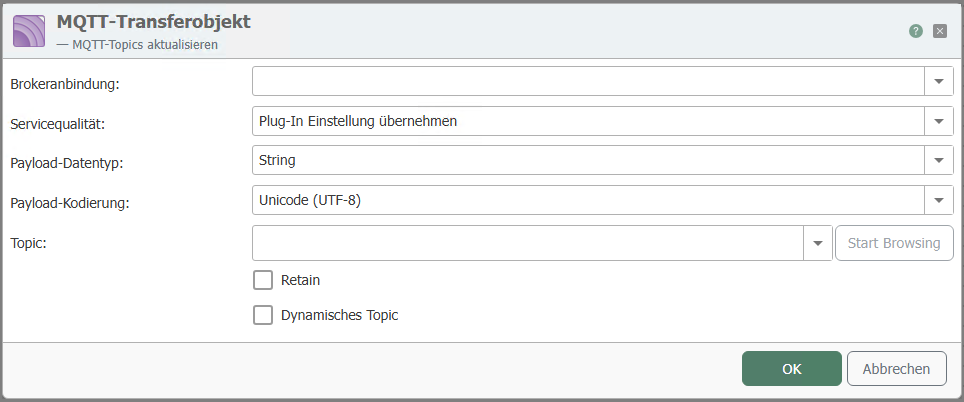
After double-clicking on the transfer object, set the following properties:
| Property | Description |
|---|---|
| Broker connection | Select a configured broker connection from the drop-down menu. |
| Service quality | Select how often the query should be executed. |
| Payload data type | Select the data type byte array or string. |
| Payload encoding | Select the encoding for the MQTT query. |
| Topic | Enter the topic |
| Retain | When activated, the query result remains visible until a new one is generated. |
| Dynamic Topic | Activate if different topics are required. The topic can be defined variably via input. |
Confirm your entries with "OK."