Plug-in Status
If you click on a plug-in instance in the status tree under “Plug-ins,” a dashboard opens with data specific to that instance. It consists of four views; in the event of critical errors, a warning banner appears above it displaying the most recent critical message.
Usage & Timing Metrics
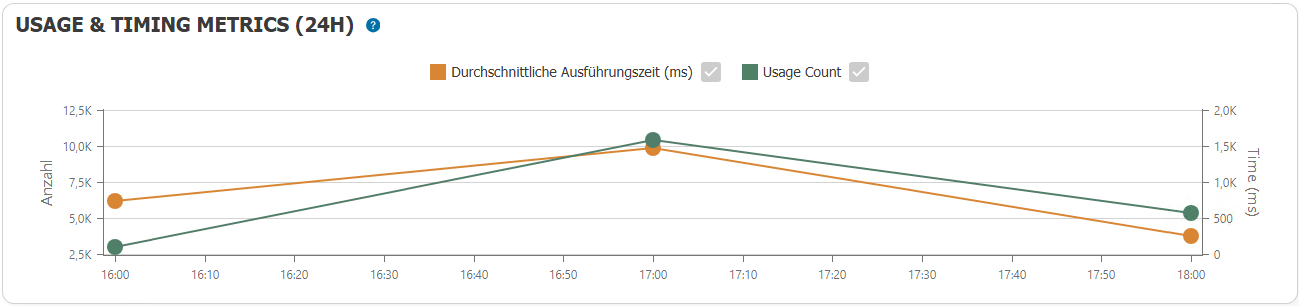
The "Usage & Timing Metrics (24h)" section shows usage over the past 24 hours, grouped by full hours:
- the average execution time in milliseconds
- the number of uses
Monthly Statistics
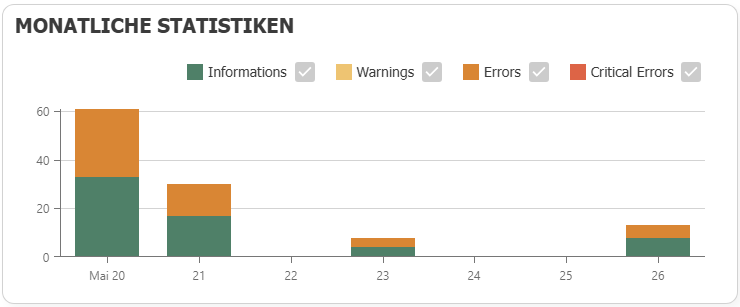
This section provides a graphical overview of the number of reports by severity level—broken down into information, warnings, errors, and critical errors.
Flow
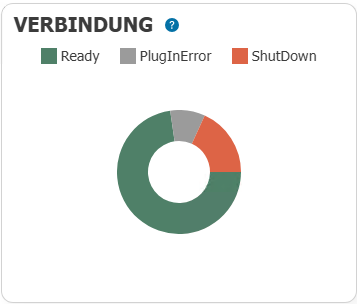
The pie chart shows what percentage of the flows have each status.
Please note that this refers to the status of all flows.
Plug-in Event Log
The “Plug-in Event Logs” section lists the messages for this plug-in instance, including the sequence number, timestamp, severity, and message text.
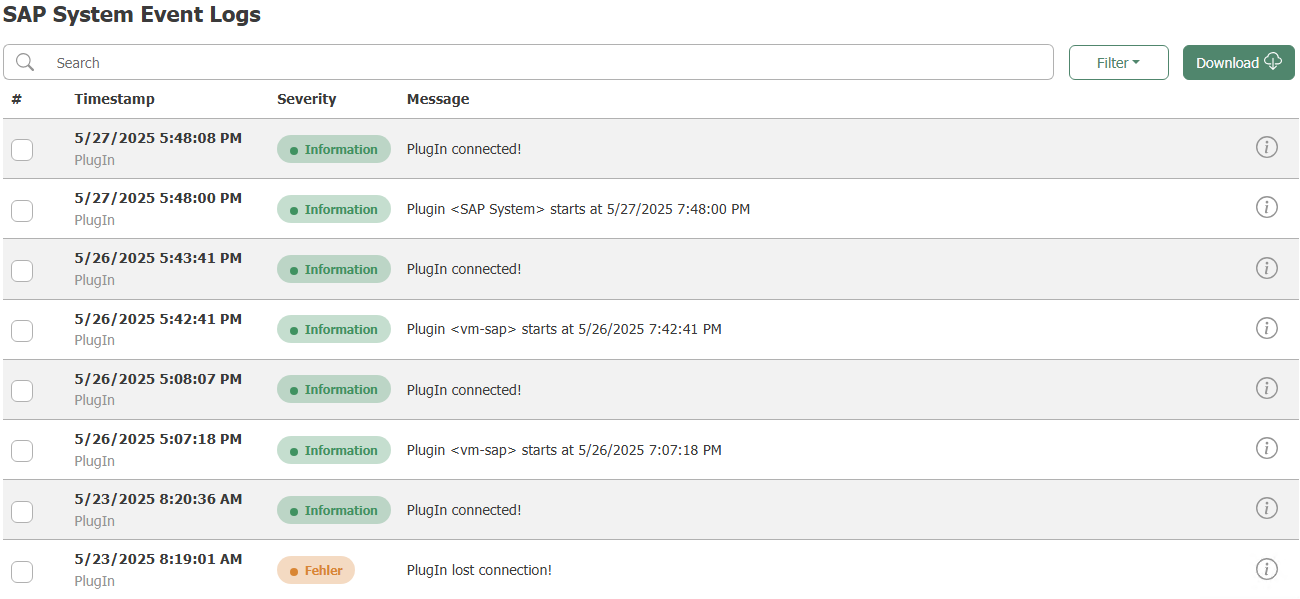
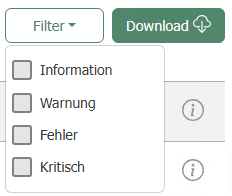
The search field searches the messages as free text; use “Filter” to filter by severity level, and use Download to export the displayed entries as an Excel file.
As with service status, these entries come from the status database and not from the log files. For information on how to access the log files, see Log Files and Event Log.
Store and Forward is a separate node
"Store and Forward" is not a view of this dashboard. The cached data is located in the status tree under its own root node, "Store and Forward," on the same level as "Plug-ins" and "Flows."
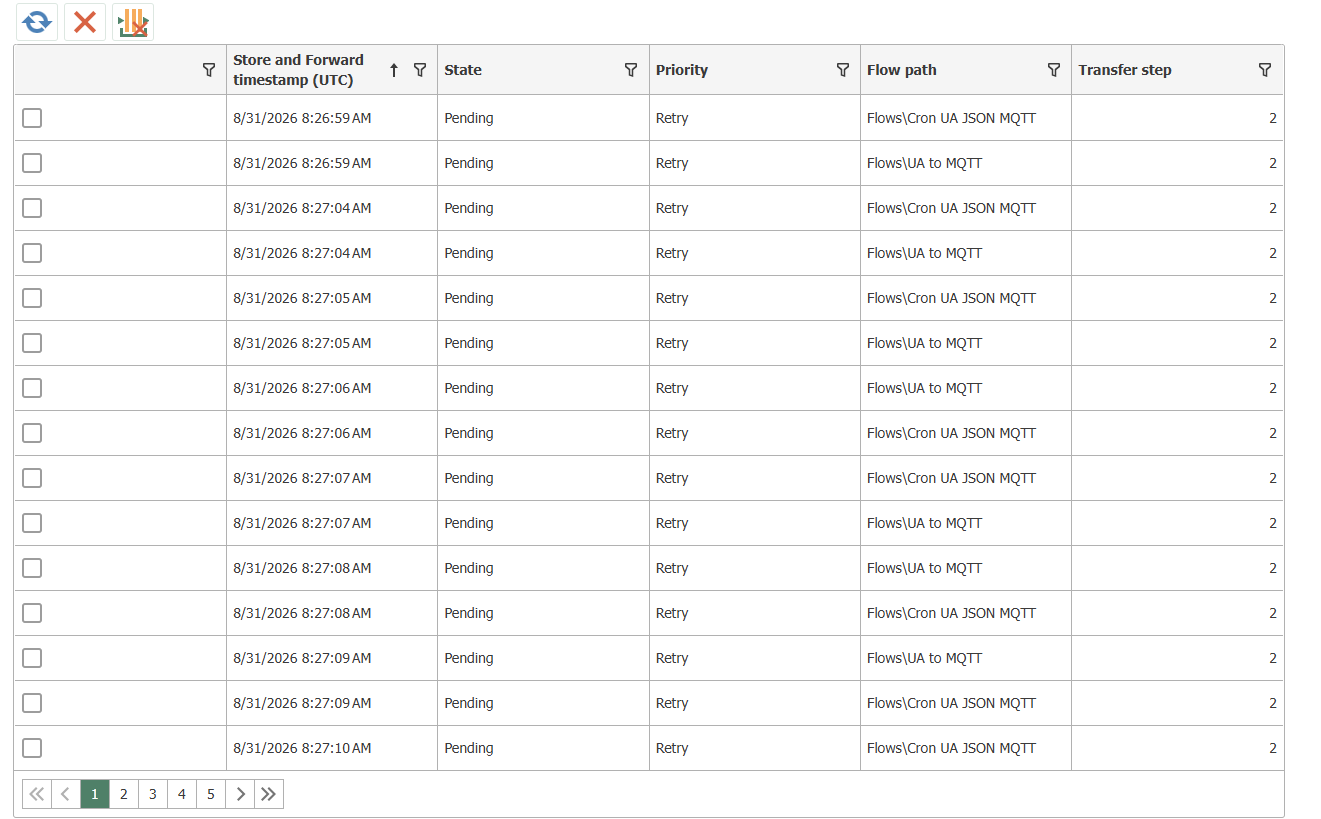
The view lists each cached transfer step:
| Column | Content |
|---|---|
| Store-and-forward timestamp (UTC) | Time of caching—in UTC, not in the router’s time zone |
| Status | Status of the entry: pending, forwarded, or discarded |
| Priority | Priority of the entry |
| Flow path | Flow to which the entry belongs |
| Transfer step | The step within the flow whose data was cached |
Use the actions in this view to refresh the list, delete individual selected entries, or discard all cached data.
The node is always present, but the view remains empty as long as nothing is cached. You can configure whether and for which flows data is cached under “Store and Forward.”