Connection for Bearer Token
Retrieve token
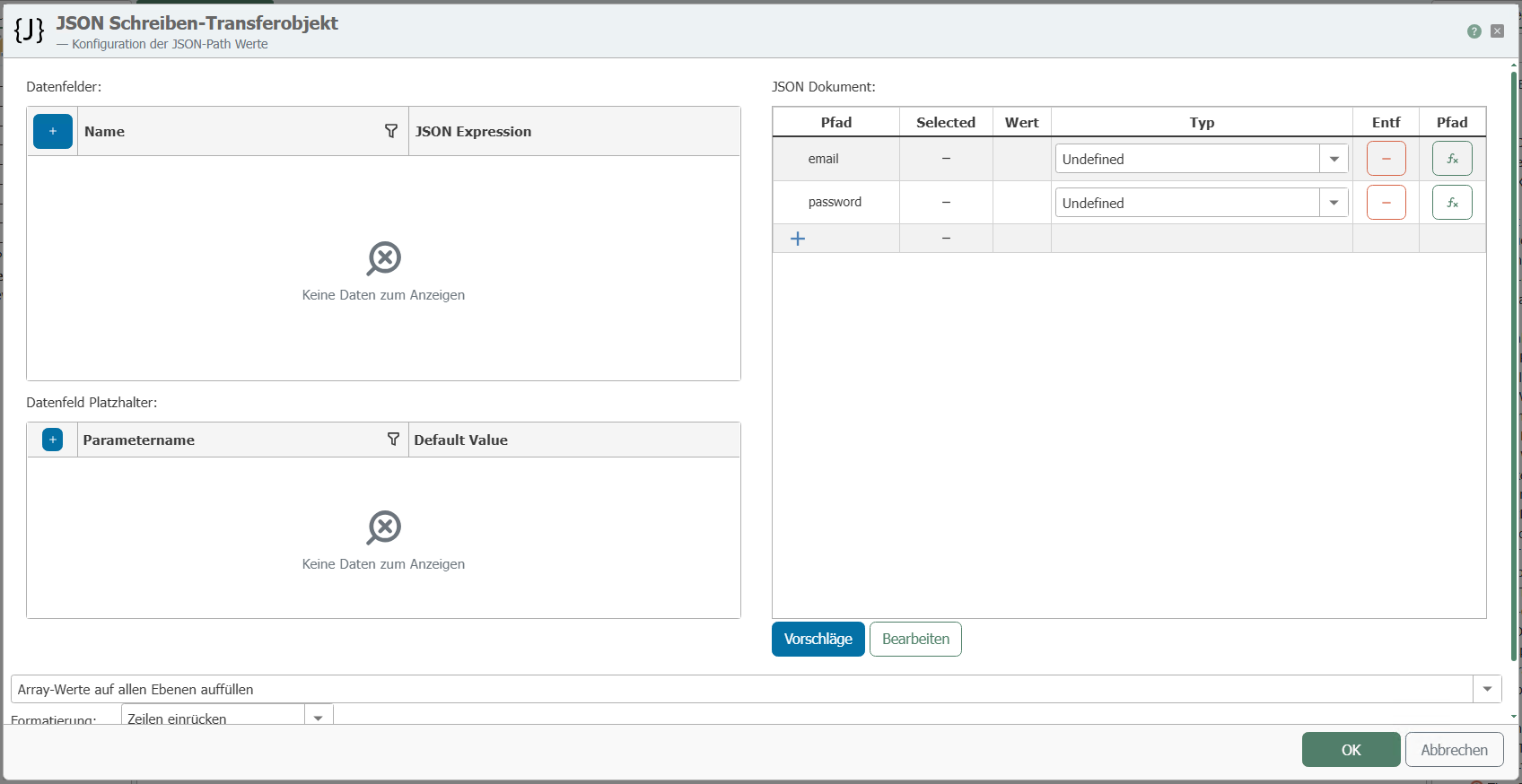
Create a JSON with the data required for authentication.
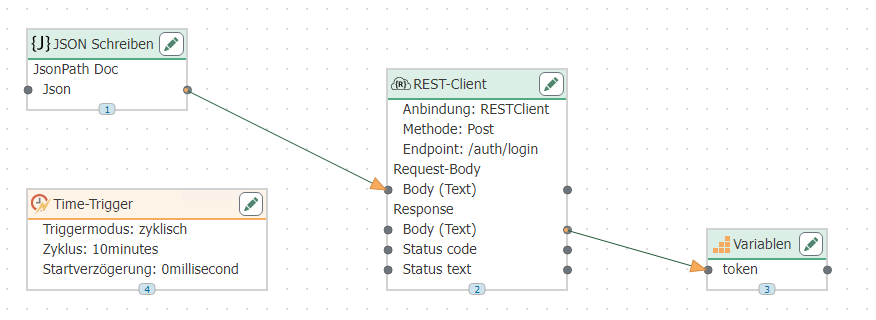
 Define a REST transfer object. Bind the REST plug-in here. Note that the login in the REST plug-in is set to None. Specify the corresponding URL endpoint. In the request, set the format to "application/json." Connect the Json parameter from the JSON write transfer object to the Body parameter in the request body of the REST transfer object.
Create a variable with the name token, which is untyped. Connect the Body parameter in the response to the variable. To execute the connection cyclically, integrate a time trigger and set the desired cycle.
 ## Pass token
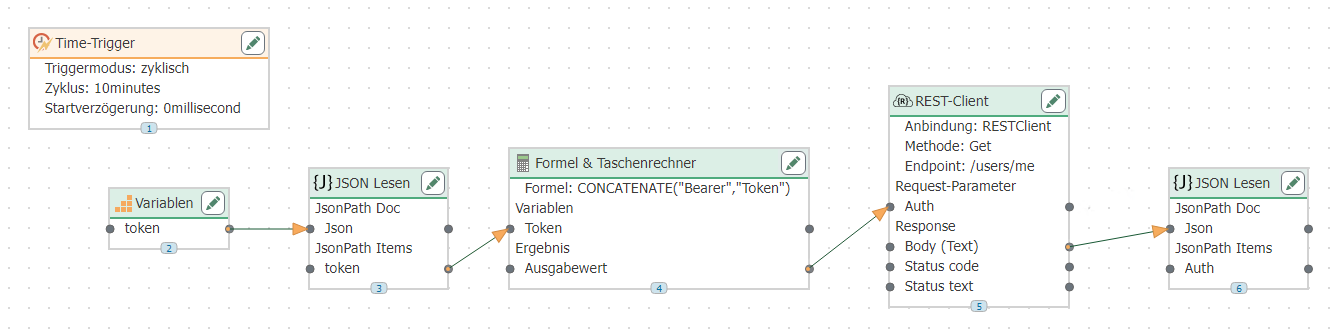
Pass the token in a second connection. Drag a variable into the workspace and select the appropriate variable. Drag a JSON Read transfer object into the workspace and create a token element.
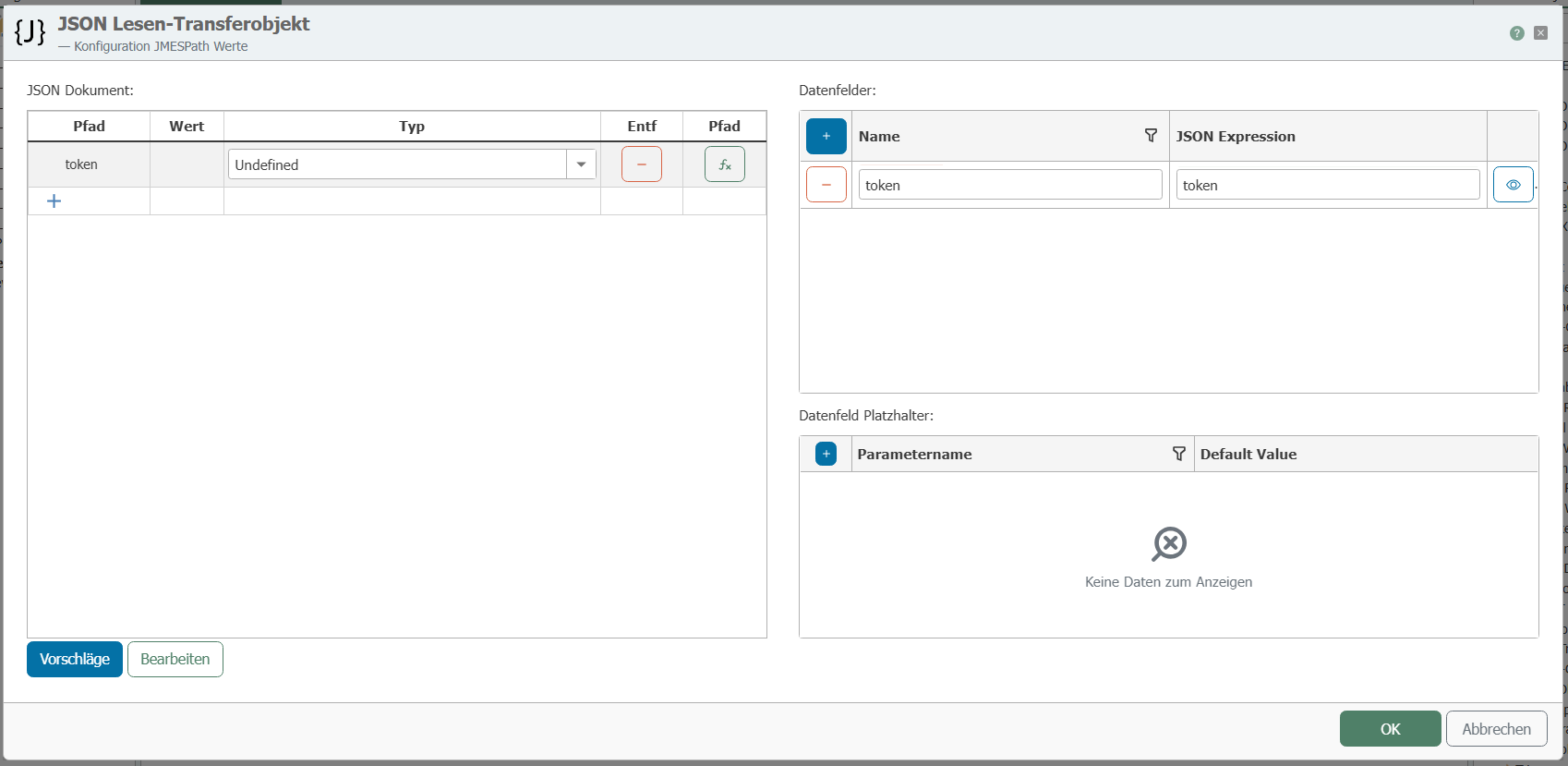 Drag the variable to the token parameter of the JSON transfer object. Create a calculator transfer object and select the CONCATENATE function using the "More" button. Create a placeholder using the "New" button. Enter the following parameters into the function as shown in the screenshot.
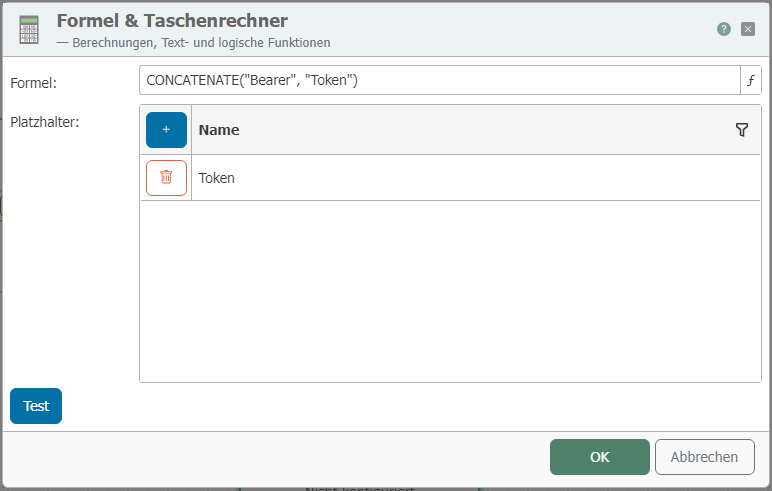 Connect the parameter from the JSON transfer object to the variable of the calculator transfer object.
Create a new transfer object using the GET method. Select the application/json format in the request and create a parameter with the parameter type HttpHeader.
Connect the output value of the calculator transfer object to the request parameter of the REST transfer object. Then connect the body parameter of the response of the REST transfer object to another transfer object of your choice. To execute the connection cyclically, create a time trigger.