License overview in OPC Router
The license overview is located in the OPC Router menu under “License”.” In addition to the license overview, you’ll also find options here for licensing via the “Online licensing” and “Offline licensing”.”
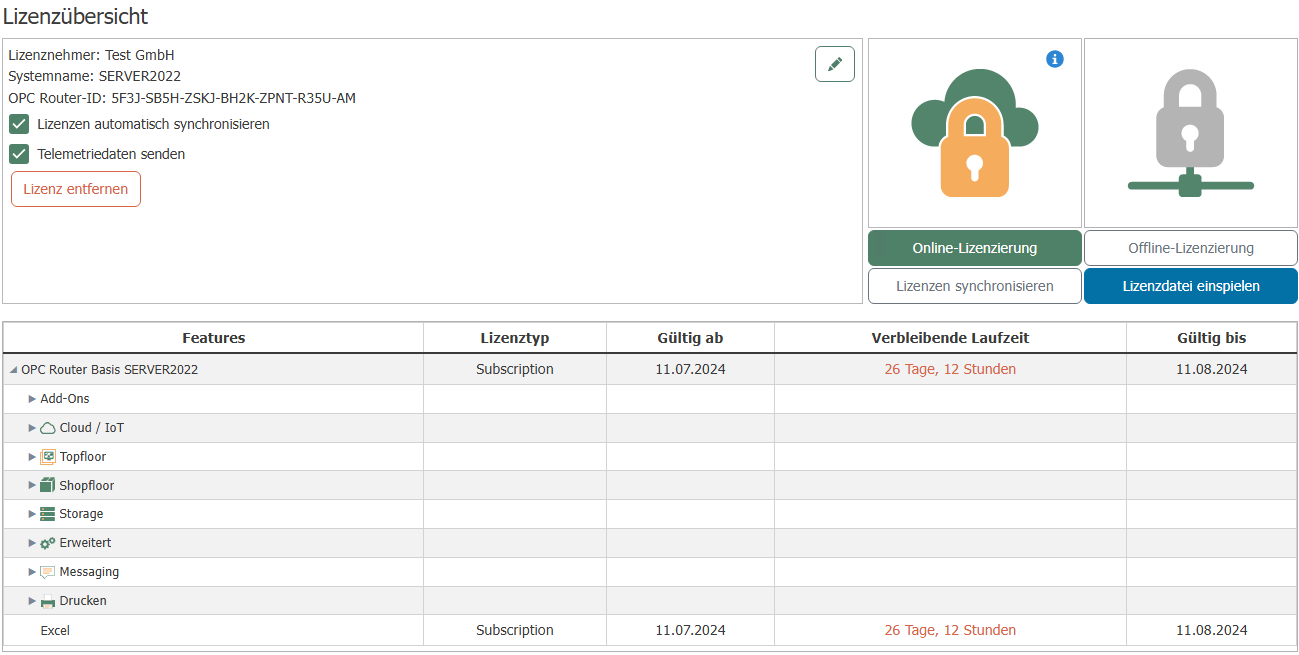
| Column | Explanation |
|---|---|
| Features | All features offered by the OPC Router are displayed here. The add-ons are also displayed here. |
| License Type | The license type is displayed here. Possible license types:
If support and update coverage has expired, this is indicated in the license type. It is also indicated if the license is invalid for the version of the router being used. |
| Valid from | The date and time from which the license is valid. |
| Remaining runtime | Displays the remaining runtime in days and hours. If the remaining runtime is short, the remaining time is displayed in red. |
| Valid until | Displays the date until which the license is valid. If the license has expired, this field shows how long ago it expired. |