Functions (FX)
A function is a reusable sub-flow : You define a flow once and call it from any number of flows. You maintain changes to the function in one place; they take effect at the call site as soon as that flow is republished .
Functions consist of two parts:
- the function (definition)—the sub-process with its contract in the template library,
- the transfer object **Function (FX)—the call point in a flow.
Function (Definition)
Functions are located in the template interface (“Templates & FBs,” cube icon), where they can be freely combined with templates. There are two ways to create a function:
- In the Templates interface, using the New Function (FX) button or context menu entry. The function is created in the selected folder and named directly in the tree.
- From the Function (FX) transfer object using the + button next to the function selection. This opens the function dialog ; select the destination folder via Save in.
You design the function’s flow in the Designer between Scope Input and Scope Return. You edit the Contract—the input and output values with their names and data types—using the pencil buttons for the two scope objects or collectively in the Function Dialog. The contract elements appear as items at the Scope input or Scope return—and as ports at each call site.
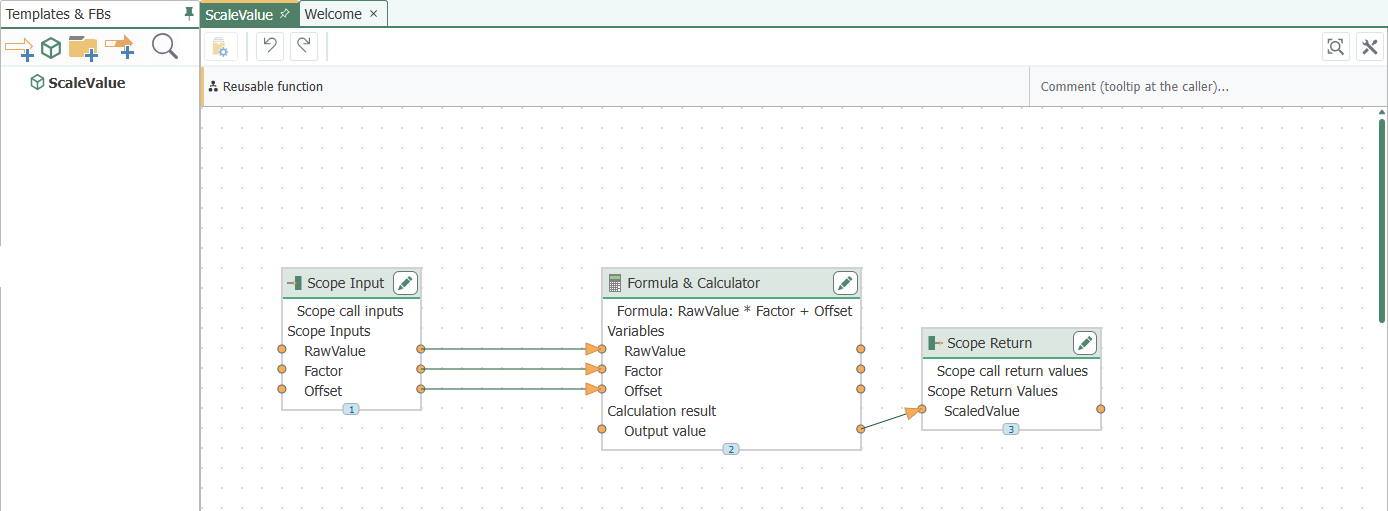
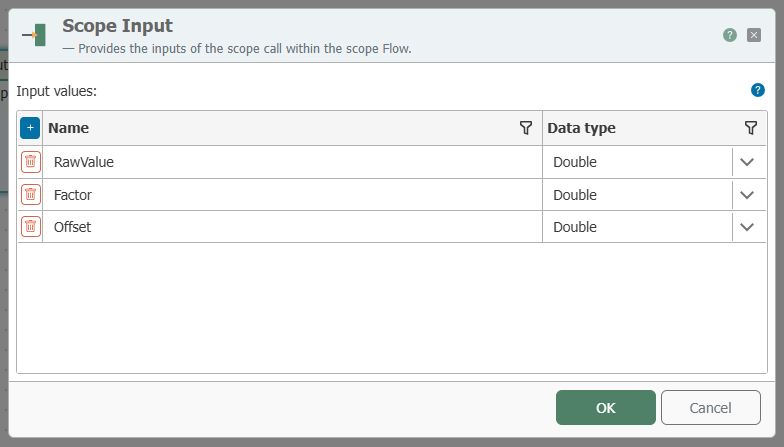
Function Dialog
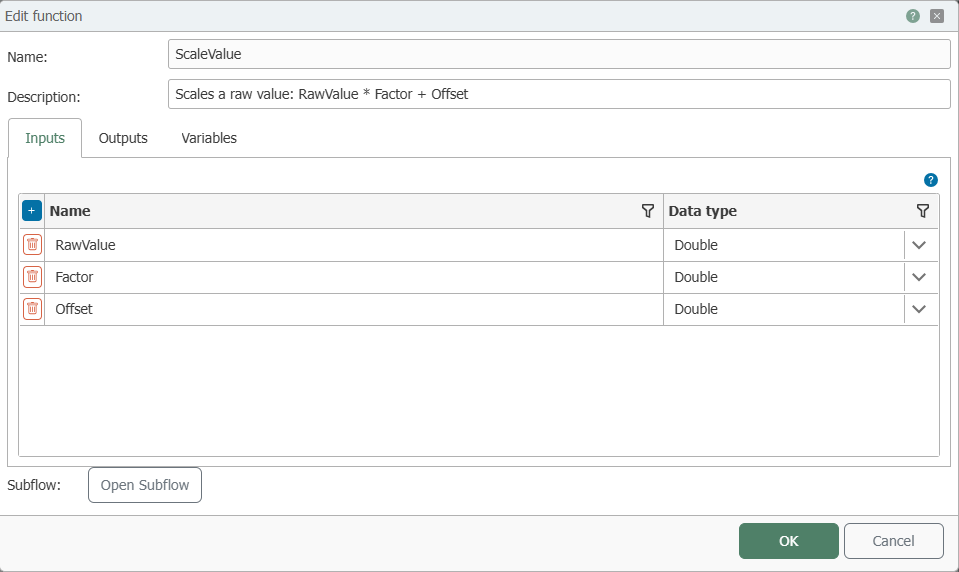
The Function Dialog opens when creating a function from the call transfer object (+) and when editing a selected function (eye button).
| Property | Description |
|---|---|
| Name | Unique name for the function; duplicate names are rejected. |
| Description | Optional text for documenting the function. |
| Save in | Destination folder in the template library (only when creating). |
| Inputs / Outputs | The function's contract: input and output values with names and data types. |
| Variables | Scope variables of the function (name, data type, default value). A plug-in can also be selected as the data type; in this case, the value is the name of the desired connection. |
| Open Flow | Opens the function designer. |
Modify Contract: Removing a contract element requires a second confirmation; the dialog lists the calling flows (up to five; any additional ones are grouped together). The ports of the calling locations are regenerated exactly from the contract the next time the contract is edited; items with the same name are retained.
Delete: A function referenced by calling points cannot be deleted either in the template tree or in the transfer object; attempting to delete it lists the calling flows.
Deploy: The Designer toolbar offers Deploy All Instances—this option publishes all flows that call the function (active as soon as callers exist).
Transfer Object “Function (FX)”
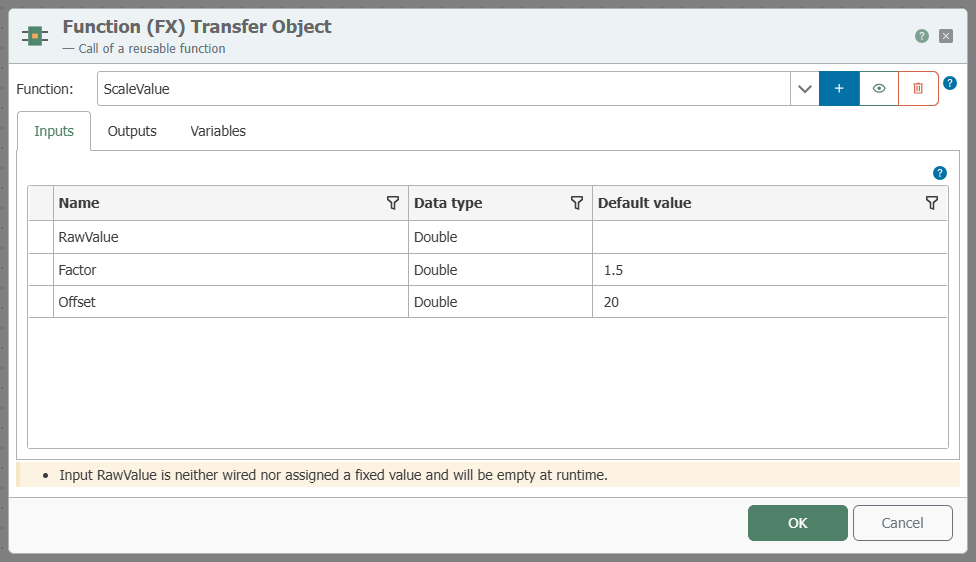
Create the object within the flow as described and open the editor by double-clicking it.
| Property | Description |
|---|---|
| Function | Selection of the function to be called. Next to it: Create (+), View/Edit (eye), and Delete (trash can, only possible if no call points exist); if no function is selected, Edit and Delete are disabled. |
| Inputs | Taken from the contract. Supply per input: hardwired item or fixed value in the Default Value column; a hardwired value takes precedence. If both are empty, the input is empty at runtime—the editor will indicate this. Values are converted to the contract data type; values that cannot be converted cause the transfer to fail. |
| Outputs | Taken from the contract. If the function does not return a value for an output, its default value is used; if there is no default value, the output remains empty. |
| Variables | Assignment of function variables: static value (replaced upon publication) or wired input (replaced on each call). |
When a function is selected, the object’s ports are created exactly as specified in its contract (name and data type); items outside the contract are omitted. Each call is subject to the time limit for sub-processes .
The diagram node features the Open Function action bar, which allows you to open the function in a new tab.

Nesting and Circular References
Functions may call other functions—even within the branches of an conditional (IF) transfer object. The maximum call depth for subroutines applies. Circular references are not permitted: A function that would call itself—either directly or through other functions—is rejected upon selection in the function list or when pasted from the clipboard, with a message listing the reference chain.
Rolling out changes
When publishing with the , each call site receives its own execution copy of the function. Consequently:
- A modified function does not take effect for a call site until its flow is republished. Flows that have not been republished continue to run unchanged.
- Call sites do not influence each other at runtime—even when the same function is called in parallel from different flows.
Export and Import
When exporting a flow containing Function (FX) transfer objects, the referenced functions are also exported. During import, the mappings are preserved. If the function already exists in the target project, the import option determines the behavior: Rename imported flows creates the imported function as a separate copy, to which the imported callers are redirected; Overwrite existing replaces the existing function.
When copying a Function (FX) transfer object via the clipboard to a different project, the function is not copied along with it—use the file export feature for this purpose.