Data Change Missing Trigger
The Datachange-Missing trigger initiates data transfer when there is no change in the value of a data point.
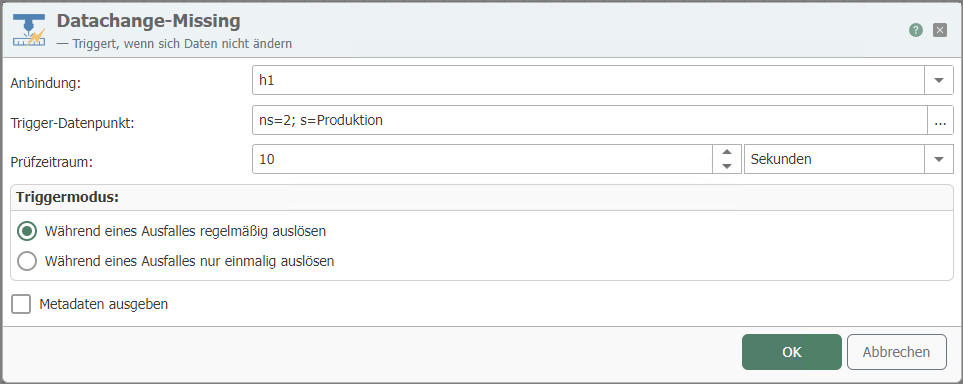
| Property | Description |
|---|---|
| Connection | Connection via which the relevant data point is accessed. |
| Trigger data point | Trigger data point whose lack of change triggers the transfer. Use the "..." button to open the tag selection (see below) for interactive selection of an item. |
| Check period | The trigger is activated after the check period has elapsed without a change in value. |
| Trigger mode | Here you can define whether the trigger should be activated once or regularly if there is no change in value. (See below) |
| Output metadata | When activated, you can output the metadata of the last known value. This includes the value of the data point, the quality ID, the quality string, a timestamp, and the path and name of the data point. |
Trigger mode additional information
| Trigger mode | Description |
|---|---|
| Trigger regularly during a failure | The trigger is activated as soon as the time set for the test period has elapsed and no change in value has occurred. After activation, the time set for the test period starts again and the trigger is activated again when the time expires. |
| Trigger only once during a failure | The trigger is activated as soon as the time set for the test period has elapsed and no change in value has occurred. Only after the value has changed again is the system checked again for missing value changes. |