Data Change Trigger
The Data Change Trigger monitors query results and triggers a transfer when changes occur. To do this, a database query is defined in the Data Change Trigger. The “General” tab is used to specify which columns should be monitored. The "Filter" tab allows you to define more precisely when a transfer should be triggered—for example, only when a column has a specific value.
Trigger behavior

The diagram shows, per record, which column change triggers a transfer and how a filter suppresses changes.
Dialog Overview
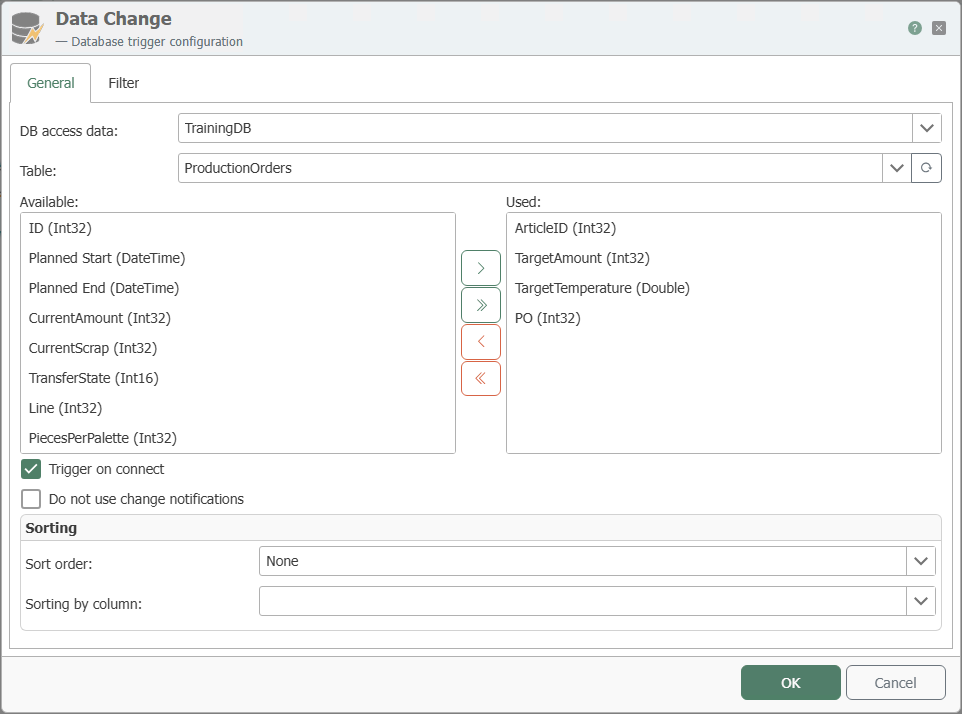 Data Change Trigger Dialog
General Properties
"General" Tab
| Property | Description |
|---|---|
| DB Connection | All relational database connections created in the Plug-ins section are listed here for selection. If your desired database connection is not listed, you can provide it in the Plug-ins section as Microsoft SQL Server , Oracle , SAP HANA , ODBC , OLE DB , MySQL , or PostgreSQL . |
| Table | Table from which columns are to be monitored. Note: The specified table must have a primary key. Tables without a primary key are not supported. |
| Available | All available columns of the selected table that have not yet been selected for the “Used” area. |
| Used | All columns of the selected table that have already been selected. Use the <, >, <<, and >> buttons, or double-click to add or remove fields. |
| Trigger on DB connection | If this option is enabled, a transfer is triggered when the router establishes a connection to the database. |
| Do not use change notifications | If this option is enabled, the polling interval configured in the plug-in is used for queries instead of change notifications. |
| Sort order | Specifies the order in which the monitored records are sorted. |
| Sort by Column | Column by which the monitored data records are sorted. |
Filters
Here, filters and filter groups can be created and configured graphically. The OPC Router then generates the appropriate filter condition at runtime. Unlike with DB Select, the filter values are entered as fixed values here.
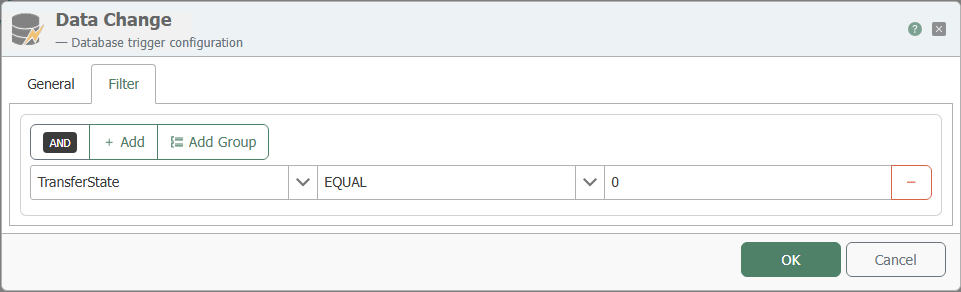
Use the "Add" button to add individual filter criteria and the "Add Group" button to add a filter group. The button with the minus sign deletes the respective filter or filter group.
Notes on Filter Logic
A filter consists of three elements:
- Column: The column to which the filter applies.
- Filter Operator: The operator determines how the filter value is used to filter the records.
- Filter Value: The value used to filter the records.
An explanation of the various filter operators can be found at Database Filter Operators .
Combining with AND and OR
Clicking on the text “AND” or “OR” changes the group type to the other one.
ANDmeans that all conditions in the group must be met for the group as a whole to be true.ORmeans that one condition in the group must be met for the group as a whole to be true.